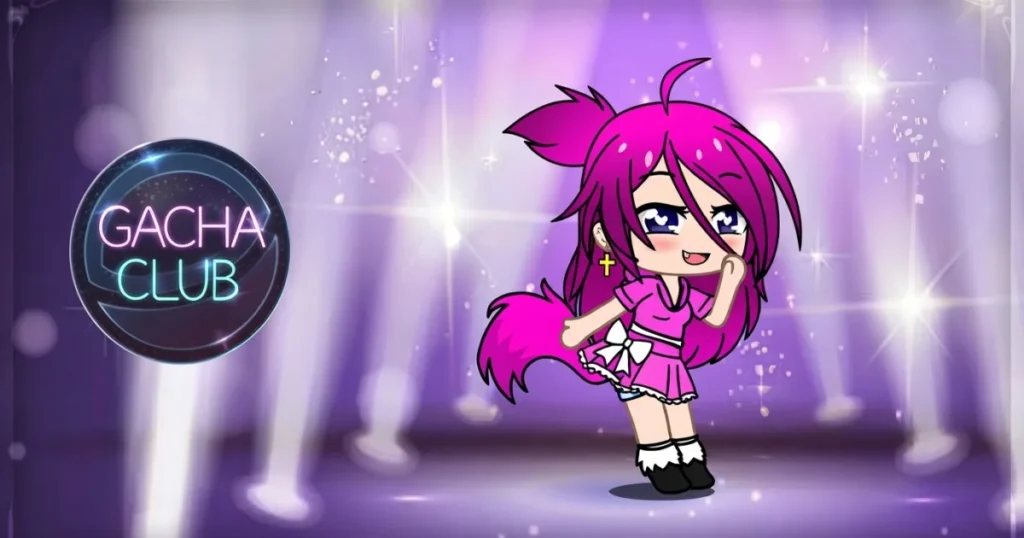










Gacha Club, developed by Lunime, packs two completely different experiences into one free browser game: a deep anime character creator and a turn-based elemental battle system. Players can spend hours in Studio Mode crafting original characters, composing scenes, and writing dialogue, then jump straight into campaign battles with those same units. The game runs smoothly in Chrome, Edge, and Firefox without any download required.
Table of Contents+
- What Is Gacha Club?
- How to Play Gacha Club?
- Character Customization and Studio Mode Mechanics
- Battle Mode Architecture and Elemental Combat
- Unit Progression, Enhancements, and Resource Farming
- Advanced Strategies for Combat and Minigames
- Where to Play Gacha Club
- Gacha Club Questions Worth Knowing
- More Free Games You Might Enjoy
- For Parents
- FAQs About Gacha Club
- Start Playing Gacha Club Right Now
What Is Gacha Club?
Gacha Club is a casual simulation game from Lunime that builds on the creative foundation of Gacha Life and expands it with a full combat system. The core loop has two distinct pillars: a character customization studio and a turn-based battle mode with elemental mechanics. Both systems feed into each other, since the characters you design in the studio become the units you field in battle.
The game sits firmly in the anime dress-up and simulation space, tagged with Character Customization, Dress Up, Studio, and Turn-Based Battle. Fans who enjoy building original characters, or OCs, will find the studio side especially rich, while players who want progression and strategy get a full campaign with boss encounters and resource farming. You can check the Lunime Wiki on Fandom for a comprehensive breakdown of every system in the game.
How to Play Gacha Club?
The main menu splits cleanly into Studio and Battle. Choosing Studio drops you into the character editor, where you build and save units before arranging them in scenes. Choosing Battle takes you to the campaign map, where you form a team of up to five units and fight through story stages using elemental skills.
Desktop and Keyboard Controls
On desktop, Gacha Club is controlled entirely with the mouse. You click and navigate menus to select hairstyles, clothing, eye shapes, body options, and color palettes in the studio. During battle, you click skill buttons to trigger active abilities and target enemies. The scroll wheel lets you zoom in or switch between views in certain screens, keeping navigation quick without needing a keyboard shortcut for every action.
The interface is point-and-click throughout, so there is no complex key mapping to memorize. Every button, slider, and menu panel responds to a standard left-click, making it accessible from the first session.
Touchscreen and Mobile Navigation
On touchscreen devices, the same menus respond to taps instead of clicks. Drag and release gestures handle aiming and launching in applicable minigame modes, while a simple tap covers most interactions including jumping between menu tabs, selecting outfit pieces, and confirming skill use in battle. The layout scales well for smaller screens, with large tap targets on the key action buttons.
Switching between the studio and battle sections on mobile follows the same menu structure as desktop, so the learning curve stays flat regardless of which device you start on.
Character Customization and Studio Mode Mechanics
Studio Mode is where Gacha Club separates itself from simpler dress-up games. The editor gives you control over nearly every visual element of a character, from the shape of the mouth and the cut of the hair down to skin color, eye style, and body proportions. Saving your finished designs as presets means you can reuse or remix them across multiple scenes without rebuilding from scratch.
Custom Outfits, Poses, and Presets
The outfit system covers tops, bottoms, full-body clothing, accessories, masks, and layered items. Face masks items, masquerade ball masks, and accessories like a rainbow shirt or goth-style clothing all sit in categorized menus you scroll through to find the right look. Hairstyles range from short cuts to long flowing styles, and each one can be recolored using the color picker to match any aesthetic, whether you are going for y2k gacha club outfits, cute gacha club outfits, or male outfits with a more minimal base.
Poses are selectable per character and change the stance displayed in the scene. Pairing a specific pose with a matching background and outfit is the foundation of good scene composition. Import codes let you share a finished character design with other players or load a community-created OC directly into your editor, which is a huge time-saver when you want a starting point for a new character idea.
Scene Creation and Dialogue Setup
Once your characters are ready, the scene editor lets you place up to ten units against a chosen background, resize them, and layer them at different depths. You can add speech bubbles and set up a dialogue sequence, which is how most players create short animated-style stories or comic panels inside the game itself. Picking the right background, whether an indoor room, an outdoor landscape, or a stylized abstract setting, sets the entire mood of the scene.
Text boxes support basic formatting and let you assign lines to specific characters. This makes it straightforward to produce a back-and-forth conversation without any external tools. The scene can then be saved as a preset for later editing or sharing via export code.
Battle Mode Architecture and Elemental Combat
Battle Mode runs on a turn-based system where two teams of up to five units face off. Each unit has an elemental affinity, and matching or countering those elements against enemy types is the primary tactical layer. Battles play out automatically between skill activations, so your job is managing when to fire active abilities and how to position your team composition before the fight starts.
Active Skills and Team Synergy
Every unit has at least one active skill that charges over time during battle. Firing skills at the right moment, such as using a healing skill when your frontline unit drops low or unleashing a damage skill when an enemy is vulnerable, is what separates a clean win from a drawn-out grind. Team synergy comes from pairing units whose elements complement each other and whose skill types cover different roles: damage, support, and healing.
Skill points are a limited resource during each battle, so spending them on the wrong unit at the wrong time can leave you without options when a boss uses a heavy attack. Building a team with a clear damage dealer, a buffer, and a healer gives you the flexibility to respond to different enemy patterns without burning all your skill points early.
Story Battles and Boss Encounters
The campaign progresses through a series of story stages, each with a set of standard enemy waves followed by a boss encounter. Bosses hit harder and have more health than regular enemies, and some have elemental resistances that punish a poorly matched team. Shadow enemies, including the shadow versions of units you encounter through the gacha system, appear as tougher variants in later stages and require more deliberate skill usage to defeat.
Clearing story stages rewards you with experience, gold, and gacha tickets, which feed directly into the progression loop. Replaying earlier stages on higher difficulty is a reliable way to farm resources when you hit a wall in the campaign.
Unit Progression, Enhancements, and Resource Farming
Units level up by earning experience points from battles. Each level increases base stats, and hitting certain level thresholds unlocks new skill slots or upgrades existing ones. Gold is the primary currency for purchasing enhancements, and gacha tickets are used to pull new units from the gacha system, expanding your roster with characters of varying rarity and elemental types.
Resource farming is most efficient through the minigame modes available outside the main campaign. These minigames, detailed further on the Gacha Club Wiki’s Mini Games page, offer repeatable reward cycles that generate gold and experience without requiring you to push into harder story content. Running minigames between campaign attempts keeps your units leveled without the frustration of hitting a difficulty spike unprepared.
Skill upgrades cost both gold and skill points allocated at the unit level. Prioritizing upgrades on your core team of five before spreading resources across a wide roster is the most efficient path through the mid-game. Keeping a backup unit leveled for elemental coverage is also important, since some boss stages are designed around a specific elemental weakness.
Advanced Strategies for Combat and Minigames
One of the most overlooked tactics in Gacha Club battle is pre-battle team editing. Before each stage, you can swap units in and out of your active team. Checking the elemental type of the upcoming boss and adjusting your lineup accordingly costs nothing and can turn a difficult fight into a straightforward one. Always review the enemy roster on the stage preview screen before committing to a team.
In minigames, the goal is maximizing reward output per session. Each minigame has its own mechanics, but the consistent principle is completing runs quickly and repeatedly rather than optimizing a single long session. Short, focused minigame runs between story attempts generate a steady flow of gold that keeps your enhancement queue moving. Saving gacha tickets for when you have a full set of ten pulls, rather than spending them one at a time, also improves your odds of pulling higher-rarity units.
For Studio Mode power users, mastering import codes is the single biggest efficiency gain. Exporting a finished character as a code and saving it offline means you never lose a design to an accidental reset. If you experience a gacha club keep resetting issue, exporting codes before closing the game is the safest way to protect your work until the session data stabilizes.
Where to Play Gacha Club
Gacha Club is free to play right now on Arcazi.com, directly in your browser with no download needed.
Also available on the App Store for iOS.
Also available on Google Play for Android.
Gacha Club Questions Worth Knowing
A few common questions come up regularly among players, especially around saving progress and the game’s history. Here are direct answers to the ones that matter most.
How to save gacha club characters?
To save a character in Gacha Club, finish editing the unit in the studio and use the export code option to generate a shareable text string. Copy that code and store it somewhere safe, such as a notes app, so you can reimport the character at any time using the import code field in the studio menu.
When was gacha club made?
Gacha Club was created by Lunime and released in 2020, making it one of the more recent entries in Lunime’s lineup of anime-style character games.
How to save characters in gacha club?
Characters are saved locally on your device through the game’s built-in save slots, but the most reliable backup method is exporting each character as an import code. Pasting that code back into the studio restores the full design exactly, which protects your OCs if local save data is lost or reset.
More Free Games You Might Enjoy
- Triple Solitaire – A fresh take on classic solitaire that layers three decks into one satisfying card-clearing challenge.
- Super Soccer Noggins – A goofy, fast-paced soccer game where oversized heads and quick reflexes decide every match.
- Paper Minecraft – A side-scrolling browser spin on the iconic block-building survival formula, playable instantly.
- Brainrot Clicker – An addictive idle clicker built around internet culture references that escalates fast.
- Homerun Derby – A browser baseball game focused entirely on smashing home runs with satisfying timing mechanics.
- Bubble Trouble – A classic arcade game where you split and destroy bouncing bubbles before they overwhelm you.
All of these titles are part of the Girls and casual game collection on Arcazi, so there is always something new to try in the same creative, low-pressure style.
For Parents
Gacha Club is a single-player simulation and casual game centered on anime-style character creation, scene building, and turn-based battles. The gameplay involves designing characters with customizable outfits, hairstyles, and accessories, composing visual scenes with dialogue, and progressing through a story-based combat campaign. The game is tagged under Girls, Casual, Simulation, and Kids categories, reflecting its creative and non-competitive focus.
FAQs About Gacha Club
How to play gacha club?
Start by choosing between Studio Mode and Battle Mode from the main menu. Studio lets you design characters and build scenes, while Battle puts your team of up to five units through turn-based elemental combat across a story campaign.
How to play gacha club on pc?
Open Gacha Club in a desktop browser such as Chrome, Edge, or Firefox and play using your mouse to navigate menus, select outfit pieces, and click skill buttons during battles. No additional software is required to run it in the browser.
How to play gacha club battle?
Select Battle from the main menu, choose your team of up to five units, and enter a story stage. Units fight automatically between turns, and you activate each unit’s active skill manually by clicking its skill button when the charge meter fills.
How to play gacha club on laptop?
Load the game in any modern browser on your laptop and use the mouse to interact with all menus and battle controls. The game runs fully in-browser, so there is nothing to install before playing.
How many people play gacha club?
Gacha Club has a large global player base across mobile and browser platforms, though Lunime has not published an official active player count.
Is gacha club free?
Yes, Gacha Club is completely free to play in the browser and on mobile. No payment is required to access the studio, battle campaign, or minigames.
Does gacha club cost money?
Gacha Club does not cost money to download or play. The full game, including all core modes, is available at no charge.
When did gacha club come out?
Gacha Club was released by Lunime in 2020 and has received updates since its initial launch.
What is gacha club?
Gacha Club is a free anime-style simulation game by Lunime that combines a deep character customization studio with a turn-based elemental battle system and minigame modes.
Why does gacha club keep resetting?
Save data in Gacha Club is stored locally on your device, so clearing browser cache, switching devices, or certain app updates can wipe progress. Exporting your characters as import codes before closing the game is the safest way to preserve your work.
Why does my gacha club keep resetting?
The most common cause is browser cache being cleared or local storage being wiped between sessions. Using the export code feature to back up each character ensures you can restore them even if the local save resets.
How to level up in gacha club?
Units gain experience points by completing story battles and minigame runs. Accumulating enough experience points raises a unit’s level, which increases base stats and can unlock new skill upgrade slots.
Start Playing Gacha Club Right Now
Gacha Club is free and ready to play instantly in your browser on Arcazi.com, with no download, no install, and no waiting. Jump into the studio, build your first character, and take them into battle today.