








Wrestle Bros

Step into the ring with Wrestle Bros, a dynamic browser wrestling game where quick reflexes and strategic moves rule the match. Experience the thrill of fun physics-driven combat, whether you’re performing a daring leg drop or a powerful pile driver. This addictive fighting game promises instant, unblocked action for players looking for exciting challenges directly in their browser.

What is Wrestle Bros?

Wrestle Bros is an action-packed, multiplayer fighting game that brings the chaotic fun of wrestling to your browser. Building on the legacy of titles like its previous series Basket Bros, this game offers dynamic gameplay with a simple yet challenging control system. Players dive into one-on-one or two-player matches, aiming to pin their opponents into submission using a variety of wrestling techniques and environmental interactions.

Key features of Wrestle Bros include:

  • Dynamic, physics-driven wrestling combat
  • Intuitive, easy-to-learn control scheme
  • Single-player and 2-player local multiplayer modes
  • Strategic moves like leg drops and pile drivers
  • Fast-paced, high-energy matches

Wrestle Bros Gameplay

The core gameplay loop of Wrestle Bros is straightforward but deep. Players choose their wrestler and enter the arena, engaging in fast-paced combat against an opponent. Success hinges on a blend of well-timed attacks, defensive maneuvers, and knowing when to execute power moves. The game’s fun physics engine means that every hit and throw can lead to unpredictable, often hilarious, outcomes, adding to the replayability. Mastering the timing for aerial attacks and ground submissions is key to dominating the ring.

Modes of Play in Wrestle Bros

Wrestle Bros offers flexible game modes to suit various play styles. For those looking to hone their skills or enjoy a quick solo match, the single-player mode provides engaging challenges against AI opponents. If you prefer to challenge a friend, the game truly shines in its two-player local multiplayer mode, allowing two players to battle it out on the same device. This versatility makes Wrestle Bros a fantastic choice for both solo sessions and competitive fun.

Mastering Strategic Moves in Wrestle Bros

Beyond basic attacks, Wrestle Bros encourages players to learn and utilize strategic wrestling moves. From powerful leg drops to devastating pile drivers, each action requires precise timing and positioning to execute effectively. The game’s simple control layout makes these special moves accessible, but mastering them takes practice. Understanding how to leverage the environment and your opponent’s state for maximum impact is crucial for becoming a true champion in this dynamic fighting game. The `crazy` action can lead to unexpected victories or defeats, keeping every match exciting.

How to Play Wrestle Bros

Playing Wrestle Bros is designed to be accessible, offering instant action. The game features a simple yet challenging control system, making it easy to pick up but hard to master. Here’s how to dive into the wrestling action:

  1. Launch Wrestle Bros in your browser (desktop, mobile, tablet).
  2. Select your preferred game mode: 1-Player or 2-Player.
  3. Choose your wrestler and enter the ring.
  4. Use your chosen controls to move, attack, and execute special moves.
  5. Aim to defeat your opponent by reducing their health and then pinning them for victory.

Wrestle Bros Controls

The `control` scheme for Wrestle Bros is designed for intuitive play, whether you’re playing alone or with a friend. It’s playable directly in your browser, even on mobile devices including `ios` phones and tablets.

  • 1-Player Mode: Move using the ‘W, A, S, D’ keys or ‘ARROW KEYS’. Perform actions with ‘SPACE’ or ‘G’ or ‘L’ key.
  • 2-Player Mode:
    Player 1 uses ‘W, A, S, D’ for movement and the ‘G’ key for actions.
    Player 2 uses the ‘ARROW KEYS’ for movement and the ‘L’ key for actions.

Where to Play

You can play Wrestle Bros for free right here on Play Free. Play Now. For a visual guide to the action, check out the gameplay video available further down this page.

For Parents

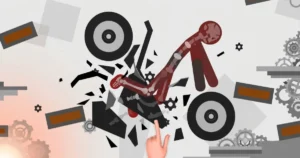
Parents seeking lighthearted action games for their children might find Wrestle Bros suitable. The stylized `stickman` art and exaggerated physics offer cartoonish wrestling action, keeping the content generally appropriate for younger audiences. It’s a popular `unblocked` `game` choice, perfect for `classroom` downtime, and accessible without requiring downloads or complex setups often associated with older `msn`-style browser platforms.

Similar Games to Wrestle Bros

If you enjoy fast-paced, physics-driven wrestling game action with simple controls, these other titles are worth a look. Many of these share a similar lighthearted style and focus on immediate, engaging gameplay.

  • Kart Bros – Another ‘Bros’ title, offering competitive, physics-based racing fun with similar art and feel.
  • Basket Bros – The acclaimed predecessor, featuring over-the-top basketball action with dynamic physics.
  • Stickman Fighter – A minimalist fighting game where quick reactions and simple controls lead to intense duels.
  • Boxing Physics 2 – Experience hilariously wobbly, physics-driven boxing matches with unpredictable outcomes.
  • Rooftop Snipers – A quirky 2-player fighting game known for its ragdoll physics and simple, challenging controls.
  • Tag Team Wrestling – Offers a different take on wrestling, focusing on cooperative or competitive tag team mechanics.
  • Gang Fall Party – Features chaotic, physics-based brawls with multiple players, akin to a party game.
  • Drunken Wrestle – Delivers humorous, wobbly physics wrestling where control is part of the challenge.

Explore more titles in the Action category for more free browser games.

Frequently Asked Questions

How to play Wrestle Bros?

Play Wrestle Bros using WASD or arrow keys for movement, and SPACE, G, or L for actions. In 2-player mode, Player 1 uses WASD+G and Player 2 uses Arrow Keys+L.

What are the controls for Wrestle Bros?

For Player 1, use WASD for movement and G for action. For Player 2, use Arrow keys for movement and L for action. In 1-Player mode, you can use either set of movement keys and any of SPACE, G, or L for action.

How to play Wrestle Bros in 2-player mode?

In 2-player mode, two players share the same keyboard. Player 1 uses WASD for movement and G for action, while Player 2 uses the Arrow keys for movement and L for action.

How to pin opponents in Wrestle Bros?

After dealing sufficient damage to your opponent and they are downed, approach them and press your designated action key (SPACE, G, or L) to attempt a pin.

How to do a leg drop in Wrestle Bros?

To perform a leg drop, get your opponent on the ground, then position yourself above them and use the action key while jumping or falling onto them.

How to do a pile driver in Wrestle Bros?

A pile driver can be executed by getting close to a stunned or downed opponent and performing a specific action key input or sequence as described in-game, often involving holding the action key.

Is Wrestle Bros an unblocked game?

Yes, Wrestle Bros is designed to be easily accessible and can typically be played directly in your browser without needing to download any files or bypass network restrictions.

For background on the action, multiplayer, fighting genre, see Wikipedia’s overview.

Dragon Joust

Soar through vast 3D arenas on the back of your powerful dragon, locked in fierce aerial combat against other players. In Dragon Joust, every twitch of the wing and burst of speed is critical as you maneuver to outwit and outfight your rivals in a dynamic, multiplayer battlefield. Prepare for an intense flight experience where only the most agile dragon riders prevail.

What is Dragon Joust?

Dragon Joust is an action-packed, multiplayer browser game developed by Blue Wizard Digital, offering strategic aerial combat on desktop and mobile platforms. Players control a powerful dragon, engaging in competitive jousts against others to become the dominant force in the skies. It’s a game that brings flying, fighting, and strategic war elements together in a vibrant 3D environment, often sought after as an ‘unblocked’ title by players looking for quick access.

The game’s focus on intense dragon-on-dragon battles sets it apart, providing a unique blend of immediate action and tactical depth. While the game itself is a pure browser experience, players searching for ‘iOS’ versions or related content like ‘book’ series often find their way to this engaging title. The gameplay focuses purely on aerial maneuvers and combat, without any ‘shaft’-related mechanics or features.

  • Engage in dynamic 3D aerial combat
  • Compete against other players in real-time multiplayer matches
  • Master precise dragon flight and jousting mechanics
  • Experience action-packed battles across diverse arenas
  • Challenge rivals to prove your house’s dominance

Mastering Dragon Joust Gameplay

In Dragon Joust, your primary objective is to outmaneuver and eliminate opposing dragons using your jousting lance. As a multiplayer game, constant vigilance and quick reflexes are key to survival in these red-hot aerial battles. The arena is a sandbox for flying and fighting, demanding both offensive aggression and defensive dodges to secure victories.

Strategic positioning is paramount, allowing you to line up devastating charges while avoiding incoming attacks. Understanding the movement patterns of your adversaries and anticipating their moves will give you a significant advantage. It’s not just about brute force; clever use of terrain and timing your boosts can turn the tide of any dragon joust.

How to Play Dragon Joust

Playing Dragon Joust involves mastering your dragon’s flight and combat abilities to defeat opponents. Here’s how to dive into the action:

  1. **Enter the Arena**: Join a multiplayer match from the main menu.
  2. **Control Your Dragon**: Use the provided controls to navigate your dragon through the 3D environment.
  3. **Seek Opponents**: Locate other player-controlled dragons in the arena.
  4. **Engage in Joust**: Maneuver to charge at enemies, attempting to strike them with your lance while avoiding their attacks.
  5. **Dominate the Skies**: Defeat rivals to earn points and climb the leaderboard, asserting your supremacy.

Dragon Joust Controls

Mastering your dragon’s movement is crucial for success, whether on desktop or touchscreen:

  • **Desktop Keyboard**: Use W or the Up Arrow key to flap your wings and gain altitude. Use A/D or Left/Right Arrow keys to change directions.
  • **Desktop Mouse**: Click anywhere on the screen with the left mouse button to flap wings and adjust your dragon’s direction.
  • **Touchscreen Devices**: Tap anywhere on your mobile or tablet screen to make your dragon move and change direction, providing intuitive control for on-the-go play.

Where to Play Dragon Joust

You can play Dragon Joust for free right here on Play Free. Play Now. Dive into the thrilling dragon fighting action instantly from your browser on desktop, mobile, or tablet devices. For a visual guide to the gameplay, be sure to watch the walkthrough video further down this page.

Similar Games to Dragon Joust

If you enjoy fast-paced multiplayer action and competitive browser games, these other titles offer similar thrills and accessible gameplay:

  • Agar.io – A classic multiplayer browser game where you grow your cell by consuming smaller ones and avoiding larger predators.
  • Slither.io – Guide your snake to consume pellets, grow in length, and encircle other players in a competitive online arena.
  • Kart Bros – Enjoy competitive racing against other players, navigating tracks and using power-ups to secure victory.
  • Wings.io – Take to the skies in an airplane, dogfighting against other players and collecting upgrades in a frenetic multiplayer battle.
  • Diep.io – Control a tank, upgrade its stats and weapons, and engage in arena combat against other players and AI-controlled shapes.
  • Paper.io – Expand your territory by drawing lines and enclosing areas, all while trying to cut off and eliminate rival players.

Explore more titles in the Strategy category for more free browser games.

Frequently Asked Questions

What is Dragon Joust?

Dragon Joust is a multiplayer 3D browser game where players control dragons in aerial combat, jousting against other online opponents.

How do you play Dragon Joust?

Players control their dragon’s flight and direction to engage in jousting attacks against other players. Desktop controls use keyboard/mouse, while touchscreen devices use taps.

Is Dragon Joust a multiplayer game?

Yes, Dragon Joust is a multiplayer game where you compete against other players in real-time aerial battles.

Can I play Dragon Joust on mobile?

Yes, Dragon Joust is playable across various platforms including desktop, mobile, and tablet browsers.

Is Dragon Joust free to play?

Yes, Dragon Joust is available to play for free directly in your web browser.

Who developed Dragon Joust?

Dragon Joust was developed by Blue Wizard Digital.

For background on the strategy, multiplayer, 3d genre, see Wikipedia’s overview.

Moto x3m winter

Lean into the turn, hit the accelerator, and launch your bike into a series of aerial flips over jagged icy ramps. This is the adrenaline-fueled world of Moto X3M Winter, a demanding physics-based motorcycle game that tests both your speed and precision. Navigate 25 treacherous winter tracks, mastering stunts and control to shave precious seconds off your best times. Play the unblocked game now.

What is Moto x3m winter?

Moto X3M Winter is a challenging bike racing game where players guide a daring stunt rider through a series of winter-themed obstacle courses. As a browser game, it delivers fast-paced action and intricate level design directly to desktop, mobile, and tablet devices. The cool math behind its physics engine ensures every jump and landing feels authentic.

This installment in the popular Moto X3M series stands out with its frosty landscapes and unique level hazards. Each track presents new challenges, requiring players to adapt their strategy on the fly. The primary goal is to reach the finish line as quickly as possible.

Success in Moto X3M Winter often involves spectacular aerial maneuvers and careful navigation of precarious terrain. Players work to shave precious seconds off their best times, aiming for perfect runs on all available levels.

  • Physics-driven motorcycle stunts
  • 25 distinct winter-themed tracks
  • Time-trial progression system
  • Responsive tilt and acceleration controls

Moto x3m winter Gameplay

The core gameplay loop in the game revolves around navigating increasingly difficult tracks, using a combination of speed and calculated movements. Players accelerate, brake, and tilt their bike to overcome obstacles, perform flips, and land safely. Success hinges on understanding momentum and gravity, leveraging these forces to clear large gaps or stick tricky landings.

Each run is a learning experience, allowing players to refine their approach to specific sections. Knowing when to go full throttle and when to slow down is crucial. Mastering flips in the air can reduce overall time and contribute to a perfect score, but a failed landing can cost valuable seconds or even force a restart.

Levels and Progression in Moto x3m winter

Moto X3M Winter features 25 unique winter tracks, each designed with its own set of obstacles and challenges. Progression involves completing these levels, with the ultimate objective of achieving the fastest possible time on each one. Replaying tracks is encouraged, as players can improve their previous times by discovering more efficient routes or perfecting their stunt execution.

The satisfaction comes from seeing your personal best times drop as your skills improve. From icy slopes and frozen platforms to giant snowballs and collapsing structures, the varied environments demand constant adaptation. Overcoming a particularly tricky level in the game often requires patience and repeated attempts.

How to Play Moto x3m winter

To succeed in Moto X3M Winter, players must master a balance of speed and control. Begin each level by accelerating, using momentum to clear initial obstacles. Approach difficult corners or icy landings with caution, applying the brake to prevent overshooting or crashing. Use flips and mid-air adjustments to land smoothly and maintain momentum. Each completed run provides knowledge for the next attempt.

Moto x3m winter Controls

The game uses simple, intuitive controls for navigation and stunts.

  1. Use the Up Arrow key or W to accelerate the bike.
  2. Use the Down Arrow key or S to brake or reverse.
  3. Use the Left Arrow key or A to tilt the bike backward (rotate counter-clockwise).
  4. Use the Right Arrow key or D to tilt the bike forward (rotate clockwise).

Where to Play

You can play Moto X3M Winter for free right here on Play Free. Play Now.

For a visual guide to the game’s challenging levels and intricate stunts, watch the gameplay walkthrough further down this page.

Similar Games to Moto x3m winter

If you enjoy the fast-paced, physics-based motorcycle challenges of Moto X3M Winter, these other racing and stunt games are worth a look. Many offer similar precision platforming and adrenaline-pumping action.

  • Kart Bros – Experience kart racing with a focus on tight controls and competitive tracks, offering a different kind of speed challenge.
  • Moto X3M – The original title in the series, offering more gravity-defying stunts and tricky courses with a different theme.
  • Moto X3M Pool Party – Another popular installment, featuring water slides and summer-themed obstacles for a unique twist on the core gameplay.
  • Bike Mania – A classic browser-based physics platformer that emphasizes extreme precision and balance, predating the Moto X3M series.
  • Happy Wheels – Known for its ragdoll physics and user-generated content, offering wildly varied and often gory obstacle courses.
  • Gravity Rider Zero – A mobile-first title available on browser, featuring sci-fi bikes and intricate track designs where skill is key.

Explore more titles in the Bike category for more free browser games.

Frequently Asked Questions

How do I beat level 25 in Moto X3M Winter?

Level 25 is one of the toughest tracks. Focus on smooth landings after big jumps and practice the timing of your flips. Small adjustments to acceleration and braking are crucial for navigating the final complex obstacles.

What is the best way to pass level 7 in Moto X3M Winter?

Level 7 often challenges players with its sequence of rotating platforms and sharp inclines. Maintain moderate speed and use precise tilting to ensure your bike stays balanced, especially when transitioning between moving parts.

Is Moto X3M Winter free to play?

Yes, Moto X3M Winter is available to play completely free of charge right here on Play Free. Play Now.

What platforms support Moto X3M Winter?

Moto X3M Winter is a browser game, fully playable on desktop, mobile, and tablet devices. It runs directly in your web browser.

What is the main objective in Moto X3M Winter?

The main objective is to complete each of the 25 winter tracks as fast as possible. Players strive to improve their best times by mastering stunts and navigating obstacles efficiently.

Does Moto X3M Winter offer multiplayer modes?

No, Moto X3M Winter is designed as a single-player experience, focusing on individual skill and time trial challenges across its numerous levels.

Does Moto X3M Winter include in-app purchases?

No, there are no in-app purchases or monetization details provided for Moto X3M Winter on this platform. The game is offered as a complete experience.