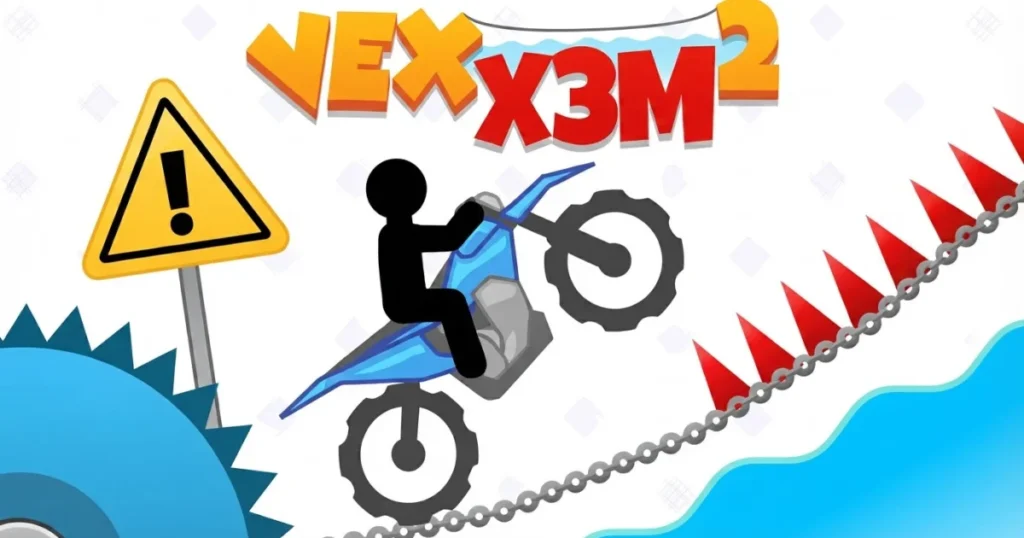




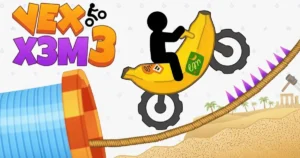
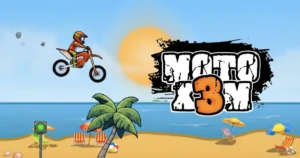




Vex X3M 2 combines the precision platforming of the Vex series with high-speed motorcycle action across obstacle-packed tracks. Control a stickman rider through loops, ramps, and deadly traps using physics-based bike tilting to land perfect flips and avoid crashes. The game rewards skillful timing and creative maneuvering with stars that unlock cool new bike skins. 🩷
Table of Contents+
What Is Vex X3M 2?
This stickman motorcycle game blends fast-paced racing with precision platforming. You’ll navigate treacherous tracks filled with spikes, explosives, and gravity-defying jumps while maintaining control of your bike’s tilt and speed. The physics engine makes every landing count—nail a smooth flip for bonus points, or crash spectacularly if your angle’s off by even a degree.
Track Design and Obstacles
Each level throws new hazards at you: spinning blades, collapsing platforms, explosive barrels, and massive gaps that demand perfect timing. Tracks grow increasingly complex, layering multiple obstacle types into sequences that test both your reflexes and your ability to read ahead. Some sections require full-throttle speed, while others punish impatience with instant death.
Star System and Progression
Complete tracks in both easy and hard modes to earn stars. Hard mode tightens time limits and adds extra hazards, pushing you to optimize every jump and landing. Accumulated stars unlock high-performance bike skins that change your ride’s appearance and keep you motivated to master every corner of the game.
Physics and Bike Control
The simple yet deep physics system is the heart of Vex X3M 2. Tilting your bike mid-air determines whether you stick the landing or faceplant into the pavement. Front flips and backflips earn style points, but overrotation means restarting the checkpoint. Mastering weight distribution separates casual players from track record holders.
Checkpoint System
Strategically placed checkpoints save your progress within each track, so a crash doesn’t mean starting over from scratch. You’ll respawn at the last flag you passed, letting you focus on conquering one brutal section at a time without losing momentum on the easier parts you’ve already cleared.
How to Play Vex X3M 2
Accelerate through tracks, tilt your bike to control rotation in the air, and brake to slow down before tight corners or tricky landings. The goal is reaching the finish line as quickly as possible while surviving every obstacle in your path. Practice each track to memorize hazard placement and optimize your route for star-earning times.
Vex X3M 2 Controls
On desktop browsers, use the arrow keys or WASD to control your bike: up or W to accelerate, down or S to brake and reverse, left or A to tilt backward, and right or D to tilt forward. On mobile devices, tap the on-screen buttons for acceleration, braking, and tilting. The controls are responsive and designed for quick adjustments mid-flight.
Browser Compatibility
Vex X3M 2 runs smoothly in Chrome, Edge, and Firefox without requiring plugins or downloads. The game loads quickly and maintains consistent frame rates across modern browsers, ensuring your crashes are due to skill gaps rather than technical hiccups.
Tips and Tricks for Vex X3M 2
Master the mid-air tilt: Adjust your bike’s angle the moment you leave a ramp to prepare for the landing—waiting until you’re already falling leaves you with too little time to correct.
Memorize obstacle patterns: After your first attempt at a track, you’ll know where the spikes and explosives are, so plan your speed and jumps accordingly instead of reacting on the fly.
Use checkpoints strategically: Don’t rush past a checkpoint flag—make sure you’ve crossed it fully before attempting the next dangerous section, or you’ll repeat more than necessary.
Brake before landing: Hitting the ground at full throttle often causes bounces or flips that throw off your next move; a quick tap of the brake stabilizes your wheels on impact.
Replay for stars: Your first run should focus on completion; once you know the track layout, replay it in hard mode with optimized routes to earn the stars needed for bike skin unlocks.
Where to Play Vex X3M 2
Play Vex X3M 2 free right now on Arcazi.com in your browser—no download, no installation, just click and ride. The game loads instantly and saves your progress automatically, so you can jump back in anytime to chase those elusive three-star ratings.
For Parents
Vex X3M 2 features cartoon stickman characters crashing into obstacles and exploding on impact, but the violence is stylized and non-graphic. The game emphasizes trial-and-error learning and can be frustrating for younger players due to its difficulty spikes, though the checkpoint system prevents excessive repetition. No chat features or online interactions are present, making it a safe solo experience focused purely on skill development and reflexes.
More Stickman and Motorcycle Games You’ll Enjoy
FAQs About Vex X3M 2
Is Vex X3M 2 free to play?
Yes, Vex X3M 2 is completely free to play on Arcazi.com with no hidden costs, paywalls, or required purchases. All bike skins are unlocked through gameplay by earning stars.
Do I need to download anything to play Vex X3M 2?
No download is necessary. The game runs directly in your browser on both desktop and mobile devices, loading in seconds without plugins or installations.
How do I unlock new bike skins in Vex X3M 2?
Earn stars by completing tracks in easy and hard modes. Accumulate enough stars to unlock cosmetic bike skins that change your ride’s appearance without affecting performance.
What are the controls for Vex X3M 2?
Use arrow keys or WASD on keyboard: up/W accelerates, down/S brakes, left/A tilts backward, right/D tilts forward. On mobile, tap the on-screen buttons for the same actions.
Can I play Vex X3M 2 on mobile?
Yes, the game works on mobile browsers with touch controls optimized for smaller screens. The on-screen buttons provide the same precision as keyboard controls.
How does the star system work in Vex X3M 2?
Each track awards up to three stars based on completion time and difficulty mode. Faster times and hard mode completions earn more stars, which unlock new bike skins as you collect them.
What happens when I crash in Vex X3M 2?
Crashing respawns you at the last checkpoint you passed, letting you retry the difficult section without restarting the entire track. Checkpoints are marked by flags throughout each level.
Does Vex X3M 2 save my progress?
Yes, the game automatically saves your unlocked bike skins and completed tracks in your browser, so you can return later and pick up where you left off without losing progress.
Looking for more Vex gameplay tips?
This discussion on how to get started with Vex offers advice from other players.