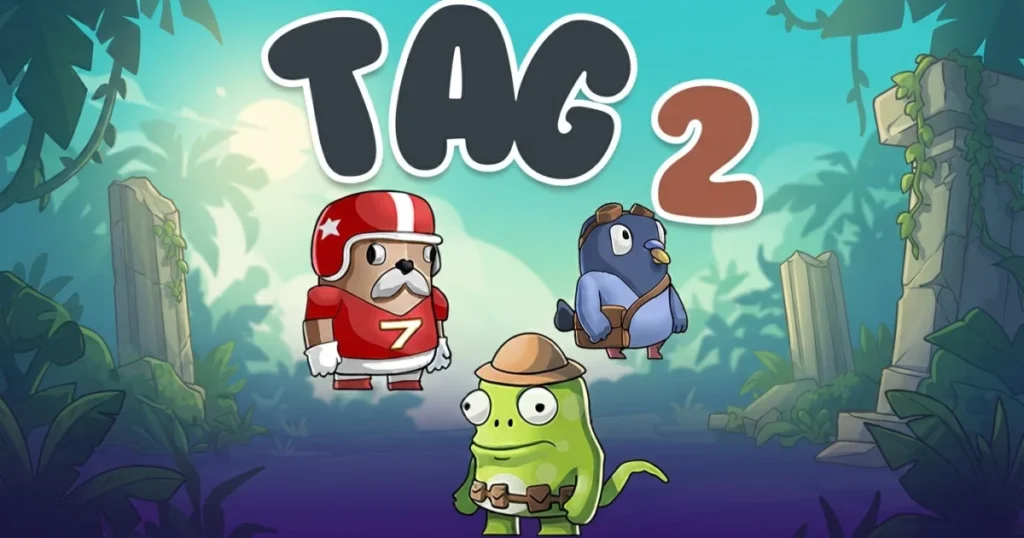







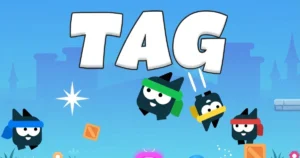


Tag 2 transforms the playground classic into a high-energy multiplayer platformer where every second counts. Race through vibrant arenas, dodge opponents, and hold onto the bomb until time runs out. The game supports 2 to 4 players, making it perfect for quick competitive sessions with friends. 🩷
Table of Contents+
What Is Tag 2?
Tag 2 is a multiplayer platformer that combines chase mechanics with strategic movement across colorful, obstacle-filled arenas. The twist: one player carries a bomb, and the goal is to pass it off before it explodes. Quick reflexes and smart positioning separate winners from losers in this fast-paced game of cat and mouse.
Core Gameplay Mechanics
Players sprint, jump, and maneuver through arenas while trying to tag opponents or escape being tagged. The bomb holder must pass it to another player before the timer expires, creating constant pressure and frantic chases. Movement is tight and responsive, rewarding players who master the platforming controls.
Multiplayer Modes
Tag 2 shines in its 2-player, 3-player, and 4-player configurations. Each match becomes more chaotic as more players join, with alliances forming and breaking as the bomb changes hands. The game adapts its arena layouts to accommodate different player counts, keeping matches balanced and competitive.
Arena Design
Colorful stages feature platforms, gaps, and obstacles that create natural choke points and escape routes. Learning the layout of each arena gives you tactical advantages, letting you predict opponent movements and plan your escapes. Environmental hazards add extra layers of challenge to already tense matches.
Abilities and Power-Ups
Special abilities let players gain temporary advantages during matches. Speed boosts help you close gaps or create distance, while other abilities can stun opponents or create barriers. Timing these abilities correctly can turn a losing position into a winning play.
How to Play Tag 2
Jump into a match, choose your player, and prepare for frantic chases across platforming arenas. The player holding the bomb must tag someone else before time runs out, while everyone else tries to avoid becoming the next carrier. Matches are quick, intense, and always unpredictable.
Tag 2 Controls
On desktop, use arrow keys or WASD to move your character left and right, spacebar to jump, and a designated key to activate your special ability. On mobile, touch controls appear on screen with a virtual joystick for movement, a jump button, and an ability button. The controls are simple but mastering the timing takes practice.
Browser Compatibility
Tag 2 runs smoothly in Chrome, Edge, and Firefox without any special plugins or downloads. The game loads quickly and maintains consistent performance across modern browsers, ensuring responsive controls and smooth animations during intense multiplayer matches.
Tips and Tricks for Tag 2
Use vertical space wisely: Higher platforms give you better sightlines and more escape options when you’re being chased with the bomb.
Save your ability for critical moments: Don’t waste your special ability early in the round—hold it for when the bomb timer is nearly expired or you’re cornered.
Corner opponents near edges: When you’re the chaser, force bomb carriers toward arena boundaries where they have fewer escape routes.
Watch the timer constantly: The bomb’s countdown should dictate your aggression level—play defensively when time is low, aggressively when you have time to spare.
Learn arena shortcuts: Each stage has optimal paths that let you cross quickly or reach safe zones faster than obvious routes.
Where to Play Tag 2
Play Tag 2 free right now on Arcazi.com in your browser—no download, no installation, just instant multiplayer action. Grab a friend or three and start competing in seconds.
Common Questions About Tag 2 Abilities
Players often ask about activating special abilities, especially on different platforms. Here’s what you need to know about using abilities effectively during matches.
How to use ability in Tag 2 on iOS?
On iOS devices, tap the ability button that appears on the right side of your screen during gameplay. The button lights up when your ability is ready to use, and tapping it activates your character’s special power. Make sure you’re not accidentally tapping the jump button, which is positioned on the left side.
For Parents
Tag 2 is a lighthearted multiplayer game with no violence or inappropriate content. The colorful graphics and simple chase mechanics make it suitable for younger players, though competitive matches can get intense. The game encourages quick thinking and hand-eye coordination while keeping the atmosphere fun and friendly.
More Multiplayer Platformers to Try
FAQs About Tag 2
Is Tag 2 free to play?
Yes, Tag 2 is completely free to play on Arcazi.com with no hidden costs or premium features locked behind paywalls.
Can I play Tag 2 with 3 or 4 players?
Absolutely—Tag 2 supports 2, 3, or 4 players in the same match, with arenas adjusting to accommodate different group sizes.
Do I need to download anything to play?
No download is required. Tag 2 runs directly in your web browser on both desktop and mobile devices.
What are the controls for Tag 2?
Use arrow keys or WASD for movement, spacebar to jump, and a designated key for abilities on desktop. Mobile players use on-screen touch controls with virtual buttons.
How long does a typical match last?
Most matches last between 1 and 3 minutes, depending on how quickly the bomb timer counts down and how effectively players pass it around.
Can I play Tag 2 solo against AI?
Tag 2 is designed primarily as a multiplayer experience, so you’ll need at least one other player to start a match.
Does Tag 2 work on mobile phones?
Yes, Tag 2 is fully playable on mobile devices through your web browser, with touch controls optimized for smaller screens.
What happens when the bomb timer runs out?
The player holding the bomb when the timer reaches zero loses that round, and a new round begins with the bomb assigned to a different player.