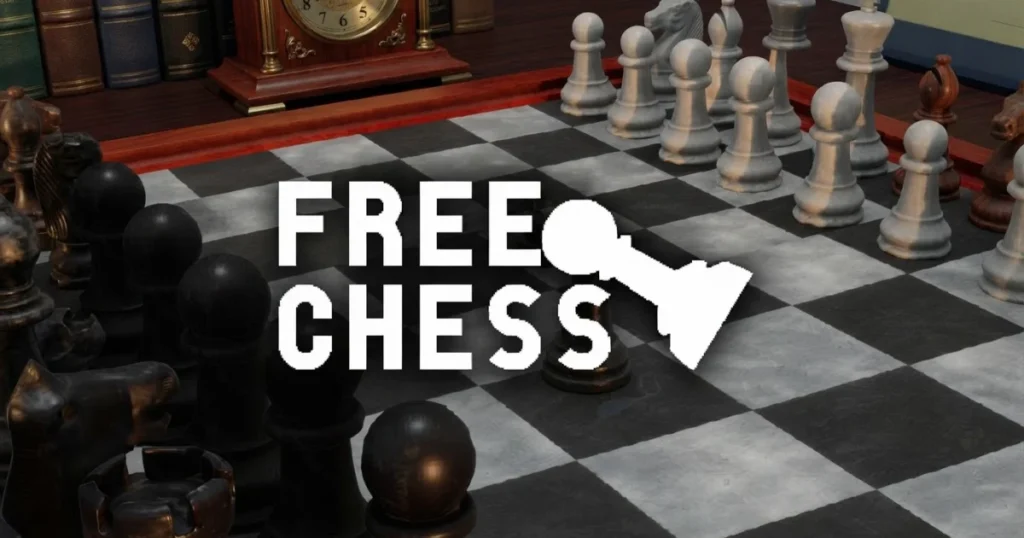









Chess for free brings the full Chess game experience to your browser without a single download required. Developed by Codethislab and released in 2025, it covers everything from basic board setup to advanced endgame tactics. Solo players can test their skills against an AI opponent, while two friends can share a screen for a classic pass-and-play match. Every piece, every rule, and every special move is here, ready to play the moment you load the page.
Table of Contents+
- What Is chess for free?
- How to Play chess for free?
- Game Modes and Difficulty Settings
- Piece Movements and Board Setup Mechanics
- Advanced Strategies for Dominating the Board
- Where to Play chess for free
- Quick Answers About the Chess Game
- More Strategy Board Games You Might Enjoy
- For Parents
- FAQs About chess for free
- Start Your First Move Right Now
What Is chess for free?
Chess for free is an online board game that recreates the full classic chess experience in a browser-based format. The game covers all standard rules, from the opening setup of 32 pieces across 64 squares to checkmate conditions, piece promotion, and special moves like castling and en passant. No account, no app, and no download stands between you and a full game.
The game sits squarely in the Chess, Board, Strategy, and 2 Player categories, making it a genuine all-in-one chess game for anyone who wants to sharpen their tactics. Tags like Checkmate, Turn-Based, Tactics, Logic, and Classic describe exactly what you get: a pure, rules-complete chess game with no gimmicks layered on top. Think of it as your go-to free chess game whenever the board is not nearby.
How to Play chess for free?
The core loop is straightforward. Each player takes turns moving one piece per turn, with the goal of putting the opponent’s king into checkmate. Every piece type follows its own movement rules, and the game enforces those rules automatically, so illegal moves are simply rejected. Understanding the rules of chess game is the first step, and the interface makes learning them hands-on rather than theoretical.
Desktop Mouse and Keyboard Controls
On desktop, you control every piece using the mouse. Click and hold the left mouse button on the piece you want to move, drag it to the target square, and release to drop it. The game also supports arrow keys for navigating the board if you prefer keyboard input for selection. Right-click is available as a secondary action for marking squares during analysis.
The interface runs smoothly in Chrome, Edge, and Firefox, so there is no need to worry about compatibility on PC. Piece highlighting activates automatically when you pick up a piece, showing legal destination squares in a subtle overlay. That visual feedback is especially useful for beginners learning how each piece moves across the board.
Mobile Touch and Drag Mechanics
On mobile, the touch screen controls mirror the desktop drag mechanic almost exactly. Press and hold a piece, drag your finger to the destination square, then lift your finger to complete the move. The board scales cleanly to smaller screens, so even the smallest pieces remain tappable without frustration.
Touch screen controls also support the same legal-move highlighting as the desktop version. If you tap a piece and then tap a destination instead of dragging, the game still registers the move correctly. That flexibility makes the mobile app experience feel polished rather than like a port that was never properly tested.
Game Modes and Difficulty Settings
Two distinct play modes cover both solo practice and head-to-head competition. Choosing the right mode before you start shapes the entire session, so it is worth knowing what each one offers before you commit.
Solo Practice Against AI Tiers
Solo mode pits you against a computer opponent with selectable difficulty. Easy mode is forgiving enough for complete beginners to learn piece movements without being punished for every mistake. Hard mode, described as a real Grandmaster challenge, plays aggressively and will exploit any positional weakness you leave open.
The AI difficulty gap between easy and hard is significant, so players who find easy mode too simple should expect a sharp jump in resistance. There is no middle tier listed, which means the hard mode computer opponent functions as a genuine chess game analyzer of your weaknesses. Every loss in hard mode points directly at the strategic or tactical error that caused it.
Local Pass-and-Play Two-Player Mode
The two-player mode lets two people play on the same device by passing it back and forth after each move. There is no online matchmaking or account system involved, just a clean chess game for two on one screen. This is the fastest way to get a chess game with two players going without any setup beyond loading the page.
Pass-and-play is ideal for a quick game at a table with a friend, since neither person needs their own device or account. The board flips perspective after each move in some implementations, keeping the active player’s pieces at the bottom of the screen. That small detail makes the two-player chess game feel fair and natural rather than awkward for the person playing from the top side.
Piece Movements and Board Setup Mechanics
Getting the setup of chess game right is the foundation of every match. The board is an 8×8 grid, with each player starting with 16 pieces arranged in two rows. White always moves first, and the game enforces turn order automatically.
Standard Pieces and Promotion Rules
The name of the pieces in chess game covers six types: king, queen, rook, bishop, knight, and pawn. Each piece type moves differently. The king moves one square in any direction, the queen covers any number of squares in any direction, the rook moves in straight lines, the bishop in chess game moves diagonally, the knight moves in an L-shape and is the only piece that can jump over others, and the pawn moves forward one square at a time with a two-square option on its first move.
Pawn promotion is one of the most powerful mechanics in the game. When a pawn reaches the opponent’s back rank, it promotes to any other piece, almost always a queen. Knowing how many pawns in chess game each side starts with (eight per player) gives you a sense of how many promotion opportunities could theoretically arise in a single game. Promotion can completely swing a losing endgame into a winning one if timed correctly.
Special Tactics Including Castling and En Passant
Castling is a defensive king move that also activates a rook. The king slides two squares toward a rook, and that rook jumps to the other side of the king in a single turn. Castling is only legal if neither the king nor the chosen rook has moved previously, the squares between them are empty, and the king is not moving through or into check. It is the best way to tuck the king behind a wall of pawns early in the game.
En passant is a special pawn capture that catches many beginners off guard. If an opponent’s pawn advances two squares from its starting position and lands beside your pawn, you can capture it as if it had only moved one square, but only on the very next move. Missing that one-turn window means the opportunity is gone permanently. Both castling and en passant are enforced automatically by the game, so you will see the legal move highlighted when the conditions are met.
Advanced Strategies for Dominating the Board
Tactics win individual pieces, but strategy wins games. The best chess game strategy combines sound opening principles with precise endgame execution, and the gap between easy and hard AI difficulty is largely a gap in how consistently the opponent applies both.
Opening Principles and Center Control
The original way to think about chess openings comes down to three core ideas: control the center, develop your pieces quickly, and keep your king safe. The four central squares (e4, d4, e5, d5) are the most valuable real estate on the board. Pawns and pieces placed there control more squares and restrict the opponent’s options more than pieces stuck on the edges.
A strong opening move for white is to push the e-pawn two squares forward, immediately staking a claim in the center. Follow that by developing knights before bishops, since knights need more moves to reach useful squares. Avoid moving the same piece twice in the opening unless you are winning material, because every wasted move is a tempo your opponent can use to build a better position. Castle early to protect the king and connect your rooks along the back rank.
Endgame Execution and Checkmate Traps
The endgame begins when most pieces have been traded off and the kings become active participants. King activity is the single biggest factor in endgame outcomes, so move your king toward the center as soon as the queens come off the board. A king on e4 or d5 in the endgame is a powerful attacking piece, not a liability.
One of the most reliable checkmate traps for beginners is the back-rank mate, where a rook or queen delivers checkmate along the opponent’s first rank because the king is trapped behind its own pawns. Preventing this against yourself means pushing one pawn forward to create an escape square. Against the hard AI, you will need to know how to win a chess game in 3 moves (the Scholar’s Mate) as a concept to defend against it, since the computer will punish any early queen-side weakness. Rook-and-king vs. king endgames are the most common winning endgame type, and practicing the box technique, where you shrink the opponent king’s available squares with your rook, is the fastest path to a clean checkmate.
Where to Play chess for free
Chess for free is available to play right now on Arcazi.com, completely free in your browser with no download needed.
Also available on the App Store for iOS.
Also available on Google Play for Android.
Quick Answers About the Chess Game
A few questions come up constantly among players picking up chess for the first time or returning after a long break. Here are direct answers to the ones that matter most before you sit down at the board.
How many pieces are in a chess game?
Each player starts with 16 pieces: one king, one queen, two rooks, two bishops, two knights, and eight pawns, making 32 pieces total on the board at the start of every game.
How to win a chess game?
You win by placing the opponent’s king in checkmate, meaning the king is under attack and has no legal move to escape. Controlling the center, developing pieces early, and targeting the king with coordinated attacks are the core winning methods.
How to win every chess game?
No strategy guarantees a win every time, but consistently applying opening principles, avoiding piece trades that favor your opponent, and converting material advantages cleanly in the endgame will win the vast majority of games against both the AI and human opponents.
More Strategy Board Games You Might Enjoy
- King Of Fighters – A classic fighting game where you build a team and battle through opponents using precise combos and strategy.
- Granny 2 – A tense survival horror game where you must escape a house while avoiding a dangerous pursuer.
- Speed Racing Pro 2 – A fast-paced racing game that challenges you to overtake rivals and master tight corners at high speed.
- Clashle – A daily word-guessing challenge with a competitive twist that rewards logical deduction and vocabulary.
- Snow Road – A tricky driving game set on icy terrain where careful steering and timing are everything.
- Idle Ants – An addictive idle strategy game where you grow a colony of ants and watch them devour increasingly massive objects.
All of these titles sit alongside chess for free in the Chess and strategy game collection on Arcazi, so there is always another brain-teasing challenge waiting when you finish your current match.
For Parents
Chess for free is a turn-based logic and strategy board game built around classic chess rules. The content is entirely non-violent and non-graphic, involving only piece movements on a standard chess board. The game modes include a solo option against a computer opponent and a local two-player mode, both of which are suitable for children learning the rules of chess game at any age. No communication features, in-game purchases, or external accounts are required to play.
FAQs About chess for free
How to play chess for free?
Open the game in your browser on Arcazi.com, choose solo or two-player mode, then drag and drop pieces using your mouse or finger to make moves according to standard chess rules.
How to play chess for free online?
Load the game directly in any modern browser without creating an account or entering payment details. The full chess game online experience starts the moment the page loads.
How to play chess for free without downloading?
The game runs entirely in the browser using HTML5, so no download, installation, or plugin is ever required to play a full game.
How to play chess for kids free?
Select easy mode in solo play, which gives younger players a forgiving opponent that does not punish every mistake, making it a great way for kids to learn piece movements at their own pace.
How to play chess puzzles for free?
While the game focuses on full matches rather than isolated puzzles, playing against the easy AI and deliberately practicing specific tactics like forks and pins functions as practical puzzle training within a real game context.
How to play chess for beginners free?
Start in easy mode, focus on moving pawns to control the center, develop your knights and bishops before moving other pieces, and castle early to protect your king. The game highlights legal moves automatically, which helps beginners learn piece rules quickly.
How to play 5d chess for free?
This game covers standard two-dimensional chess only. Five-dimensional chess variants with time-travel mechanics are a separate game type not included here.
How to play chess free pdf?
The game itself teaches rules interactively through legal-move highlighting and AI feedback. For a written reference, the standard FIDE rulebook is publicly available online and covers every rule enforced in this game.
How to play chess game for beginners?
Learn the six piece types and how each one moves, always try to control the four central squares, develop pieces toward the center in the opening, and castle to keep your king safe before launching any attack.
How many pawns in chess game?
Each player starts with eight pawns, placed on the second rank, giving a total of 16 pawns across both sides at the start of every game.
How old is chess game?
Chess originated in India around the 6th century AD, making the game roughly 1,500 years old. The modern rules used in this online version were standardized in Europe during the 15th century.
How to play chess game?
Set up the 32 pieces on the 8×8 board, with white moving first. Take turns moving one piece per turn according to each piece’s movement rules, and aim to trap the opponent’s king in checkmate to win the game.
Start Your First Move Right Now
Chess for free is waiting in your browser on Arcazi.com, completely free with no download and no sign-up standing in your way. Load the game, pick your difficulty, and see how deep your chess game strategy really goes.