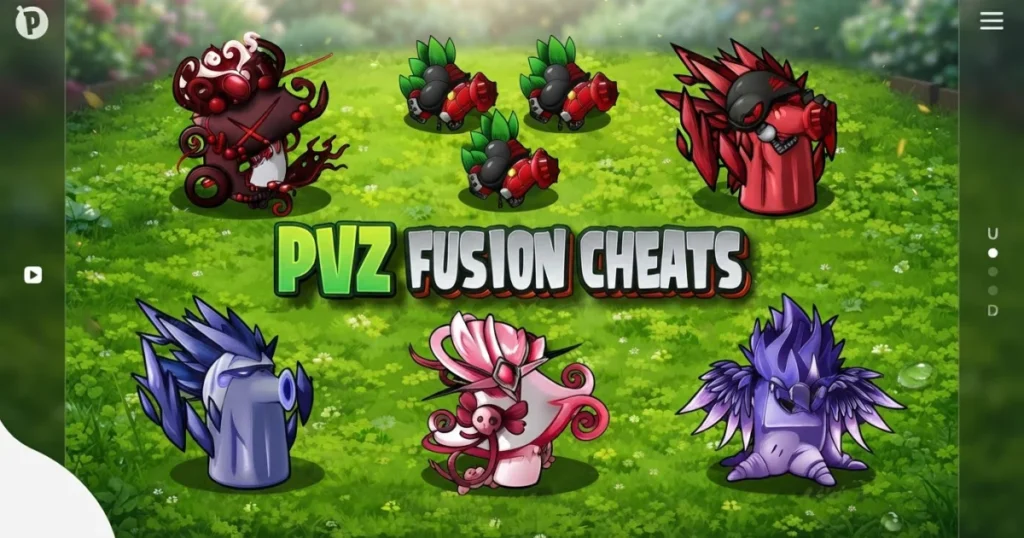















Plants vs Zombies Fusion takes the classic tower defense formula and rebuilds it around one central idea: merging plants into hybrid defenders with combined abilities. Developed by IceCreamStudio, this free browser strategy game drops you into a garden under siege, where smart fusion decisions matter as much as lane placement. Every wave pushes harder, and the zombie roster evolves to punish lazy setups. Parents should note the game features zombie combat and dark Nightmare Mode content, so check the For Parents section at the bottom of this page.
Table of Contents+
- What Is Plants vs Zombies Fusion?
- How to Play Plants vs Zombies Fusion?
- Core Fusion Mechanics and Hybrid Plant Synergy
- Game Modes and Progression Challenges
- Threat Assessment and Countering Evolved Zombie Waves
- Advanced Strategies for Endless Survival and High-Level Play
- Where to Play Plants vs Zombies Fusion
- Quick Answers for Plants vs Zombies Fusion Players
- More Games You Might Enjoy on Arcazi
- For Parents
- FAQs About Plants vs Zombies Fusion
- Start Playing Plants vs Zombies Fusion Right Now
What Is Plants vs Zombies Fusion?
Plants vs Zombies Fusion is a tower defense and strategy game built around a fusion system that lets you combine two plants into a single hybrid unit with amplified powers. The original lineup of green defenders is all here, but the fusion mechanic adds a layer of depth that the classic game never had. Each hybrid carries traits from both parent plants, so pairing the right two units can completely change how a lane holds up under pressure.
The game sits in the Classic genre but pulls from strategy, management, survival, and idle mechanics simultaneously. Zombie waves grow more complex as you progress, introducing enemies with special behaviors that standard plants struggle to counter alone. Fusion hybrids are the answer, and learning which combinations work against which threats is the core skill the game rewards. For a broader look at the community conversation around this game, Kotaku’s Plants vs. Zombies: Fusion coverage is worth a read.
How to Play Plants vs Zombies Fusion?
The core loop is familiar to anyone who has played a tower defense game: collect sun, spend it on plants, place those plants in lanes, and hold the line against incoming zombie waves. The fusion twist means you also need to think about which plants to merge and when, since fusing costs sun and removes the two source plants from the field. Timing your fusions so you don’t leave lanes exposed is one of the first real skills the game tests.
PC Point and Click Controls
On PC, Plants vs Zombies Fusion uses a straightforward point-and-click interface. There are no hotkeys or keyboard shortcuts to memorize, and the entire game is controlled with a mouse or other pointing device. Click a plant in your selection tray to pick it up, then click the lane tile where you want to place it. Fusing plants works the same way: select the fusion option and click the two plants you want to combine. The game runs smoothly in Chrome, Edge, and Firefox without any additional setup. You can also use Shift to run or boost when the game prompts movement actions.
Mobile and Touch Screen Mechanics
On mobile, everything translates to tap-based touch screen controls. Tap a plant in your tray to select it, then tap the target tile to place it. Fusions are triggered by tapping the merge prompt and then tapping your two chosen plants in sequence. The interface scales cleanly to phone and tablet screens, so iPad and iPhone players get the same full experience as Android users. Touch controls feel responsive, and the lane grid is large enough that precise taps rarely cause misplacement issues.
Core Fusion Mechanics and Hybrid Plant Synergy
The fusion system is what separates Plants vs Zombies Fusion from every other entry in the series. Rather than just placing individual plants, you can merge two units into a hybrid that inherits offensive and defensive traits from both. A rapid-fire attacker merged with a long-range unit, for example, produces a hybrid that fires quickly across a wider area. The combinations aren’t random: each pairing produces a predictable result, so building knowledge of the fusion recipes is a genuine progression path.
Creating Powerful Defensive and Offensive Hybrids
The most effective hybrids balance offense and defense in a single tile slot. Merging a high-damage attacker like a Pea Farmer variant with a spiny Cactus sniper type creates a unit that handles both close-range rushes and airborne threats from one position. Defensive hybrids work best in the back rows, where they can absorb pressure while your offensive hybrids thin out the front of each wave. Experimenting with combinations is encouraged, and the game’s sandbox-style approach to fusion means you can test pairings without committing to a full run first.
Unlock all plants early if you can, because the full hybrid menu only opens up once you have both parent plants available in your tray. Some of the strongest fusions require plants you won’t see until mid-game, so progression directly expands your recipe options. Keep a mental wiki of which hybrids performed well in previous waves, since the game doesn’t always surface that information automatically.
Sun Resource Management for Costly Fusions
Sun is the engine of everything in Plants vs Zombies Fusion, and fusions are expensive. Merging two plants costs the sun you spent placing them plus an additional fusion fee, so burning your entire sun reserve on one powerful hybrid early can leave lanes completely open. The safest approach is to build a base layer of standard plants first, then funnel surplus sun into fusions once your lanes have basic coverage.
Unlimited sun sounds appealing in theory, but the game’s balance is designed around scarcity. Cooldown timers on sun generation mean you can’t simply spam fusions back to back. Prioritize fusions in the lanes facing the heaviest zombie traffic, and let lower-pressure lanes run on standard plants longer. This resource discipline is what separates players who stall out on hard waves from those who push through them cleanly.
Game Modes and Progression Challenges
Plants vs Zombies Fusion offers more than a single difficulty track. The standard defense mode introduces the fusion system at a manageable pace, letting you learn hybrid recipes before the zombie roster gets complicated. Progression through standard waves unlocks new plants, new fusion options, and eventually access to the harder content the game is built around.
Standard Defense versus Nightmare Mode Scaling
Standard mode is where you learn the game. Waves are predictable enough to experiment with fusion combinations, and the sun economy is forgiving enough to recover from a bad placement. Nightmare Mode is a different proposition entirely. Zombie waves scale aggressively, enemy health pools grow, and the roster introduces threats that standard plants simply can’t handle without hybrid support.
In Nightmare Mode, Hacker Zombies appear and can disable your plant defenses mid-wave, forcing you to react immediately or lose a lane. Airborne zombie variants bypass ground-level plants entirely, so any defense without vertical coverage collapses fast. The mode demands that you enter each wave with a full hybrid strategy already in place, not one you’re building on the fly. Endless wave scaling in the later stages of Nightmare Mode is the ultimate test of whether your fusion recipes and sun management hold up under sustained pressure.
Threat Assessment and Countering Evolved Zombie Waves
Not all zombies in Plants vs Zombies Fusion behave the same way, and treating every wave as a generic rush is a fast path to failure. Standard zombies walk forward and absorb damage, but evolved variants have active abilities that change how you need to respond. Hacker Zombies are the most disruptive: they target your plants directly and shut them down, so placing your most important hybrids behind a buffer of expendable standard plants reduces the damage they can do.
Airborne threats are the other major category to plan for. Ground-based plants don’t reach flying zombies, so every lane setup needs at least one hybrid or plant with vertical attack capability. Identifying which zombie types appear in an upcoming wave, based on the wave preview, lets you swap your tray loadout before the wave starts rather than scrambling mid-fight. Lane defense prioritization comes down to one rule: protect the lanes where Hacker Zombies and airborne units are heading first, and let your standard plants handle the straightforward rushes elsewhere.
Evolved zombie behaviors also include wave compositions that mix fast low-health units with slow high-health tanks. Fast units reach your back row before your hybrids can clear the tanks, so placing splash-damage hybrids in mid-lane positions handles both threat types simultaneously. Building your defense around the specific wave composition rather than a fixed template is the mindset that carries you through the hardest content.
Advanced Strategies for Endless Survival and High-Level Play
At high levels, Plants vs Zombies Fusion stops being about individual wave reactions and starts being about systemic defense architecture. Your hybrid placement needs to cover every threat vector simultaneously: ground rushes, airborne units, Hacker Zombie disruption, and tank waves. The players who survive the longest endless runs build layered defenses where each row handles a specific threat type, with hybrids positioned to cover the gaps between rows.
Sun generation becomes a strategic variable at this level. Planting sun-producing units early and protecting them throughout the run gives you the resource base to fund continuous fusions as waves escalate. Losing your sun generators to a Hacker Zombie or a fast rush effectively caps your fusion output for the rest of the run. Treat sun producers as high-priority defensive assets, not just passive income.
The full game rewards players who treat the fusion menu as a dynamic tool rather than a one-time setup. Recycling weaker hybrids into stronger ones as better plant options unlock mid-run is a technique that keeps your defense current with the scaling difficulty. Hope for good wave previews, but build a defense that doesn’t depend on them. The strongest endless survival setups are ones that handle any zombie composition without requiring last-minute tray swaps.
Where to Play Plants vs Zombies Fusion
Plants vs Zombies Fusion is free to play right now on Arcazi.com, directly in your browser with no download required.
Also available on the App Store for iOS.
Quick Answers for Plants vs Zombies Fusion Players
These are the questions that come up most often from players jumping into the game for the first time or returning after a break.
How do I play Plants vs Zombies Fusion?
Select plants from your tray, place them in lanes to block zombie waves, and use the fusion system to merge two plants into a stronger hybrid. Collect sun to fund placements and fusions throughout each wave.
Where to play Plants vs Zombies Fusion?
You can play Plants vs Zombies Fusion free online at Arcazi.com, directly in your browser on any device, with no download or installation needed.
How do you play Plants vs Zombies Fusion?
Use point-and-click on PC or tap controls on mobile to place and merge plants across lanes. Managing your sun economy and timing fusions before tough waves arrive is the key skill the game builds around.
More Games You Might Enjoy on Arcazi
- The Binding of Isaac – A dark, roguelike dungeon crawler with procedurally generated rooms and hundreds of item combinations to discover.
- Unblock Me – A minimalist sliding puzzle game that challenges you to clear a path through increasingly tight block arrangements.
- Flip Diving – A physics-based diving game where you launch off cliffs and nail trick dives into the water below.
- Sprunked – A music-mixing game with a quirky cast of characters and a surprisingly deep beat-building system.
- Wordscapes – A relaxing word puzzle game that has you filling crossword-style grids using a rotating letter wheel.
- Idle Breakout – An idle take on classic brick-breaking where you upgrade ball types and automate destruction over time.
All of these picks sit comfortably alongside Plants vs Zombies Fusion in the Classic games collection, so there’s plenty more to explore once you’ve mastered the fusion system.
For Parents
Plants vs Zombies Fusion is a strategy and tower defense game in which players place cartoon plants to stop waves of zombies from crossing a garden. The game includes zombie combat, a Nightmare Mode with darker wave scaling, and enemies described as evolved undead threats. The visual style is cartoon-based rather than realistic, but the zombie theme and Nightmare Mode content are worth noting for younger players. Gameplay mechanics focus on resource management, plant placement, and merging units, with no communication features or user-generated content present in the browser version.
FAQs About Plants vs Zombies Fusion
How to play plants vs zombies fusion?
Place plants in lanes to block zombie waves, collect sun to fund new placements, and use the fusion system to merge two plants into a hybrid with stronger combined abilities.
How to play plants vs zombies fusion on mobile?
Open the game in your mobile browser and use tap-based touch screen controls to select plants from your tray and place them on lane tiles. No app installation is required.
How to play plants vs zombies fusion on pc?
On PC, the game uses a point-and-click interface controlled entirely by mouse. Click plants to select them and click lane tiles to place or fuse them. No keyboard shortcuts are needed.
How to play plants vs zombies fusion on ipad?
Load the game in Safari or any modern browser on your iPad and use touch screen tap controls to place and merge plants. The interface scales to tablet screen sizes without any extra configuration.
How to play plants vs zombies fusion on mac?
Open the game in Chrome, Edge, or Firefox on your Mac and use your mouse or trackpad to point and click through all plant placement and fusion actions.
How to play plants vs zombies fusion on iphone?
Visit the game page in your iPhone browser and tap to interact with the plant tray and lane grid. Touch screen controls handle all placement and fusion inputs directly.
How to play plants vs zombies fusion on android?
Open the game in your Android browser and use tap controls to select plants, place them in lanes, and trigger fusions. No separate app or download is needed to play on Android.
How to play plants vs zombies fusion in english?
The browser version of Plants vs Zombies Fusion available on Arcazi.com is playable in English by default. If the game loads in another language, check your browser’s language settings and refresh the page.
How to get plants vs zombies fusion?
You can get instant access to Plants vs Zombies Fusion by visiting Arcazi.com and opening the game page. No download, account, or installation is required to start playing.
How to get plants vs zombies fusion on mobile?
On mobile, simply navigate to the Plants vs Zombies Fusion game page on Arcazi.com in your phone’s browser. The game loads and runs directly without needing any app from a store.
How to download plants vs zombies fusion?
The browser version on Arcazi.com requires no download at all. Open the page and the game runs immediately in your browser on any device.
Is plants vs zombies fusion on mobile?
Yes, Plants vs Zombies Fusion is fully playable on mobile devices through any modern browser. Touch screen controls are built in, and the game works on both iOS and Android without a separate app.
Start Playing Plants vs Zombies Fusion Right Now
The game is completely free and launches instantly in your browser on Arcazi.com, no download, no install, just pick your plants and hold the line.