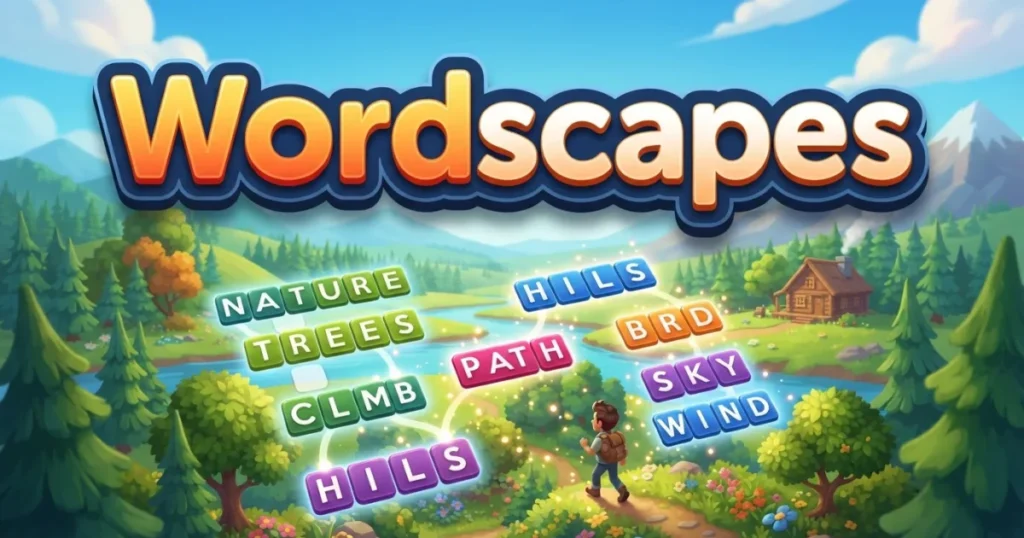









Wordscapes combines crossword-style puzzles with anagram challenges to create a relaxing yet mentally stimulating word game. Swipe letters to form words, fill in the crossword grid, and unlock stunning landscape backgrounds as you progress through thousands of levels. The game blends vocabulary building with strategic thinking, making it perfect for quick brain breaks or extended puzzle sessions. 🩷
Table of Contents+
What Is Wordscapes?
Wordscapes is a word puzzle game that challenges you to connect letters in a circle to form words that fit into a crossword-style grid. Each level presents a new set of letters and a partially filled grid, and your job is to discover all the valid words hidden in the letter wheel. The game features beautiful scenic backgrounds that change as you advance, creating a calming atmosphere while you solve increasingly complex puzzles. With thousands of levels organized into themed categories, Wordscapes offers endless vocabulary challenges for word game enthusiasts.
Core Gameplay Mechanics
The gameplay centers on a circular letter wheel at the bottom of your screen and a crossword grid above. You swipe your finger (or click and drag) to connect letters in any order, forming words that appear in the answer key. Valid words automatically fill into the crossword grid, and you need to find all the words to complete each level. Bonus words that aren’t in the grid still earn you coins, encouraging you to experiment with different letter combinations.
Level Progression and Difficulty
Wordscapes contains thousands of levels organized into categories like Forest, Ocean, Sky, and more. Early levels start with three or four letters and simple grids, but as you advance, you’ll face six or seven-letter wheels with complex crossword patterns. The difficulty ramps up gradually, introducing longer words, more obscure vocabulary, and trickier grid layouts. Some players report reaching level 6000 and beyond, with new content added regularly to keep the challenge fresh.
Wordscapes Daily Puzzle
Every day, Wordscapes offers a special daily puzzle separate from the main level progression. The wordscapes daily puzzle today provides a unique challenge that resets at midnight, giving you a fresh brain teaser to solve. Completing daily puzzles earns you bonus rewards and helps you practice your word-finding skills. Many players check in specifically for the daily puzzle for wordscapes as part of their morning routine.
Wordscapes in Bloom
Wordscapes in Bloom is a special event mode where you collect flowers and butterflies by solving puzzles. As you find words, you earn petals that fill a garden-themed meter, unlocking rewards like coins and power-ups. This seasonal feature adds a collection element to the standard puzzle gameplay, giving you extra motivation to discover bonus words and complete levels efficiently. The bloom events rotate regularly, offering limited-time challenges with exclusive prizes.
Coins, Hints, and Power-Ups
The game uses coins as its primary currency, which you earn by finding bonus words not required for the grid. You can spend coins on hints when you’re stuck: revealing a single letter costs a small amount, while revealing an entire word costs more. The game also offers a shuffle button to rearrange the letter wheel, helping you spot word patterns you might have missed. Managing your coins wisely becomes important in later levels where puzzles grow more challenging.
How to Play Wordscapes
Learning how to play Wordscapes takes just a minute, but mastering the strategy to solve every puzzle efficiently requires practice. The basic loop involves examining the letter wheel, forming words by connecting letters, and filling the crossword grid until every space is complete. The key is to think flexibly about letter combinations and remember that not every valid word appears in the grid—those bonus words still earn you valuable coins for future hints.
Wordscapes Controls
On mobile devices, tap and drag your finger across letters in the wheel to form words, then release to submit. On desktop browsers, click and hold the left mouse button on a letter, drag across other letters in sequence, and release to submit your word. The letter wheel allows you to connect letters in any order, so you can start with any letter and move to any other letter in the circle. If you make a mistake, simply release outside the wheel to cancel without submitting.
Browser Compatibility
Wordscapes online runs smoothly in Chrome, Edge, and Firefox without requiring any plugins or downloads. The browser version maintains full functionality including daily puzzles, level progression, and coin collection. Your progress saves automatically to your browser, so you can pick up where you left off in your next session. For the best experience, make sure your browser is updated to the latest version.
Tips and Tricks for Wordscapes
Start with common prefixes and suffixes: Look for letter combinations like -ING, -ED, -ER, or RE- to quickly identify longer words that often appear in the grid.
Find three-letter words first: Short words are easier to spot and help you fill in the grid framework, making it simpler to deduce the remaining longer words from the intersecting letters.
Use the shuffle button strategically: When you’re stuck, shuffle the letter wheel to see the letters in a different arrangement—this often helps your brain recognize word patterns you missed before.
Hunt for bonus words: Don’t stop once the grid is complete—keep experimenting with letter combinations to find bonus words that earn you coins for future hints and power-ups.
Save coins for tough levels: Resist the urge to use hints on easier puzzles; instead, build up your coin reserve so you have plenty of help available when you hit genuinely difficult levels later in the game.
Where to Play Wordscapes
You can play Wordscapes free right now on Arcazi.com in your browser, with no download or installation required. Just load the page and start solving puzzles immediately, with all your progress saved automatically as you advance through levels.
Also available on the App Store for iOS.
Also available on Google Play for Android.
Common Questions About Wordscapes
Players often search for help with specific levels, strategies for finding answers, and ways to improve their puzzle-solving skills. Below you’ll find answers to some of the most common questions about gameplay, progression, and features.
How many levels are in Wordscapes?
Wordscapes contains over 6,000 levels and counting, with new puzzles added regularly. The levels are organized into themed categories like Forest, Ocean, and Sky, each containing hundreds of individual puzzles. Many dedicated players have been solving wordscapes levels for years and still haven’t reached the end, as the developers continue to expand the game with fresh content.
For Parents
Wordscapes is a family-friendly word puzzle game with no violent or inappropriate content. The game focuses entirely on vocabulary building and problem-solving, making it suitable for players of all ages. Younger children may need help with more advanced vocabulary in later levels, but the game provides a safe, educational environment for developing spelling and word recognition skills. The app does include optional in-app purchases for coins and hints, so parents may want to enable parental controls on their devices to prevent accidental purchases.
More Word Puzzle Games You’ll Enjoy
FAQs About Wordscapes
How to play Wordscapes?
Swipe or click to connect letters in the circular wheel at the bottom of the screen, forming words that fit into the crossword grid above. Find all the required words to complete each level and advance to the next puzzle.
How to update Wordscapes?
If you’re playing the app version, visit the App Store or Google Play, search for Wordscapes, and tap the Update button if one is available. The browser version on Arcazi.com updates automatically, so you always have the latest features without any manual action.
How to restore Wordscapes on new phone?
If you connected your game to Facebook or created an account, install Wordscapes on your new device and log in with the same credentials to restore your progress. Without a backup, your progress is stored locally and cannot be transferred between devices.
How to cheat Wordscapes?
Many players use wordscapes solver tools or a wordscapes cheat sheet from sites like yourdictionary wordscapes to find answers when stuck. You can also search for specific level solutions like “wordscapes level 108” or “wordscapes puzzle 124” to get the answer key for wordscapes levels. However, using hints sparingly helps you improve your vocabulary skills naturally.
How to play Wordscapes without ads?
The app version offers an optional purchase to remove ads permanently. In the browser version on Arcazi.com, you can use an ad blocker extension, though this may affect some site features. Some players also enable airplane mode on mobile devices to play wordscapes offline without ad interruptions.
How to play Wordscapes online?
Visit Arcazi.com and launch the game directly in your browser—no download needed. The wordscapes game online version works on desktop and mobile browsers, letting you play wordscapes free with your progress saved automatically.
Is Wordscapes free?
Yes, wordscapes free versions are available both as a browser game and as a free download on the App Store and Google Play. The core game is completely free to play, with optional in-app purchases for coins and hints if you want extra help.
Does Wordscapes help your brain?
Playing word puzzles like Wordscapes can improve vocabulary, pattern recognition, and problem-solving skills. Regular puzzle-solving exercises your brain’s language centers and may help maintain cognitive function, though it should be part of a broader approach to mental fitness.