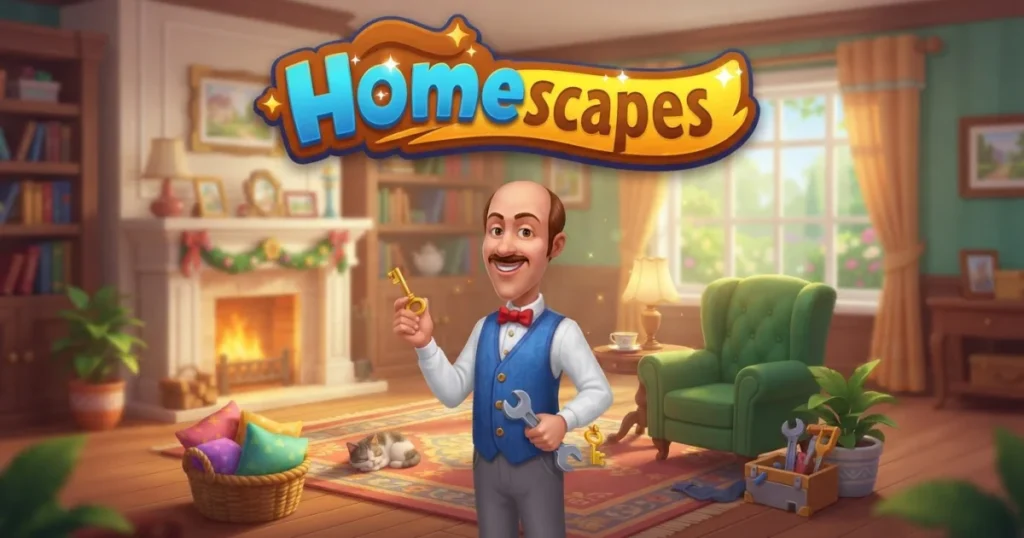












Homescapes combines match-3 puzzle gameplay with a home renovation storyline that keeps you hooked for hundreds of levels. You help Austin the butler restore his childhood family house by beating colorful match-3 challenges to earn stars, which unlock design choices and story progression. Each room you complete reveals more about Austin, Katherine, and the quirky cast of characters living in and around the mansion. 🩷
Table of Contents+
What Is Homescapes?
Homescapes is a free-to-play puzzle adventure game that blends classic match-3 mechanics with interior design and narrative elements. You swap and match pieces on a grid to clear objectives, earn stars, and use those stars to renovate rooms in Austin’s family home. The game features thousands of levels, regular updates with new content, and a chat system that lets you join teams and compete in mini-events. Unlike pure puzzle games, Homescapes wraps every level in a story about restoring a house and reconnecting with family.
Match-3 Puzzle Gameplay
The core of Homescapes is match-3: swap adjacent pieces to line up three or more of the same color. Each level has specific goals — collect certain elements, clear obstacles like boxes or chains, or bring items to the bottom of the board. You work with limited moves, so planning combos and using boosters like bombs and paper planes can make the difference between victory and a restart. Hard levels and hardest levels ramp up the challenge with tighter move counts and layered obstacles.
Renovation and Design Choices
Every star you earn from beating a level goes toward tasks in the house. Austin and Katherine guide you through fixing the garage, redecorating the living room, and restoring other areas. You choose furniture, wallpaper, and decorations from multiple options, giving you control over the interior design. Completing a room unlocks the next area and advances the story, keeping the renovation cycle fresh as you progress.
Characters and Story
Austin, the main character, returns home to help his parents save their old house from being sold. Katherine, a friend and neighbor, supports him throughout the journey. The game introduces builders, pets, and other characters through dialogue scenes between levels. The story unfolds gradually, with lighthearted humor and occasional drama that gives context to why you’re renovating each space.
Teams, Cups, and Events
Homescapes includes a team system where you join other players to compete in tournaments and earn cups. Cups unlock rewards like coins and boosters. Mini-games and limited-time events appear regularly, offering bonus prizes and new gameplay twists. The chat feature lets you coordinate with your team, share tips, and celebrate wins together.
Boosters and Power-Ups
Boosters help you clear tough levels. The bomb destroys a cluster of pieces, the paper plane removes a single piece, and rainbow balls clear all pieces of one color. You earn boosters by completing levels, opening the piggy bank with coins, or visiting the shop and store. The gold reserve and jackpot systems reward consistent play with extra resources. Managing your boosters and knowing when to use them is key to beating the hardest levels without spending real money.
How to Play Homescapes
Homescapes is straightforward: match three or more identical pieces by swapping adjacent tiles, complete the level objective within the move limit, and collect stars to renovate the house. Each level introduces new elements and obstacles, so you’ll need to adapt your strategy as you progress. The game works seamlessly in your browser or on mobile, with intuitive controls for both platforms.
Homescapes Controls
On desktop, use your mouse to click and drag pieces to swap them with adjacent tiles. Click on boosters at the bottom of the screen to activate them before making a move. On mobile, tap a piece and then tap an adjacent piece to swap, or drag your finger to slide pieces into place. Tap boosters to select them, then tap the board to use them. Both control schemes are responsive and make setting up combos easy.
Browser Compatibility
Homescapes runs smoothly in Chrome, Edge, and Firefox without any plugins or downloads. The game loads quickly and saves your progress automatically as you complete levels and make design choices. You can play on a larger monitor for a better view of the board, making it easier to spot combo opportunities and plan your moves ahead.
Tips and Tricks for Homescapes
Match from the bottom: Swapping pieces near the bottom of the board creates cascades that can trigger chain reactions and free combos, saving you moves.
Save boosters for hard levels: Don’t waste bombs and paper planes on easy stages — stockpile them for the levels marked as hard or hardest, where every move counts.
Focus on the objective: It’s tempting to chase big combos, but always prioritize the level goal, whether that’s collecting elements, clearing obstacles, or bringing keys to the bottom.
Join an active team: Teams that chat and coordinate earn more cups in tournaments, which unlocks better rewards and helps you progress faster.
Plan two moves ahead: Before you swap, scan the board for potential matches that will appear after the current move resolves — this prevents wasted moves and maximizes your efficiency.
Where to Play Homescapes
You can play Homescapes free right now on Arcazi.com in your browser, with no download required. Jump straight into the game, beat levels, and start renovating Austin’s house without any installation or signup hassle.
Also available on the App Store for iOS.
Also available on Google Play for Android.
Common Questions Players Ask
Homescapes has a huge player base, and certain questions come up again and again. Here are the answers to the most searched queries about levels, progression, and gameplay.
How many levels are in Homescapes?
Homescapes receives regular updates that add new levels, so the total count grows over time. As of the latest update, there are thousands of levels available, with more added frequently. You can check the current highest level by looking at community discussions on Reddit or the game’s official channels, but expect the number to keep climbing as new content rolls out.
For Parents
Homescapes is a casual puzzle game with no violent or scary content. The match-3 gameplay is simple and non-competitive, and the renovation storyline focuses on family, friendship, and home improvement. The game includes optional in-app purchases for coins and boosters, so you may want to disable purchases or monitor spending if younger players have access. The chat feature in teams is moderated, but it’s worth discussing online communication with kids before they join a team.
More Puzzle Games You’ll Enjoy
FAQs About Homescapes
How do I restart Homescapes?
To restart Homescapes from the beginning, you’ll need to delete your current game data. On mobile, uninstall the app and reinstall it without connecting to your saved account. On browser, clear your browser cache and cookies for the site. Be aware that restarting erases all progress, stars, and coins, so only do this if you’re sure you want to start over.
How do I recover my Homescapes account?
If you connected your game to Facebook or another social account, reinstall the app or load the game in your browser and log in with the same account. Your progress will sync automatically. If you didn’t connect an account, recovery may not be possible — contact support through the in-game settings menu with your username and any purchase receipts to see if they can help.
How do I update Homescapes?
On mobile, open the App Store or Google Play, search for Homescapes, and tap Update if a new version is available. On browser, simply refresh the page — the game updates automatically when you load it. If an update isn’t working or the game won’t load after an update, try clearing your cache or reinstalling the app.
Can you play Homescapes offline?
No, Homescapes requires an internet connection to play. The game needs to sync your progress, load new levels, and connect you to teams and events. You won’t be able to beat levels or earn stars without being online.
Can you finish Homescapes?
Homescapes doesn’t have a final level or end point. The developers release regular updates with new levels, rooms, and story content, so the game continues as long as you keep playing. You can complete all available rooms and reach the highest level, but more content will arrive in future updates.
How do you earn cups in Homescapes?
You earn cups by participating in team tournaments and completing event challenges. Join a team through the chat and team menu, then play levels during tournament periods. Your team’s combined score determines how many cups you win. Cups unlock rewards like coins, boosters, and exclusive items in the shop.
How do I add friends on Homescapes?
Connect your game to Facebook to automatically add friends who also play Homescapes. You can also join a team and interact with teammates through the chat feature. While the game doesn’t have a traditional friend list, team membership and social connections let you coordinate and compete with other players.
Is Homescapes free to play?
Yes, Homescapes is completely free to play online and on mobile. You can beat every level, complete every room, and finish the entire story without spending money. The game offers optional in-app purchases for coins, boosters, and unlimited lives, but these are never required to progress.