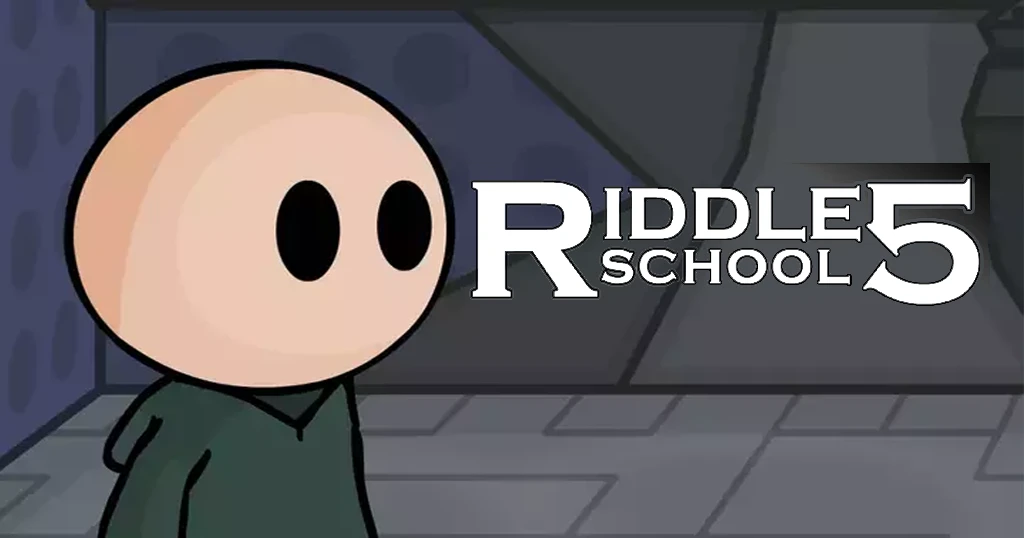













Riddle School 5 brings Phil’s adventure to an epic conclusion as he wakes up aboard an alien spaceship threatening Earth. This point-and-click escape game challenges you to solve intricate puzzles, navigate a mysterious facility, and rescue your captured friends before it’s too late. The game combines inventory management, logic puzzles, and exploration into one cohesive adventure that rewards careful observation and creative thinking.
Table of Contents+
What Is Riddle School 5?
Riddle School 5 is a point-and-click adventure game where you control Phil, a student who must escape an alien vessel and save his friends. The game takes place entirely within the confines of a spaceship, where every room holds clues, items, and puzzles that connect to form one continuous escape sequence. Unlike traditional level-based games, this adventure flows as a single narrative where each solved puzzle opens access to new areas and challenges.
Core Gameplay Mechanics
The game operates on classic adventure game principles: click to examine objects, collect items into your inventory, and combine or use them in specific locations to progress. You’ll need to backtrack between rooms frequently as new items unlock previously inaccessible areas. The spaceship layout includes subject rooms numbered #1831, #6553, and #7272, a Life Transferring Station, a flower room, and Phil’s starting cell. Each location contains interactive objects that either provide items or require specific tools to activate.
The Tile Puzzle System
Two major tile device puzzles block your progress through Riddle School 5. These machines function like number pads where you must click tiles in precise sequences to unlock portals and activate systems. The first puzzle requires the sequence 6-8-3-3-7-2-5-4-7, treating the tiles like a phone keypad numbered 1-9. The second puzzle later in the game uses a different pattern: 6-7-2-2-4-1-5-9-3-4-6-2-7-8. Both puzzles operate on a Lights Out mechanic where clicking one tile affects adjacent or diagonal tiles, forcing you to think several moves ahead.
Dream World Sequences
A unique twist in the game involves entering your friends’ dreams to wake them from alien-induced sleep. After powering up the Life Transferring Station and accessing the reclining chair, you’ll input subject ID numbers to enter dream scenarios. Each friend occupies a different numbered room: Zack in #6553, Smiley in #1831, and Phred in #7272. Inside each dream, you must interact with the environment in specific ways to break the illusion and free your friend. Phred’s dream takes place in a classroom where clicking any object ends the sequence.
Item Collection and Combination
Success depends on finding and properly using a specific set of items scattered throughout the ship. The alien coin under your bed unscrews the vent cover, granting initial access to the facility. You’ll collect three screws from the vent plus a fourth screw found elsewhere, all needed to power the Life Transferring Station. Other critical items include a keycard from room #7272, a metal tray, a potted dirtflower, and a steak retrieved from inside a large metal fish sculpture. The toothpaste and faucet combine to create a makeshift container for lava, which melts the wooden board blocking the escape pod.
The Light Screen Challenge
One of the trickiest puzzles involves recreating a circular pattern on a light screen while standing upside down on the ceiling. After using the gravity-reversing statue, you must observe the pattern on the wall and click the corresponding lights in the correct formation. The solution requires lighting all circles in the middle row, the second light in the top row, and the top two lights in the bottom row. Because Phil is inverted during this sequence, you must mentally flip the pattern before entering it, adding an extra layer of difficulty.
How to Play Riddle School 5
Playing Riddle School 5 requires methodical exploration and careful attention to environmental clues. Start by examining every object in each room before using items, as many puzzles require specific sequences. The game autosaves your progress, so you can return later if you get stuck. Keep your inventory organized and remember which items you’ve already used versus which ones still have a purpose ahead.
Riddle School 5 Controls
The game uses simple mouse controls for all interactions. Click on objects to examine them, click on items in your inventory to select them, then click on locations in the game world to use the selected item. Hover your cursor over different parts of each room to see what’s interactive—the cursor will change when positioned over clickable objects. Navigation between rooms happens by clicking doorways or exits at the edges of the screen.
Browser Compatibility
Riddle School 5 runs smoothly in Chrome, Edge, and Firefox without requiring any plugins or downloads. The game loads directly in your browser window and maintains consistent performance across all three platforms. You can play in fullscreen mode for better immersion or in a standard browser tab while multitasking.
Tips and Tricks for Riddle School 5
Examine everything before taking action: Many rooms contain multiple interactive objects, and clicking them in the wrong order can force you to restart a sequence. Hover over every part of each room to identify all clickable elements before committing to a puzzle solution.
Write down the tile puzzle sequences: The two tile device puzzles require precise input with no room for error. Keep the sequences 6-8-3-3-7-2-5-4-7 and 6-7-2-2-4-1-5-9-3-4-6-2-7-8 written down or visible on a second screen so you can reference them without memorizing.
Use the invisibility statue strategically: The statue that grants invisibility only needs to be activated once before encountering the alien guard. Don’t waste time clicking it multiple times—one activation provides enough coverage to sneak past the monster when you lure it with the steak.
Remember the code desk button pattern: The code desk in the escape pod requires pressing five buttons a specific number of times: button one once, button two four times, button three three times, button four five times, and button five twice. This sequence matches the button labels themselves (1-4-3-5-2), making it easier to remember.
Check your inventory before entering new areas: Several puzzles require items you collected earlier but haven’t used yet. Before attempting a new puzzle, review your inventory to see if you’re carrying the necessary tools. The game rarely gives you items you don’t need, so everything has a purpose somewhere.
Where to Play Riddle School 5
You can play Riddle School 5 for free right now on Arcazi.com. The game runs directly in your browser with no download, installation, or account creation required. Just load the page and start playing immediately on any desktop or laptop computer.
Solving the Toughest Riddle School 5 Puzzles
How do you beat the meat tray puzzle in Riddle School 5?
The meat tray puzzle requires combining multiple items at the Life Transferring Station. First, retrieve the steak from inside the metal fish sculpture in the hallway. Collect the metal tray from another room and the potted dirtflower from the flower room. Place the dirtflower on the “Living Thing” side of the machine and combine the steak with the tray, then place it on the “Dead Animal Goes Here” side. Insert all four screws into the colored slots on the power panel, then click the green arrow to transfer the plant’s life force into the meat, creating a living steak that attracts the alien guard.
How do you beat Phred’s dream in Riddle School 5?
Phred’s dream sequence takes place in a classroom setting. After entering his subject ID number (7272) at the reclining chair, you’ll appear in the dream world. To wake Phred, simply click on any object in the classroom—the desk, the chalkboard, the window, or any other interactive element. Unlike other puzzles in the game, this one has no specific solution; any interaction breaks the dream illusion and frees Phred from alien control.
How do you beat the light screen in Riddle School 5?
The light screen puzzle requires you to recreate a circular pattern while standing on the ceiling. First, click the left statue to activate gravity reversal and walk upside down. Observe the pattern displayed on the wall to the left of the light screen. Now click the light screen itself and recreate the pattern, but remember you’re viewing it upside down. Light up all circles in the middle row, the second circle in the top row, and the top two circles in the bottom row. After completing the pattern, press the small confirm button at the top-left corner of the screen to verify your solution and drop the ceramic mug.
How do you get the 4 in Riddle School 5?
The number 4 appears as part of the tile puzzle solutions that display the code 4701. For the first tile device, you create the number 4 by clicking tiles in the sequence 8-6-3, then 3-7, then 2-4-5, then 7. This Lights Out-style puzzle changes adjacent tiles when you click, so you must follow the exact sequence to form the correct pattern. The number 4 is the first digit in the 4701 code that unlocks the green portal leading deeper into the spaceship.
Where is the 4th screw in Riddle School 5?
You collect three screws by removing the vent cover in your starting cell using the alien coin. The fourth screw is found later in the game after you’ve explored more of the spaceship. All four screws are essential for powering the Life Transferring Station—you must insert them into the colored slots on the machine’s power panel before you can activate the life transfer process that creates the living steak.
How do you get the steak in Riddle School 5?
The steak is hidden inside a large metal fish sculpture mounted on the wall in one of the spaceship’s hallways. Click on the fish to open it and reveal the steak inside. You’ll need to combine this steak with the metal tray and use the Life Transferring Station to bring it to life before it becomes useful. The living steak’s smell attracts the alien guard, allowing you to lure the creature into your cell and trap it there.
For Parents
Riddle School 5 contains mild cartoon violence and themes involving alien abduction and escape. The game requires players to “kill” characters in dream sequences, though this is presented in a non-graphic, puzzle-solving context where the goal is actually to wake them up. The humor is lighthearted and the art style is simple and cartoonish. The game emphasizes problem-solving, logical thinking, and pattern recognition, making it appropriate for players who can handle light sci-fi themes and understand the difference between game mechanics and real consequences.
More Point-and-Click Adventures on Arcazi
- Completing the Mission – Guide Henry Stickmin through his final heist with multiple paths and endings determined by your choices.
- Wheely 6: Fairytale – Help a red car navigate through fairy tale-themed puzzles by clicking objects in the correct sequence.
- Wheely 5 Armageddon – Solve environmental puzzles to guide Wheely through a post-apocalyptic world filled with obstacles.
- Wheely 3 Race – Click and drag objects to clear paths and help Wheely reach the finish line in this physics-based puzzler.
- Wheely – The original adventure that started the series, featuring simple click-based puzzles and charming car characters.
- CrossBird – Navigate a bird through challenging obstacles using precise timing and quick reflexes.
- Undertale Yellow – Experience a fan-made prequel with turn-based combat and multiple story paths based on your choices.
These titles showcase the variety of Escape games available, from story-driven adventures to physics puzzlers that test your problem-solving skills.
FAQs About Riddle School 5
How do you beat Riddle School 5?
Beat the game by escaping your cell with the alien coin, solving both tile puzzles to access new areas, rescuing your three friends from their dream states, and using the living steak to trap the alien guard. The final sequence involves using toothpaste to repair a mug, filling it with lava, melting the wooden board, and activating the escape pod with the key from the code desk.
What is the Riddle School 5 tile puzzle solution?
The first tile puzzle solution is 6-8-3-3-7-2-5-4-7, treating the tiles like a phone keypad numbered 1-9. The second tile puzzle later in the game requires the sequence 6-7-2-2-4-1-5-9-3-4-6-2-7-8. Both puzzles work like Lights Out, where clicking one tile affects adjacent or diagonal tiles.
How do you escape Riddle School 5?
Escape by collecting all necessary items (coin, screws, keycard, tray, dirtflower, steak, toothpaste, faucet, and key), solving the tile puzzles to unlock new areas, freeing your friends from their dreams, trapping the alien guard with the living steak, and finally accessing the escape pod by melting the wooden board with lava and using the key to start the ship.
Is Riddle School 5 free to play?
Yes, Riddle School 5 is completely free to play on Arcazi.com with no payment, subscription, or account required. The game runs directly in your browser without downloads or installations.
What are the codes for the dreams in Riddle School 5?
The dream codes are the subject ID numbers displayed outside each cell: enter 6553 for Zack’s dream, 1831 for Smiley’s dream, and 7272 for Phred’s dream. Input these numbers at the reclining chair’s keypad to access each friend’s dream world.
How do you do the code desk in Riddle School 5?
Press each button on the code desk the number of times matching its label: button one once, button two four times, button three three times, button four five times, and button five twice. This opens a compartment containing the key needed to activate the escape pod.
How do you combine the tray with meat in Riddle School 5?
Click the metal tray in your inventory, then click the steak to combine them into one item. Place this combined item on the “Dead Animal Goes Here” side of the Life Transferring Station, put the potted plant on the other side, insert all four screws into the power panel, and click the green arrow to transfer life into the meat.
How do you break the wooden board in Riddle School 5?
Combine the toothpaste with the faucet to create a makeshift container, then use it to scoop up lava from the floor. Click the right statue to walk on the ceiling, then pour the lava onto the wooden board to melt it. This reveals an access panel where you’ll use the key to unlock the escape pod controls.
Do I need to download anything to play Riddle School 5?
No downloads are required. Riddle School 5 runs entirely in your web browser on Arcazi.com, loading instantly when you visit the game page.
Can I play Riddle School 5 on mobile devices?
The game is designed for desktop browsers with mouse controls. While it may load on mobile devices, the point-and-click interface works best with a mouse on a computer.
What happens after you rescue all three friends?
After rescuing Zack, Smiley, and Phred from their dreams, each friend uses an escape pod to leave the alien ship. You then proceed to the final puzzle sequence involving the second tile device, the light screen, the code desk, and ultimately your own escape pod.
How long does it take to complete Riddle School 5?
Most players complete the game in 30-60 minutes on their first playthrough. Experienced players who know the puzzle solutions can finish in under 20 minutes.
Start Your Escape from the Alien Ship
Riddle School 5 is free to play right now on Arcazi.com. Load the game instantly in your browser and begin Phil’s final adventure—no download, no wait, just pure point-and-click puzzle solving.