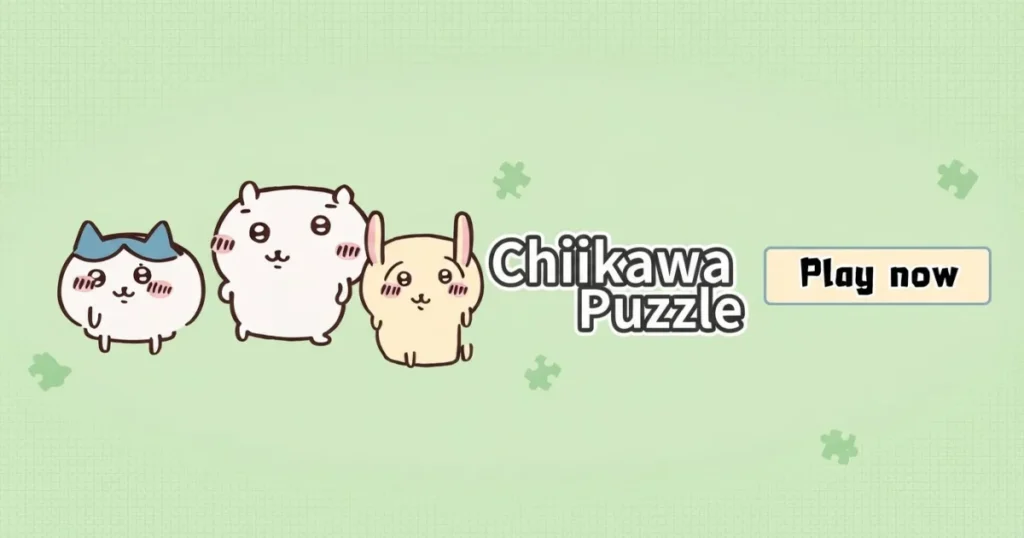









Chiikawa puzzle is a cute 2D puzzle game that challenges you to assemble beloved Chiikawa characters entirely from memory, with no visible silhouette to guide your placements. Released in 2025, it sits squarely in the casual puzzle genre, blending tile-matching instincts with a surprisingly sharp memory challenge. Every session is short, satisfying, and genuinely tricky once the pieces start looking similar.
Table of Contents+
- What Is chiiwaka puzzle?
- How to Play chiiwaka puzzle?
- Core Blind Assembly and Memory Mechanics
- Playable Chiikawa Character Roster and Selection
- Advanced Placement Tactics and High-Accuracy Strategies
- Where to Play chiwaka puzzle
- More Puzzle and Casual Games You Might Enjoy
- For Parents
- FAQs About chiwaka puzzle
- Start Your Chiikawa puzzle Challenge Now
What Is chiiwaka puzzle?
Chiikawa puzzle puts you in charge of reconstructing illustrated portraits of Chiikawa characters by placing individual puzzle pieces into their correct positions. The twist is that the game never shows you a reference silhouette or completed image while you work, so every placement comes down to memory and spatial reasoning. That blind-assembly format sets it apart from standard jigsaw or classic tile matching games you might expect from the category.
The game falls under the Puzzle, Board, and Casual categories, with gameplay DNA borrowed from matching and solitaire-style thinking. Each character portrait is split into a set of shaped pieces, and your job is to figure out where each one belongs before the picture makes sense. Finishing a portrait cleanly feels genuinely rewarding, especially when you nail a tricky corner piece on the first try.
How to Play chiiwaka puzzle?
The core loop is straightforward. Select a Chiikawa character using the arrow keys, confirm your choice with Enter or Spacebar, then start placing pieces by clicking or tapping them into position. There is no timer forcing frantic decisions, so you can think each placement through carefully before committing.
Pieces do not snap aggressively into place, which means small misalignments matter. Pay attention to the edge shapes and any subtle label cues printed on each piece, since those details are your main clues when the full image is hidden. Completing a character unlocks the ability to share your assembled creation, adding a light social layer to an otherwise solo challenge.
Desktop Mouse and Keyboard Controls
On desktop, use your mouse to click and drag puzzle pieces onto the board. Right-clicking gives you a secondary action for certain interactions, and the arrow keys let you scroll between available Chiikawa characters on the selection screen. Pressing Enter or Spacebar confirms your character pick and kicks off the puzzle.
The mouse handles all precise placement work during a puzzle, so a steady hand helps when fitting smaller pieces into tight gaps. This runs smoothly in Chrome, Edge, and Firefox without any additional setup needed.
Touchscreen and Mobile Interactions
On touchscreen devices, tap a piece to select it, then drag and release to drop it into position on the board. The drag-and-release mechanic mirrors the mouse workflow closely, so switching between devices feels natural. Pinch gestures are not required since each puzzle fits comfortably within a single screen view.
Touch controls are responsive enough for quick corrections if you misplace a piece. Tapping the character selection arrows navigates the roster the same way keyboard arrow keys do on desktop, keeping the experience consistent across both input methods.
Core Blind Assembly and Memory Mechanics
The defining feature of Chiikawa puzzle is assembling each character portrait without any reference image displayed on screen. Most puzzle games show you what the finished picture looks like, but here you are working from memory and from the shapes of the pieces themselves. That single design decision turns a casual-looking game into a genuine memory workout.
First-time players often underestimate how disorienting it is to place a piece when you cannot see where the character’s face begins and the background ends. Studying the piece shapes before you start placing anything is the fastest way to build a mental map of the final image. Experienced players treat the opening moments of each puzzle like a scouting phase rather than a race to place pieces.
Navigating Pieces Without Visual Guides
Because no silhouette or ghost image appears on the board, you need to use the piece outlines themselves as your primary spatial reference. Pieces with flat edges always belong on the border of the portrait, while pieces with irregular tabs on all four sides sit somewhere in the interior. Sorting border pieces from interior pieces mentally before placing anything cuts down on random guessing significantly.
Color and linework on each piece carry a lot of information even when you cannot see the full image. A piece with a thick black outline fragment likely sits near a character’s face or hands, where the illustration detail is heaviest. Learning to read those density cues speeds up placement considerably on repeat attempts.
Reading Part Labels and Alignment Cues
Some pieces carry subtle alignment markers, small printed indicators that hint at orientation or relative position within the portrait. These labels are easy to miss on a first pass, but once you know to look for them they become the most reliable tool in the game. Rotating a piece to match its label direction before attempting a drop saves wasted placements.
Alignment cues also appear along shared edges between adjacent pieces. When two pieces are placed correctly next to each other, their edge markings line up cleanly. If an edge marking looks offset after a placement, treat that as a signal to revisit the piece rather than moving on to the next one.
Playable Chiikawa Character Roster and Selection
The game features multiple Chiikawa characters, each available as its own portrait puzzle. You navigate between them on the selection screen using the arrow keys on desktop or by tapping the directional arrows on touch devices. Each character presents a different difficulty level depending on how visually complex their illustration is.
Characters with simpler color palettes and fewer small details are generally easier to assemble blind, making them good starting points before tackling characters with dense linework or overlapping background elements. Returning to a previously completed character and trying to beat your placement accuracy is a worthwhile challenge once you have finished the full roster once.
Advanced Placement Tactics and High-Accuracy Strategies
The most effective high-accuracy approach starts with a deliberate first scan. Before placing any piece, cycle through every available piece and group them mentally by their dominant color or linework density. This upfront investment of ten to fifteen seconds pays off by reducing backtracking during the actual assembly phase.
Treat the corners as anchor points. Corner pieces have two flat edges, making them the only pieces with a completely fixed position on the board. Locking all four corners first gives you a reliable frame, and every subsequent piece can be evaluated against those anchors rather than against an empty board. This mirrors the logic behind classic solitaire or mahjong strategies, where clearing known positions first opens up the remaining field.
On repeat attempts at the same character, use muscle memory from your previous session to pre-position your most confident pieces first. Building outward from a cluster of correctly placed pieces is far more accurate than scattering placements across the board randomly. Pushing for a clean single-attempt clear on each character is the natural progression goal once you have memorized the general layout.
Where to Play chiwaka puzzle
Chiikawa puzzle is free to play right now on Arcazi.com, directly in your browser with no download or installation needed.
More Puzzle and Casual Games You Might Enjoy
- Yukon Solitaire – A classic card-stacking challenge that rewards careful sequencing and forward planning.
- Riddle School 3 – A point-and-click puzzle adventure where clever item use gets you out of tricky situations.
- clashle – A daily word-guessing game built around Clash of Clans that tests your knowledge and deduction skills.
- Among Us – The social deduction game where reading other players is just as important as completing tasks.
- Sprunki Phase 2 – A music-mixing puzzle experience with a quirky cast of characters and layered sound mechanics.
- Jewels Blitz 5 – A fast tile matching gem game that rewards combo chains and quick spatial thinking.
All of these titles are worth exploring if you enjoy the Puzzle genre and want more brain-teasing single-player challenges.
For Parents
Chiikawa puzzle is a single-player casual puzzle game based on assembling illustrated character portraits. The content is gentle and visually cute, centered entirely on placing puzzle pieces to recreate Chiikawa character images. There is no combat, scoring pressure, or mature subject matter involved in the gameplay.
FAQs About chiwaka puzzle
What is chiwaka puzzle?
Chiikawa puzzle is a casual 2D puzzle game where you assemble portraits of Chiikawa characters by placing pieces without a visible reference image to guide you.
How do I control chiwaka puzzle on a desktop?
Use your mouse to click and drag pieces into position, arrow keys to navigate between characters on the selection screen, and Enter or Spacebar to start a puzzle.
How do I play chiwaka puzzle on a touchscreen?
Tap to select a piece, then drag and release it onto the board. Tap the directional arrows on the selection screen to cycle between available characters.
Is there a reference image shown while I solve a puzzle?
No. The chiwaka puzzle game uses a blind assembly mechanic, meaning no silhouette or completed reference image is displayed while you place pieces.
How many characters are available to puzzle?
The game features a roster of multiple Chiikawa characters, each selectable from the character selection screen using the arrow keys or tap controls.
Is chiwaka puzzle a single-player game?
Yes, Chiikawa puzzle is a single-player game with no multiplayer or cooperative modes.
Can I share my completed puzzle?
Yes. After finishing a character portrait, the game lets you share your assembled creation with others.
What is the best strategy for placing pieces without a guide?
Sort border pieces from interior pieces first, then anchor the four corners before filling inward. Reading linework density on each piece helps identify where it belongs in the portrait.
Does chiwaka puzzle require a download or installation?
No download or installation is needed. The game runs entirely in your web browser.
What browsers support chiwaka puzzle?
The game runs smoothly in Chrome, Edge, and Firefox without any plugins or additional setup.
Are there alignment cues on the puzzle pieces?
Yes. Pieces carry subtle label markers and edge indicators that hint at correct orientation and position, which are especially useful during blind assembly.
How do I get better at the blind assembly mechanic?
Scan all available pieces before placing any, group them by color or linework density, and use corner pieces as fixed anchor points to build your spatial map of the portrait.
Start Your Chiikawa puzzle Challenge Now
Jump in for free, straight from your browser on Arcazi.com, no download required. Pick a character, trust your memory, and see how cleanly you can assemble the portrait on your first attempt.