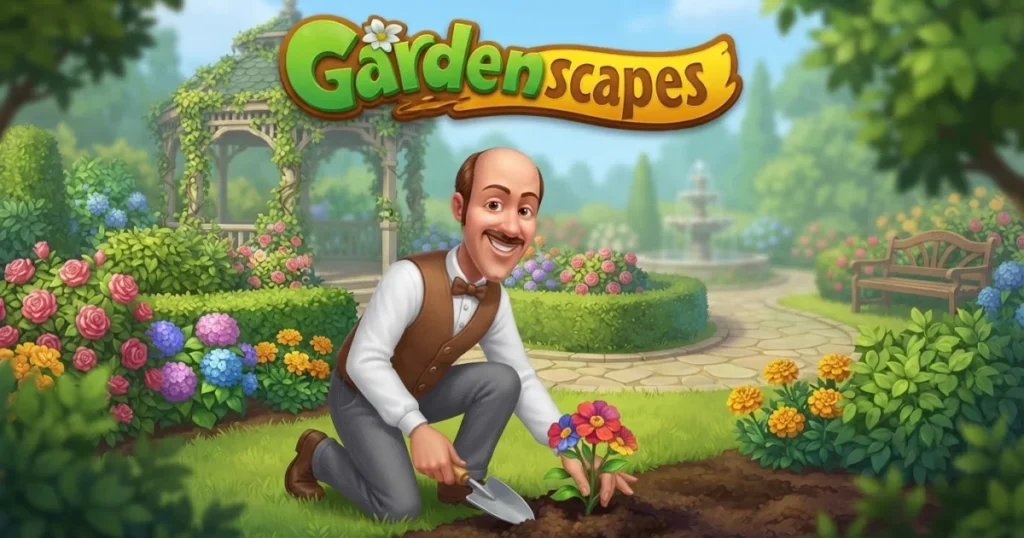














Gardenscapes combines match-3 puzzle gameplay with garden restoration in a story-driven adventure that keeps you hooked level after level. Swap colorful tiles to complete objectives, earn stars, and unlock new areas of a neglected mansion garden while following butler Austin through his makeover journey. The game blends cosy simulation with challenging puzzle mechanics, offering thousands of levels and a steady stream of new rooms and outdoor spaces to restore. 🩷
Table of Contents+
What Is Gardenscapes?
Gardenscapes by Playrix is a match-3 puzzle game where you restore a rundown garden to its former glory. Each level you beat earns stars that unlock renovation tasks—plant flowerbeds, repair fountains, build gazebos, and decorate outdoor rooms. Austin, your butler companion, guides you through the story as you transform the estate piece by piece. The game features a dual-loop structure: solve puzzles to progress, then spend your rewards on garden upgrades that reveal new narrative beats and unlock additional areas.
Match-3 Puzzle Mechanics
The core gameplay revolves around swapping adjacent tiles to create matches of three or more. Combine four or five tiles to craft power-ups like dynamite, bombs, and rainbow blasts that clear large sections of the board. Each level presents unique objectives—collect gnomes, break ice blocks, gather flowers, or remove obstacles within a limited number of moves. Hard levels introduce tougher layouts and stricter move counts, demanding careful planning and combo chains.
Garden Renovation and Customization
Stars earned from puzzle levels let you complete renovation tasks across multiple garden areas. Choose between different design options for fountains, benches, statues, and flowerbeds to personalize your outdoor space. As you progress, you unlock new sections of the mansion grounds—each with its own theme and set of restoration projects. The garden evolves from overgrown chaos into a pristine estate, with every decision reflecting your style.
Austin and the Story
Austin, the cheerful butler, serves as your guide and companion throughout the game. He provides commentary on your progress, introduces new characters, and drives the narrative forward with mini-events and seasonal updates. The story unfolds through dialogue boxes and cutscenes that play between renovation milestones, adding personality and context to your puzzle-solving efforts.
Power-Ups and Boosters
Gardenscapes offers a variety of boosters to help you beat tough levels. Pre-level boosters like the shovel, rake, and glove let you remove single tiles or swap pieces before you start. In-game power-ups—created by matching four or more tiles—include firecrackers that explode in a cross pattern, bombs that clear surrounding tiles, and dynamite that wipes out entire rows or columns. Combining two power-ups triggers massive chain reactions that can turn a losing board into a winning one.
Events and Mini Games
Special events rotate regularly, offering limited-time challenges and bonus rewards. Compete in tournaments against other players, complete daily tasks for extra coins and lives, or participate in seasonal events tied to holidays and themes. These mini game modes provide a break from the main story while still rewarding you with resources to fuel your garden makeover.
How to Play Gardenscapes
Jump into Gardenscapes by selecting a level from the map, then swap adjacent tiles to match three or more of the same color. Complete the level objective within the move limit to earn stars, which you spend on garden tasks. Each renovation unlocks new story beats and areas. The game alternates between puzzle-solving and garden customization, keeping both loops fresh and engaging.
Gardenscapes Controls
On desktop, click and drag a tile to swap it with an adjacent piece, or click one tile and then click a neighbor to swap them. On mobile, tap a tile and swipe in the direction you want to move it, or tap two adjacent tiles in sequence. Use your mouse or finger to select boosters from the pre-level menu or activate them during play by clicking or tapping the icon.
Browser Compatibility
Gardenscapes runs smoothly in Chrome, Edge, and Firefox on both desktop and mobile browsers. The game auto-saves your progress to your account, so you can switch devices and pick up right where you left off without losing stars, coins, or garden upgrades.
Tips and Tricks for Gardenscapes
Match from the bottom: Focus your swaps near the bottom of the board to trigger cascades that create unexpected matches and power-ups higher up, maximizing your move efficiency.
Save power-ups for obstacles: Don’t waste dynamite and bombs on easy clears—reserve them for breaking through ice, chains, or other hard-to-reach blockers that eat up moves.
Combine boosters for big clears: Merge two power-ups by swapping them together to unleash devastating combos—dynamite plus bomb clears huge areas, while double rainbows can wipe the entire board.
Plan your last moves: When you’re down to a few moves, scan the board for potential power-up setups instead of making random swaps—one well-placed combo can complete the objective.
Use free lives wisely: Lives regenerate over time, so if you’re stuck on a hard level, take a break and come back with a fresh perspective rather than burning through coins on continues.
Where to Play Gardenscapes
Play Gardenscapes free online right now on Arcazi.com—no download required, just load the game in your browser and start swapping tiles. Your progress saves automatically, so you can return anytime to continue your garden restoration.
Also available on the App Store for iOS.
Also available on Google Play for Android.
Common Questions About Gardenscapes Levels
Players often search for help with specific levels and wonder how deep the game goes. Here’s what you need to know about the level structure and how to tackle some of the toughest puzzles.
How many levels are in Gardenscapes?
Gardenscapes features thousands of levels, with new ones added regularly through updates. The exact count grows over time as the developers release fresh content, so there’s always more garden to restore and new puzzles to solve. You can check the Gardenscapes subreddit for community discussions on the latest level count.
For Parents
Gardenscapes is a family-friendly match-3 puzzle game with bright visuals, cheerful characters, and no violent or mature content. The gameplay revolves around tile-swapping and garden decoration, making it suitable for players of all ages. Some levels can be challenging and may encourage in-app purchases for extra lives or boosters, so parents may want to monitor spending if younger players have access to payment methods.
More Games Like Gardenscapes
- Bubble Shooter
- Stealing the Diamond
- Homescapes
- Fleeing the Complex
- Adventure 101
- Wheely 2
- Bejeweled Blitz
FAQs About Gardenscapes
How to play Gardenscapes?
Swap adjacent tiles to match three or more of the same color, complete level objectives within the move limit, and earn stars to unlock garden renovation tasks. The game alternates between puzzle levels and customization choices.
How to restart Gardenscapes?
You can restart your progress by deleting your account or unlinking your save data through the game’s settings menu, then starting fresh. Be aware this erases all stars, coins, and garden progress permanently.
How to reset Gardenscapes?
Resetting Gardenscapes requires deleting your saved game data from the settings menu or unlinking your account from Facebook or the app store. Once reset, you’ll begin again at level one with a blank garden.
How to delete Gardenscapes account?
Access the settings menu within the game, look for account management options, and follow the prompts to unlink or delete your profile. This removes all progress and cannot be undone.
How to beat Gardenscapes level 29?
Focus on clearing the obstacles at the bottom of the board first, then work upward to create power-ups. Combine dynamite with bombs to break through tough blockers, and save your boosters for the final moves when you need a big push.
How to restart Gardenscapes from level 1?
Unlink your current save from Facebook or your app store account in the settings menu, then delete the game data. When you reload the game, you’ll start from the beginning with a fresh garden and no completed levels.
How to beat Gardenscapes level 25?
Prioritize making matches near the edges to free up space, then build power-ups in the center of the board. Use firecrackers and bombs to clear clusters of obstacles, and plan your last few moves carefully to hit the objective.
Is Gardenscapes free to play?
Yes, Gardenscapes is free to play online on Arcazi.com with no download required. The game offers optional in-app purchases for extra lives, coins, and boosters, but you can complete all levels without spending money.