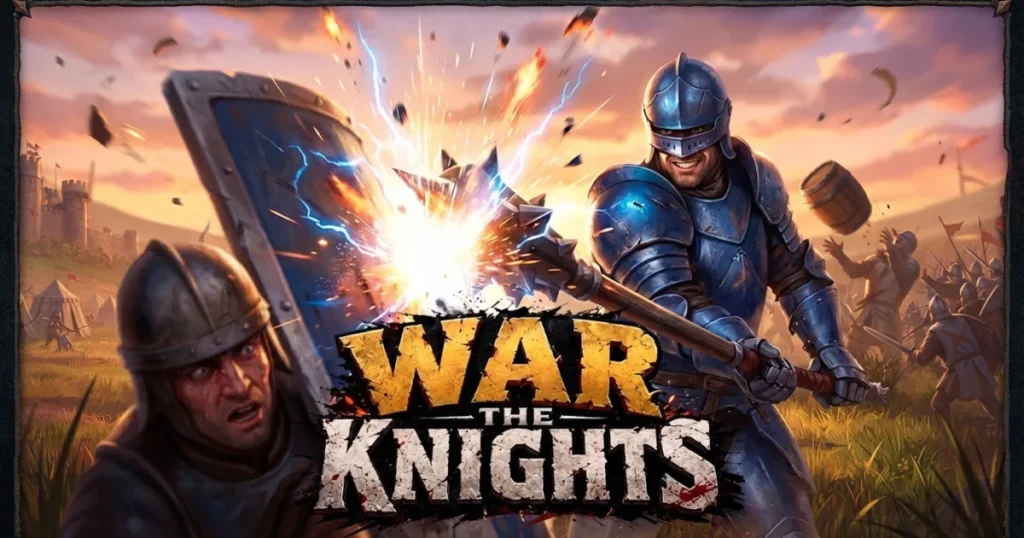





War the knights drops you into chaotic medieval battlefields where two armies clash over flags, control points, and survival. Released in 2025 by Agame, this 3D action strategy game blends direct combat with team-based conquest objectives. Every match demands smart weapon choices, tight blocking timing, and coordinated squad movement to push through enemy lines.
Table of Contents+
- What Is war the knights?
- How to Play war the knights?
- Conquest Mode Rules and Objective Systems
- Medieval Weapon Arsenal and Tactical Gear
- Advanced Tactics for Line Breaching and Victory
- Where to Play war the knights
- More Medieval and Battle Games to Try
- For Parents
- FAQs About war the knights
- Jump Into the Battle Now
What Is war the knights?
War The Knights: Battle Arena Swords 3D is a medieval team combat game built around arena battles between opposing forces. Your goal is straightforward: eliminate enemy fighters and capture flags before the opposing team does. The game layers action controls on top of a strategy foundation, so raw button-mashing alone won’t win a match.
Each match pits Team Blue against Team Red across arena environments designed for close-quarters infantry fights. Swords, spears, and bows fill your loadout, and switching between them at the right moment is as important as landing hits. The war the knights battle arena setup rewards players who read the field, not just those who charge blindly forward.
How to Play war the knights?
The core loop in the war the knights game is capture, hold, and eliminate. You spawn as a knight, pick up or start with weapons, engage enemy units in melee or at range, and fight to control flag zones. Reaching the flag first and holding position under pressure defines who wins the round.
Desktop Keyboard and Mouse Controls
Movement uses WASD, with Shift held down to sprint across open ground faster. Spacebar handles jumps, and Z puts your knight into a crouch for lower-profile movement. Mouse aims and controls your look direction at all times.
Left Mouse Button executes attacks, while Right Mouse Button blocks incoming strikes or aims ranged weapons. Press E to pick up weapons from the ground or interact with objects. Number keys 1 and 2 select your primary weapons, and keys 3 and 4 cycle through gadgets. Thrown weapons fire with the Middle Mouse Button. The game runs smoothly in Chrome, Edge, and Firefox with no installation needed.
Mobile Touch and Gesture Inputs
On mobile, tap the screen to jump or interact with nearby objects and weapon pickups. Directional movement comes from swipe gestures across the left side of the screen. Aiming and launching attacks use a drag-and-release input on the right side. The war the knights mobile control scheme keeps every core action accessible without a keyboard.
Conquest Mode Rules and Objective Systems
Conquest mode structures every match around territory control rather than pure kill counts. Teams fight to claim flag zones scattered across the arena, and holding those zones builds toward a victory condition. Losing all your fighters or surrendering every flag zone ends the match in defeat.
Capturing Control Points and Flag Zones
Walking into a flag zone begins the capture process, but enemies can interrupt it by entering the same zone. Contesting a zone stalls the capture timer for both sides, turning flag areas into intense focal points for melee fighting. Coordinating with your team to clear enemies before committing to a capture saves time and lives.
Holding a captured zone while your team advances on the next one creates territorial momentum. Splitting enemy attention between defending one flag and attacking another stretches their lines thin. Consistent flag control, not just individual kill totals, determines the final winner in the war the knights battle arena.
Team Blue Versus Team Red Battle Structure
Every match assigns players to Team Blue or Team Red, and both sides spawn from opposite ends of the arena. The symmetrical start means map awareness matters immediately since both teams converge on the same central flag zones. Early aggression on the first control point often sets the momentum for the entire match.
Team composition shifts dynamically during combat as fighters fall and respawn. Tracking where your teammates are positioned prevents you from engaging enemy clusters alone. The war the knights 3D arena design makes flanking attempts visible from a distance, so coordinating movement with teammates is more effective than solo rushes.
Medieval Weapon Arsenal and Tactical Gear
The war the knights game arms each fighter with a wide selection of period-appropriate weapons. Choosing the right tool for the range and situation you’re in makes a measurable difference in how fights play out. Slots 1 and 2 hold primary weapons, while slots 3 and 4 carry gadgets that add tactical flexibility beyond direct combat.
Primary Melee Blades and Polearms
Swords are the backbone melee option, offering balanced reach and attack speed for one-on-one duels. Spears extend your hit range, letting you poke enemies before they close to sword distance. Switching between blades and polearms using number keys 1 and 2 mid-fight gives you a range advantage that straight swordplay cannot match.
Polearms excel in corridor-style choke points inside the arena where enemies funnel in single file. A spear thrust stops a charging opponent before their sword swing connects. Using the crouch key Z while holding a polearm also reduces your exposure during extended standoffs.
Ranged Archery and Thrown Weapons
Bows require Right Mouse Button to aim before releasing an attack, demanding a moment of stillness that melee skirmishing does not. Positioning matters enormously with ranged weapons since drawing a bow while enemy knights close distance leaves you exposed. Gadget slots 3 and 4 carry thrown weapons, which launch with the Middle Mouse Button for quick-release pressure attacks at mid-range.
Thrown weapons bridge the gap between bow range and sword range, punishing enemies who try to close in quickly. Combining a thrown weapon from slot 3 to interrupt a charge, then switching to a sword for the follow-up, creates a reliable two-stage attack pattern. Picking up dropped weapons with E after kills also refreshes your ammo supply without retreating.
Advanced Tactics for Line Breaching and Victory
Winning the war the knights online requires more than individual weapon skill. Understanding when to press forward, when to hold ground, and how to coordinate with teammates separates consistent winners from players who fight hard but lose territory. The tactical layer runs underneath every skirmish.
Blocking Mechanics and Melee Counter Timing
Right Mouse Button activates your block, and timing it correctly absorbs incoming sword or spear strikes without taking damage. Blocking immediately before an enemy swing lands opens a narrow counter-attack window where your own Left Mouse Button attack deals maximum impact. Holding block continuously drains your ability to counter quickly, so reactive blocking beats passive turtling.
Learning enemy attack animations in the war the knights battle arena swords 3d environment is how you sharpen your counter timing. Heavier polearm swings have a longer wind-up, giving you slightly more time to raise the block. Sword strikes are faster, so committing to a block too early or too late against a sword user will still cost you health.
Flanking Maneuvers and Squad Positioning
A direct frontal push into a defended flag zone almost always loses to a flanking approach from the sides. Sprinting with Shift to reach a side angle before the main melee engages forces enemies to split their attention between two attack directions. Even a single flanker drawing two defenders away from a flag zone can flip a capture attempt in your team’s favor.
Squad positioning around flag zones should keep at least one fighter at the capture point while others intercept respawning enemies. Using crouch with Z near cover objects at flag zone edges lets you wait for the right moment to re-engage without committing to open ground. The war the knights game rewards teams that maintain shape under pressure over those that scatter after early losses.
Where to Play war the knights
War The Knights is free to play right now on Arcazi.com, directly in your browser with no download needed.
Also available on the App Store for iOS.
Also available on Google Play for Android.
More Medieval and Battle Games to Try
- Drunken Wrestle – A physics-based brawler where wobbly fighters slug it out in chaotic one-on-one matches.
- Age Of War – Build and defend your base through the ages while sending waves of troops to crush the enemy.
- Ships 3D – Command naval vessels in 3D sea battles that test both aim and tactical positioning.
- Stickman Fighter – Fast stickman combat with combo chains and escalating enemy difficulty.
- Clash Of Vikings – Lead Viking warriors through brutal battles requiring resource management and aggressive combat tactics.
- Forsaken – A dark action title that pushes your combat reflexes and survival instincts to the limit.
All six picks sit comfortably in the War genre, so if the battlefield is where you thrive, every title above delivers more of that same intensity.
For Parents
War The Knights is a medieval combat game involving team battles between armored knight units using swords, spears, and bows. The gameplay centers on capturing flags and defeating opposing team members in an arena setting, consistent with the action and strategy categories the game falls under. Parents should know the content involves stylized combat in a historical battlefield context.
FAQs About war the knights
How to play war the knights?
Move with WASD, attack with Left Mouse Button, and block with Right Mouse Button. Your goal is to eliminate enemy knights and capture flag zones before Team Red scores enough points to win.
How to.play war card game?
War The Knights is a 3D action battle game, not a card game. For card game rules, you would need a separate resource since this title is a medieval arena combat experience.
How do i play war card game?
This game is a team-based medieval brawler, not a card game. Controls involve WASD movement, mouse aiming, and keyboard slots for weapon selection rather than any card mechanics.
How to get horse in war the knights?
No horse mechanic is confirmed in the current version of the game. Fighters move on foot using WASD with Shift to sprint across the arena battlefield.
What are all the weapons available in War The Knights?
The arsenal includes swords, spears, and bows as primary options, plus thrown weapons and gadgets accessible through number keys 3 and 4.
How do I pick up weapons from the ground?
Press E when standing near a dropped weapon or interactable object to pick it up and add it to your loadout.
How do I block attacks in War The Knights?
Hold Right Mouse Button to raise your block. Timing it just before an incoming strike lands opens a brief counter-attack window for your own Left Mouse Button attack.
How do I throw weapons in War The Knights?
Equip a thrown weapon using gadget slot 3 or 4, then press the Middle Mouse Button to launch it at mid-range targets.
Is War The Knights a two-player game?
War The Knights is a single-player game where you fight as part of Team Blue against the AI-controlled Team Red across conquest arena battles.
How do I sprint in War The Knights?
Hold Shift while moving with WASD to sprint. Sprinting is useful for reaching flag zones quickly or flanking enemy positions before they react.
Does War The Knights save progress automatically?
The game runs entirely in the browser as a session-based experience. Match outcomes and round progress are tracked within each session rather than through a persistent save file.
What is the best strategy for capturing flags in War The Knights?
Clear all enemies from the flag zone before stepping in to capture, then hold position with at least one teammate while others intercept incoming respawns from the opposing side.
Jump Into the Battle Now
War The Knights is free, instant, and waiting in your browser with no download required. Load it up on Arcazi.com and start commanding your army today.