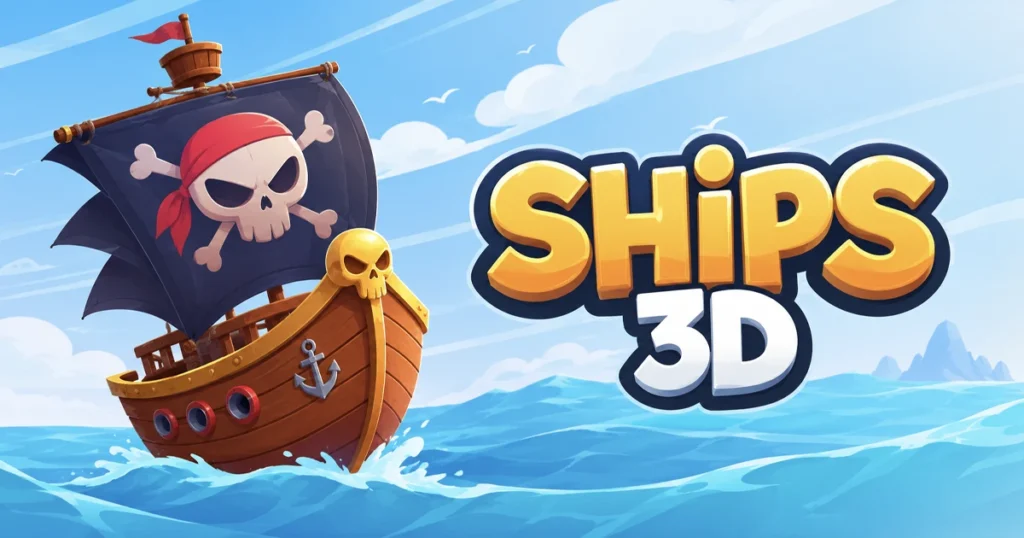









Arcazi.com brings you Ships 3D, a multiplayer naval warfare game where up to 20 players battle in real time across open waters. Command your vessel, fire cannons at enemy ships, and coordinate with allies in chaotic fleet engagements. Released in 2022 by ASDF Games, this HTML5 title runs directly in your browser without downloads or installations.
Table of Contents+
What Is Ships 3D?
Ships 3D drops you into live multiplayer matches where naval combat unfolds in three dimensions. Each match supports up to 20 players, creating dense battlefields where cannon fire comes from every direction. Your ship moves through realistic water physics, and every hit you land or take affects hull integrity and maneuverability.
The game offers both beginner and advanced lobbies, letting new captains learn the ropes before facing veteran players. Matches run continuously, so you can join mid-battle and leave when you need to without disrupting the flow. The Ships 3D Wiki documents ship stats, weapon ranges, and map layouts for players who want deeper tactical knowledge.
Victory depends on sinking enemy vessels faster than they sink you. Positioning, timing, and ammunition management separate successful captains from those who spend matches respawning. The game rewards aggressive play but punishes reckless charges, forcing you to balance offense with survival.
How to Play Ships 3D?
Movement and combat happen simultaneously, so you steer while managing weapons and watching for incoming fire. The default control scheme uses WASD or arrow keys to navigate, while your mouse controls the camera and interacts with on-screen buttons. Left-clicking fires cannons or activates interface elements depending on context.
Matches begin with your ship spawning at a random location on the map. Scan the horizon for targets, then close distance or position for a broadside attack. Cannons reload automatically, but firing too early wastes shots on empty water. Wait until enemy ships enter effective range before committing to an engagement.
The game runs smoothly in Chrome, Edge, and Firefox without requiring plugins or extensions. Browser performance stays consistent even in crowded 20-player matches, and the HTML5 engine handles water effects and projectile physics without frame drops.
Desktop Keyboard and Rudder Controls
Standard driving mode uses WASD or arrow keys for steering, treating your ship like a vehicle. Press W to accelerate forward, S to slow or reverse, and A or D to turn left or right. This arcade-style setup works well for quick maneuvers and fast-paced combat where reaction time matters more than realism.
Simulation mode switches to throttle and rudder controls, accessible through the settings menu. Throttle adjusts your speed independently of direction, while the rudder changes your heading gradually. This mode mimics real sailing mechanics, requiring you to plan turns in advance and manage momentum through tight spaces.
Mouse movement controls the camera, letting you scan 360 degrees around your ship without changing course. Left-click fires your active weapon or interacts with UI elements like the bot deployment button. The camera stays independent of ship rotation, so you can aim cannons at targets off your bow while maintaining your current heading.
Touch and Mobile Navigation Layouts
Mobile controls replace keyboard input with on-screen touch zones. Swipe gestures handle directional movement, with upward swipes accelerating and downward swipes braking. Left and right swipes adjust your heading, and the game interprets diagonal swipes as combined throttle and rudder input.
Weapon controls appear as tap zones on the screen edges. Tapping the cannon icon fires your broadside, while holding it charges a more powerful shot if your ship supports that mechanic. The mobile interface scales to different screen sizes, keeping buttons accessible whether you play on a phone or tablet.
Touch controls support the same simulation mode available on desktop. Enabling throttle and rudder splits movement into two separate swipe zones, giving you finer control over speed and direction at the cost of slightly more complex input. Most mobile players stick with standard mode for faster response times during combat.
Naval Weapons and Combat Equipment
Combat revolves around ship-mounted cannons and close-quarters weapons for boarding actions. Each vessel starts with a basic broadside battery, and upgrades unlock heavier guns with longer range and higher damage. Ammunition types vary by ship class, with some vessels firing explosive shells and others using armor-piercing rounds.
Weapon effectiveness depends on range, angle, and target positioning. Broadsides deal maximum damage when fired perpendicular to an enemy hull, while glancing shots from steep angles reduce impact. Learning to position your ship for clean broadsides while avoiding enemy fire lines defines high-level play.
The r/Ships3D community shares weapon loadout strategies and discusses optimal upgrade paths for different playstyles. Players debate whether to prioritize cannon damage, reload speed, or hull armor depending on whether they prefer aggressive brawling or long-range bombardment.
Ship Cannons and Munition Upgrades
Cannons fire in volleys, with reload times varying by weapon tier. Basic guns reload quickly but deal modest damage, while upgraded heavy cannons hit harder at the cost of longer cooldowns. Timing your volleys to coincide with enemy movement patterns increases hit rates and conserves ammunition.
Munition upgrades change projectile behavior. Standard cannonballs fly in straight arcs, requiring you to lead moving targets. Explosive shells detonate on impact, dealing splash damage to nearby ships if multiple enemies cluster together. Armor-piercing rounds ignore a percentage of hull protection, making them effective against heavily armored opponents.
Cannon range determines engagement distances. Light guns force you into close combat where boarding becomes a factor, while long-range artillery lets you bombard enemies from safer positions. Balancing firepower with mobility helps you adapt to different match scenarios and opponent tactics.
Deck Combat with Swords and Rifles
Boarding actions trigger when two ships collide or grapple at close range. Crew members armed with swords and rifles fight on deck, with the outcome determined by crew size and weapon quality. Winning a boarding action lets you capture the enemy vessel or cripple its crew, leaving it vulnerable to cannon fire.
Swords excel in chaotic melee brawls where multiple crew members clash simultaneously. Rifles provide ranged support, letting your crew damage enemy sailors before they close to melee distance. Upgrading deck weapons improves your chances in boarding scenarios, especially when facing ships with larger crews.
Boarding carries risk because your ship becomes stationary during the fight, exposing you to cannon fire from other players. Successful captains initiate boarding only when they have numerical advantage or when the tactical situation favors close combat over artillery duels. Losing a boarding action costs crew members and leaves your ship weakened for the rest of the match.
Multiplayer Game Modes and Crew Management
Matches rotate between free-for-all battles and team-based objectives. Free-for-all awards points for every enemy ship sunk, with the highest scorer winning when the timer expires. Team modes split players into fleets, requiring coordination to capture control points or escort cargo ships across the map.
Crew management becomes critical in longer matches. Your crew operates cannons, repairs hull damage, and fights boarding actions. Losing crew members reduces your ship’s effectiveness, forcing you to retreat and respawn reinforcements or risk operating undermanned.
Communication tools let you signal allies and coordinate attacks. Marking targets focuses friendly fire on priority threats, while retreat signals warn teammates when you need support. Effective fleet coordination turns chaotic battles into organized assaults that overwhelm isolated opponents.
Deploying the Automated Helper Bot
The helper bot assists solo players who want to operate multi-station vessels without a full crew. Activating the bot assigns it to either sailing or gunnery, letting you focus on the other task. Setting the bot to sailing keeps your ship moving while you aim cannons, while assigning it to gunnery automates fire control during complex maneuvers.
Bot behavior adjusts based on match conditions. In sailing mode, it maintains course toward the nearest enemy or objective marker, avoiding obstacles and adjusting speed to keep you in combat range. In gunnery mode, it fires cannons when targets enter optimal range, prioritizing the closest threat.
The bot works best in beginner lobbies where opponents move predictably. Advanced players exploit bot patterns, baiting automated fire and maneuvering to avoid bot-controlled broadsides. Using the bot as a temporary assistant rather than a permanent replacement for manual control yields better results in competitive matches.
Fleet Battles and Team Objectives
Fleet battles assign players to opposing teams, each tasked with sinking enemy ships or completing map objectives. Control point modes require teams to capture and hold designated zones, earning points over time. Escort missions task one team with protecting a slow-moving cargo ship while the other team tries to sink it.
Team composition affects strategy. Fleets with multiple heavy ships dominate artillery exchanges but struggle against fast raiders. Balanced fleets mix firepower with mobility, letting light ships harass enemies while heavy vessels deliver killing blows. Adapting your role to your team’s composition improves win rates.
Objective play rewards coordination over individual skill. A lone ship capturing a control point becomes an easy target, but three ships working together can hold a zone against larger forces. Escort missions demand constant communication, with defenders positioning to intercept attackers before they reach the cargo ship.
Advanced Sailing Tactics and Naval Strategy
Mastering Ships 3D requires understanding wind mechanics, positioning, and damage control. Wind direction affects sailing speed, with tailwinds boosting acceleration and headwinds slowing progress. Reading wind indicators and adjusting your course to maximize speed gives you an edge in chases and retreats.
Broadside positioning determines combat outcomes. Presenting your full cannon battery to an enemy while minimizing your profile reduces incoming damage and maximizes your firepower. Circling opponents to maintain broadside advantage turns evenly matched duels in your favor.
Damage control separates surviving captains from sinking ones. Hull breaches slow your ship and reduce maneuverability, forcing you to balance offense with repair priorities. Knowing when to disengage and patch damage prevents catastrophic losses in extended battles.
Wind Management and Broadside Maneuvering
Wind direction appears as on-screen indicators showing current flow. Sailing with the wind increases your top speed by roughly 20 percent, while sailing against it cuts speed by a similar margin. Planning routes that use favorable winds lets you reach objectives faster and escape unfavorable engagements.
Broadside maneuvering involves positioning your ship perpendicular to targets while keeping your bow or stern away from enemy fire. Turning too sharply exposes your vulnerable bow, where fewer cannons can return fire. Smooth arcs maintain broadside angles longer, letting you deliver sustained volleys without exposing weak points.
Advanced players bait opponents into poor positions by feinting turns and then reversing course. An enemy that commits to a chase expecting you to flee finds themselves exposed when you suddenly turn broadside and unleash a full volley. These mind games require reading opponent behavior and predicting their next move.
Hull Repair and Counter-Boarding Tactics
Hull repair happens automatically when you disengage from combat for several seconds. Damage accumulates faster than repairs, so prolonged fights inevitably favor the ship landing more hits. Breaking line of sight behind islands or using smoke screens buys time for emergency repairs during desperate situations.
Counter-boarding tactics focus on preventing enemy crews from grappling your ship. Maintaining distance denies boarding opportunities, while positioning your ship to present your armored side reduces grappling success rates. If boarding becomes unavoidable, concentrating rifle fire on enemy crew before they reach melee range thins their numbers.
Retreating from a losing boarding action requires quick decision-making. Cutting grappling lines and reversing course abandons the fight but saves your ship from capture. This tactic works best when friendly ships are nearby to cover your escape, turning a potential loss into a tactical withdrawal that preserves your vessel for later engagements.
Where to Play Ships 3D
Ships 3D is free to play right now on Arcazi.com in your browser. No download, installation, or account creation required.
Similar Naval and Multiplayer Games
- Hollow Knight Silksong – Explore intricate kingdoms and master precise combat in this atmospheric action-adventure sequel.
- Moto X3m Pool Party – Race through water-themed stunt courses with explosive obstacles and tight time limits.
- Pokemon Emerald – Catch and train creatures across the Hoenn region in this classic RPG adventure.
- Stickman Fighter – Battle through waves of enemies using martial arts combos and special moves.
- Pizza Tower – Sprint through chaotic platforming levels with momentum-based movement and combo scoring.
- Papas Cluckeria – Manage a fast-food restaurant by taking orders, cooking meals, and serving customers efficiently.
These titles join Ships 3D in the Multiplayer collection, offering competitive and cooperative experiences across different genres.
For Parents
Ships 3D features naval combat with cannon fire and ship-to-ship battles, along with deck combat involving swords and rifles during boarding actions. The violence is stylized and focuses on ship warfare rather than graphic content. Multiplayer matches expose players to real-time competition with others online, and the game includes no chat or communication features beyond tactical signals. Parents should consider whether their child is comfortable with competitive multiplayer environments and historical naval combat themes.
FAQs About Ships 3D
How do I fire cannons in Ships 3D?
Left-click to fire your active cannons when enemies are in range. Cannons reload automatically after each volley, and you can switch between port and starboard batteries depending on which side faces your target.
Can I play Ships 3D on mobile devices?
Yes, the game supports touch controls on mobile browsers. Swipe gestures handle movement and steering, while tap zones control weapons and camera angles.
What is the helper bot and how do I use it?
The helper bot assists solo players by automating either sailing or gunnery tasks. Access it through the in-game menu and assign it to the station you want automated, letting you focus on the other aspect of ship operation.
How many players can join a single match?
Matches support up to 20 players simultaneously, creating large-scale naval battles with multiple ships engaging across the map.
What is the difference between standard and simulation controls?
Standard controls treat your ship like a vehicle with direct steering, while simulation mode separates throttle and rudder for more realistic sailing mechanics that require planning turns in advance.
How do boarding actions work?
Boarding triggers when ships collide or grapple at close range. Your crew fights the enemy crew using swords and rifles, with the winner capturing or crippling the opposing vessel.
Can I upgrade my ship’s weapons?
Yes, munition upgrades change projectile behavior, offering options like explosive shells for splash damage or armor-piercing rounds that ignore hull protection.
What game modes are available?
Ships 3D offers free-for-all battles where every player competes individually, plus team modes with objectives like capturing control points or escorting cargo ships.
How does wind affect sailing speed?
Sailing with the wind increases your speed by approximately 20 percent, while sailing against it reduces speed by a similar amount. Wind indicators show current direction on-screen.
How do I repair hull damage during battle?
Hull repairs happen automatically when you disengage from combat for several seconds. Breaking line of sight or using cover buys time for emergency repairs.
Is there a single-player mode?
Ships 3D focuses on multiplayer matches, but beginner lobbies include bot-assisted gameplay where you can practice against other players while the helper bot manages secondary tasks.
What browsers work best for Ships 3D?
The game runs smoothly in Chrome, Edge, and Firefox without requiring plugins. HTML5 technology ensures consistent performance across modern browsers.
Set Sail in Ships 3D
Ships 3D is free to play instantly in your browser on Arcazi.com. No download or account needed, just load the page and join a match.