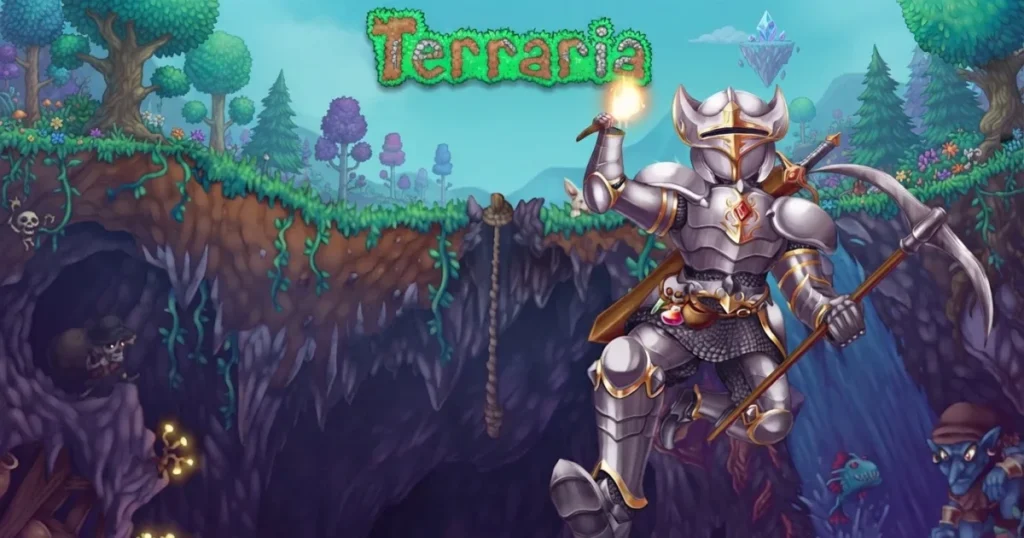








Terraria drops you into a sprawling 2D sandbox where every block can be mined, every biome hides secrets, and survival depends on your ability to craft, build, and fight. You’ll dig deep underground for rare ores, construct elaborate bases to house NPCs, and face off against massive bosses that test your gear and reflexes. The game blends exploration, combat, and creativity into a loop that keeps you hunting for the next upgrade or hidden treasure. 🩷
Table of Contents+
What Is Terraria?
Terraria is a 2D action-adventure sandbox that combines mining, crafting, building, and boss battles into one expansive experience. You start with a pickaxe and an axe, then carve out your own path—whether that means spelunking into caverns for loot, constructing sky-high fortresses, or summoning colossal creatures to defeat. The pixel art world is procedurally generated, so every playthrough offers new terrain, biomes, and challenges to conquer.
Core Gameplay Loop
You mine resources, craft better tools and weapons, build shelters, and venture into increasingly dangerous zones. Combat mixes melee, ranged, magic, and summoner playstyles, letting you tailor your loadout to your preferences. NPCs move into your base once you meet certain conditions, offering shops and services that unlock new crafting recipes and gear.
Biomes and Exploration
The world spans forests, deserts, jungles, corruption or crimson zones, underground caverns, and floating islands. Each biome hosts unique enemies, materials, and loot. You’ll need to explore horizontally and vertically—building a terraria skybridge can speed up travel across the map, while deep mining uncovers rare ores and hidden chambers.
Boss Battles
Progression hinges on defeating bosses, from the Eye of Cthulhu early on to endgame threats that require arena setups and optimized gear. Bosses drop materials that unlock new tiers of equipment and open up harder biomes. Some appear naturally, while others require summoning items you craft or find.
Crafting and Building
Crafting stations like workbenches, furnaces, and anvils let you turn raw materials into weapons, armor, potions, and furniture. Building goes beyond survival shelters—you can design elaborate NPC housing, mob farms, or decorative structures. Items like terraria shoe spikes let you climb walls, while accessories like the sextant terraria players hunt for fishing quests add utility.
Weapons and Magic
The arsenal is vast: swords, bows, guns, spell tomes, and summoning staves. The vilethorn terraria mages favor shoots a piercing thorn through walls, while the razorpine terraria endgame weapon fires rapid pine needles. The tsunami terraria bow unleashes multiple arrows per shot, and the demonic modifier boosts damage and critical strike chance on any weapon it rolls.
How to Play Terraria
Getting started means learning the controls and understanding how the game runs in your browser. You’ll spend most of your time mining, building, and fighting, so mastering movement and tool use is essential. The browser version delivers the full experience without any downloads, running smoothly on modern web browsers.
Terraria Controls
On desktop, use WASD or arrow keys to move your character left, right, and jump. The mouse cursor aims your tools and weapons—left-click to mine blocks, attack enemies, or place items, and right-click to use certain tools or interact with objects. The number keys switch between hotbar slots, and the inventory key (typically Escape or I) opens your crafting menu. On mobile, a virtual joystick handles movement on the left side of the screen, while tap controls on the right let you mine, attack, and interact. Drag items in your inventory to equip or craft, and pinch to zoom the camera.
Browser Compatibility
The game runs smoothly in Chrome, Edge, and Firefox without any plugins or extensions. Your progress saves automatically, so you can close the tab and pick up right where you left off. No installation or account creation is required—just load the page and start playing terraria immediately.
Tips and Tricks for Terraria
Build a base early: Construct a simple shelter with walls, a door, and light sources before nightfall—enemies spawn more frequently in the dark, and having a safe spawn point saves you from respawning far from your gear.
Explore underground for ores: Surface resources run out quickly, so dig down to find iron, silver, gold, and rarer metals that unlock better armor and weapons. Bring torches and wooden platforms to navigate shafts safely.
Prepare arenas for bosses: Flatten terrain, add layers of wooden platforms for vertical mobility, place campfires for health regeneration, and stock up on healing potions before summoning a boss. Mobility accessories like cloud in a bottle or Hermes boots make dodging attacks easier.
Fish for crates and accessories: Fishing yields crates that contain ores, potions, and accessories without the need to mine. Completing angler NPC quests rewards you with unique items like the sextant, which tracks moon phases and weather.
Use spikes for mob farms: Placing terraria spikes in enemy spawn zones damages monsters automatically, letting you collect loot passively. Combine with lava or dart traps for efficient farming setups.
Where to Play Terraria
You can play Terraria free right now on Arcazi.com, directly in your browser with no download or installation required. Jump into the game instantly and start your adventure through procedurally generated worlds packed with biomes, bosses, and loot.
Also available on the App Store for iOS.
Also available on Google Play for Android.
Common Questions About Gameplay
Players often wonder about specific mechanics, items, and features as they dig deeper into the game. Here’s a quick look at one question that comes up during gameplay terraria sessions.
How to get a blindfold in Terraria?
The Blindfold is a rare drop from Dark Casters and Corrupt Slimes in Corruption biomes, or from Crimson Axes and Blood Zombies in Crimson biomes. It has roughly a 1% drop rate, so you’ll need to farm these enemies in their respective evil biomes. The Blindfold provides immunity to the Darkness debuff, which is useful in certain boss fights and biome exploration.
For Parents
Terraria features combat against fantasy creatures and monsters, with pixelated blood effects and mild violence typical of action-adventure games. The gameplay emphasizes creativity, problem-solving, and resource management, with no inappropriate language or mature themes. The open-ended sandbox structure encourages experimentation and goal-setting, making it suitable for players who enjoy exploration and building alongside combat challenges.
More Adventures in Sandbox Survival
These titles offer a range of adventure and survival experiences, from blocky creativity to resource management and exploration challenges.
FAQs About Terraria
How was Terraria made?
Terraria was developed by Re-Logic as a 2D sandbox adventure, combining procedural generation with handcrafted content to create a deep exploration and crafting experience.
How to set up a Terraria server?
The browser version on Arcazi.com is single-player, but standalone versions support dedicated servers through configuration files and port forwarding for multiplayer sessions.
How to play Terraria multiplayer?
Multiplayer requires hosting or joining a server in standalone versions. The browser edition focuses on solo gameplay, letting you explore and build at your own pace.
How to play Terraria split screen?
Split-screen is available on console versions of the game, allowing local co-op on the same device. The browser version is designed for single-player sessions.
Is Terraria free to play?
Yes, you can play the newest terraria experience free on Arcazi.com in your browser with no download, account, or payment required.
Do I need to download anything to play?
No downloads are needed. The game runs entirely in your browser on Arcazi.com, and your progress saves automatically as you play.
What are the best starting weapons in Terraria?
Start with the Copper Shortsword and Wooden Bow, then upgrade to better swords, bows, or spell tome terraria mages can craft once you gather ore and defeat early enemies.
What does “screams echo around you” mean in Terraria?
This message signals that a mechanical boss is about to spawn at night, warning you to prepare for a tough fight or flee to safety until you’re better equipped.