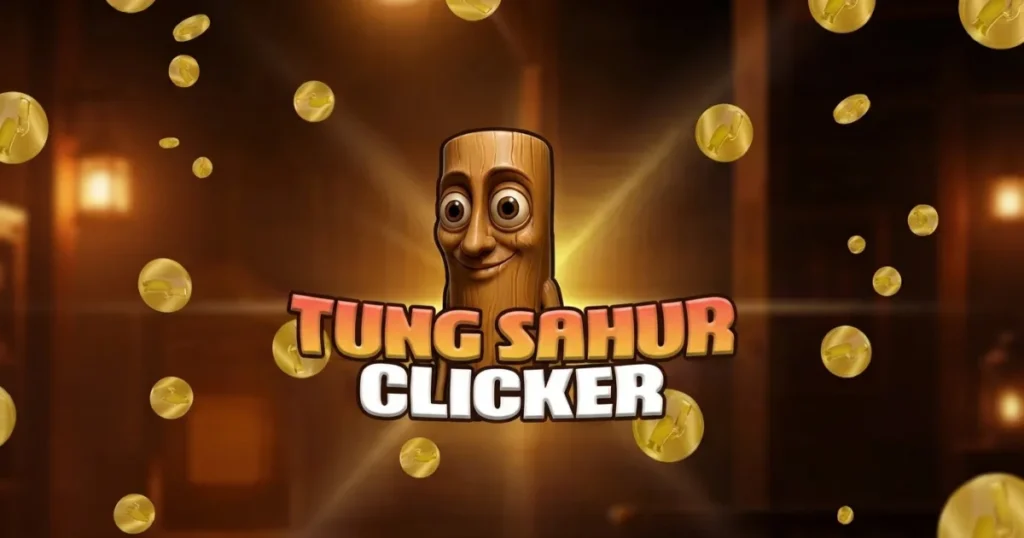








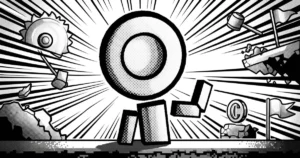
Tung Sahur Clicker combines rhythmic tapping with absurd humor as you watch a character perform increasingly ridiculous dance moves. Every tap earns coins that fuel a cascade of upgrades, from weather effects to costume changes, all while your earnings multiply exponentially. The game rewards both active clicking and idle progress, making it perfect for quick sessions or background grinding. 🩷
Table of Contents+
What Is Tung Sahur Clicker?
This 3D idle game centers on a single, endlessly entertaining premise: tap the screen to make Tung Sahur dance, collect coins, and purchase upgrades that amplify your earnings. The visual style blends simple 3D models with exaggerated animations, creating a loop that feels both meditative and oddly compelling. As you progress, the upgrades unlock cosmetic changes and environmental effects that transform the experience from minimalist to chaotic.
Core Gameplay Loop
The tung sahur clicker unblocked experience revolves around tapping to generate coins. Each tap triggers a dance animation and adds to your total, which you then spend on upgrades that increase your per-tap value or introduce passive income streams. The game tracks your progress even when closed, so returning after a break rewards you with accumulated coins.
Upgrade System
Upgrades fall into two categories: multipliers that boost coin generation and cosmetic unlocks that change Tung Sahur’s appearance or surroundings. Early purchases might double your tap value, while later tiers introduce weather effects like rain or snow, new dance routines, and costume options. Each upgrade tier costs exponentially more, creating a satisfying sense of progression.
Idle Mechanics
Once you purchase certain upgrades, the tun tung sahur clicker generates coins passively. This idle income accumulates whether you’re actively tapping or not, letting you step away and return to a windfall. Balancing active clicking with idle optimization becomes the core strategic layer.
Visual Customization
Skins and environmental effects unlock as you hit coin milestones. These changes are purely cosmetic but add variety to the experience, transforming the simple 3D stage into different settings. The tung tung sahur clicker aesthetic shifts from stark to vibrant as you progress through the unlock tree.
Parkour Elements
The parkour tag refers to Tung Sahur’s animated movements, which become more acrobatic and exaggerated as you unlock higher-tier dances. These animations don’t affect gameplay mechanically but add visual flair to the tapping experience, turning each click into a mini-performance.
How to Play Tung Sahur Clicker
The tung tung tung sahur clicker game requires minimal input: tap or click to earn coins, then spend those coins on upgrades that increase your earning rate. The interface displays your current coin total, per-tap value, and available upgrades in a simple menu. As you accumulate wealth, new upgrade tiers unlock automatically, expanding your options without overwhelming you with choices.
Tung Sahur Clicker Controls
On desktop browsers, click anywhere on the screen or directly on Tung Sahur to generate coins. Each click registers immediately, with no cooldown or limit on tapping speed. On mobile devices, tap the screen with one or multiple fingers—the game registers each touch as a separate input, so multi-finger tapping accelerates your earnings. The upgrade menu opens with a button press and pauses the action while you make purchases.
Browser Compatibility
The game runs smoothly in Chrome, Edge, and Firefox without requiring plugins or additional downloads. The 3D graphics are optimized for web performance, maintaining steady frame rates even during rapid tapping sessions or when multiple visual effects are active simultaneously.
Tips and Tricks for Tung Sahur Clicker
Prioritize multipliers early: Upgrades that increase your per-tap value compound faster than flat coin bonuses, so focus on percentage-based multipliers in the first few tiers to accelerate your progress.
Balance active and idle income: Once passive earnings unlock, invest enough to generate meaningful offline income, but don’t neglect tap multipliers—active play still outpaces idle gains in the tung tung tung sahur clicker unblocked version.
Use multiple fingers on mobile: The game registers simultaneous taps, so using two or three fingers at once triples your effective clicking speed without requiring faster reflexes.
Check in regularly for idle bonuses: Offline earnings cap after a certain duration, so logging in every few hours maximizes your passive income without letting the cap waste potential coins.
Unlock cosmetics for motivation: While skins and weather effects don’t boost earnings, they break up the visual monotony and provide milestone goals beyond pure number optimization in the tung tung tung sahur clicker az games experience.
Where to Play Tung Sahur Clicker
You can play Tung Sahur Clicker free right now on Arcazi.com, directly in your browser with no download or installation required. The game loads instantly and saves your progress automatically, so you can return anytime to continue building your coin empire.
Also available on Google Play for Android.
For Parents
This idle clicker contains no violent, scary, or mature content—just a dancing character and coin-collecting mechanics. The repetitive tapping gameplay is straightforward and non-competitive, with no chat features or online interactions. The 3D visuals are cartoonish and abstract, focusing on exaggerated dance animations and simple environmental effects rather than realistic graphics or narrative content.
More Idle and Clicker Games to Try
FAQs About Tung Sahur Clicker
Is Tung Sahur Clicker free to play?
Yes, the game is completely free to play on Arcazi.com with no payment required to access any features or upgrades.
Do I need to download anything to play?
No download is necessary for the browser version—just visit Arcazi.com and start playing immediately. A mobile app is available on Google Play if you prefer a standalone version.
How do the controls work?
Click or tap anywhere on the screen to earn coins. On mobile, you can use multiple fingers simultaneously to increase your tapping speed.
Does the game save my progress automatically?
Yes, your coin total and purchased upgrades save automatically in your browser, so you can close the tab and return later without losing progress.
What do the upgrades do?
Upgrades increase your per-tap coin value, unlock passive income generation, and add cosmetic changes like new skins and weather effects to the game environment.
Can I earn coins while not playing?
Once you purchase idle income upgrades, the game generates coins passively even when closed, up to a certain cap that you collect when you return.
What are the parkour elements in the game?
The parkour category refers to Tung Sahur’s acrobatic dance animations, which become more elaborate as you unlock higher-tier upgrades and cosmetic options.
Does the game work on mobile browsers?
Yes, the game runs smoothly on mobile browsers as well as desktop, with touch controls optimized for tapping on smaller screens.