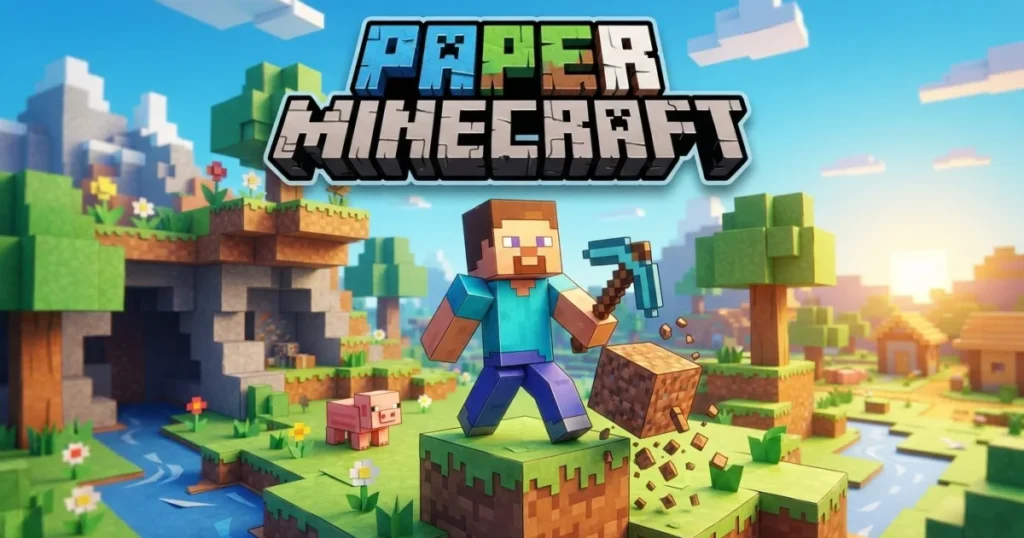




Paper Minecraft transforms the iconic sandbox experience into a 2D side-scrolling adventure you can play instantly in your browser. Created by Scratch developer Griffpatch, this fan-made adaptation captures the core survival and creative gameplay of the original while stripping it down to a streamlined, accessible format. You’ll mine resources, craft tools, build shelters, and fend off hostile mobs across procedurally generated worlds.
Table of Contents+
What Is Paper Minecraft?
Paper Minecraft is a free browser-based game that reimagines the sandbox survival experience in two dimensions. It runs directly in your web browser with no downloads, accounts, or installations required. The game features three distinct modes—Survival, Creative, and Peaceful—each offering a different approach to exploration and building. You’ll navigate randomly generated biomes including forests, deserts, mountains, and water areas, gathering materials and constructing everything from simple dirt huts to elaborate castles.
Survival Mode
Survival mode drops you into the world with nothing but your fists. You’ll need to punch trees for wood, craft basic tools, and build shelter before nightfall. Hostile mobs spawn after dark, including zombies that shuffle toward you, skeletons that fire arrows, and creepers that explode on contact. Managing your hunger bar becomes critical—hunt animals during daylight, cook meat for better health restoration, and always keep food reserves for emergencies. Mining underground reveals coal for torches, iron for stronger tools, and deeper resources for advanced crafting.
Creative Mode
Creative mode removes all survival pressures and gives you unlimited access to every block and item in the game. You can fly freely through the world, place and break blocks instantly, and build without worrying about hunger, health, or monster attacks. This mode suits players who want to focus purely on construction projects—design villages, create pixel art on massive scales, or engineer complex rail systems. You can save your world file and share it with others to showcase your creations.
Peaceful Difficulty
Peaceful mode offers a middle ground between Survival and Creative. You’ll still gather resources, craft tools, and build shelters, but hostile mobs won’t spawn and your hunger bar won’t deplete. This option works well for players who enjoy the progression and crafting loop of survival gameplay without the constant threat of combat.
Crafting System
The crafting system starts with a basic 2×2 grid in your inventory, where you’ll create your first wooden planks from logs. Building a crafting table unlocks the full 3×3 grid, which opens up recipes for pickaxes, axes, swords, shovels, and more advanced items. Each tool type requires specific materials—wooden tools come first, followed by stone, iron, and eventually diamond gear as you mine deeper.
Day-Night Cycle
Time moves continuously in Paper Minecraft, with each day lasting several minutes. Daylight provides safety for exploration, resource gathering, and construction. As the sun sets, hostile mobs begin spawning across the surface. If you’ve gathered wool from sheep, you can craft a bed and sleep through the night entirely, skipping the danger. Otherwise, you’ll need to defend your shelter with weapons, torches, and sturdy walls.
How to Play Paper Minecraft
Getting started in Paper Minecraft follows a clear progression path. First, select your game mode and world type—Default World generates varied terrain with hills, caves, and biomes, while Flat World creates a level surface ideal for building. Choose your character skin, then spawn into the world ready to gather your first resources. The opening moments set the tone: punch trees to collect wood logs, convert them to planks in your inventory, and craft a crafting table as your first major tool.
Paper Minecraft Controls
Movement uses WASD or arrow keys to walk left and right, with W or up arrow to jump and climb. The mouse controls all block interactions—left-click and hold on a block to mine it, then left-click again to place blocks from your hotbar. Press E to open your inventory and access the crafting grid. The Space bar splits item stacks while dragging in the crafting menu, useful for dividing resources. F lets you eat food to restore hunger, Q drops the currently selected item, and O saves your game progress locally in your browser. Numbers 1 through 9 select items in your hotbar for quick access during gameplay.
Browser Compatibility
Paper Minecraft runs smoothly in Chrome, Edge, and Firefox without requiring plugins or special settings. The game saves progress locally in your browser storage, so you can return to your world anytime on the same device and browser.
Tips and Tricks for Paper Minecraft
Build shelter before the first night: Your absolute priority in Survival mode is constructing a basic enclosed space before darkness falls. Even a simple dirt box with a door keeps zombies and skeletons outside while you wait for dawn.
Never dig straight down: Mining directly beneath your feet risks dropping into underground lava pools or deep cave systems that deal fatal fall damage. Dig in a staircase pattern or mine two blocks side-by-side to maintain a safe descent path.
Mark your mining routes with torches: Place torches on one consistent side of tunnels as you explore underground. When you’re ready to return to the surface, follow the torches on the opposite side to trace your path backward without getting lost.
Cook food for better hunger restoration: Raw meat from animals restores less hunger than cooked meat. Build a furnace using eight cobblestone blocks, then use coal or wood as fuel to cook meat, fish, and other food items for improved efficiency.
Craft a bed early to skip nights: Hunt three sheep to collect wool, then combine the wool with three wooden planks to craft a bed. Sleeping in the bed during nighttime instantly advances to dawn, eliminating the need to fight mobs or hide in your shelter.
Where to Play Paper Minecraft
You can play Paper Minecraft free right now on Arcazi.com in your web browser. No download, installation, or account creation required—just load the page and start playing immediately.
Common Questions About Playing Paper Minecraft
Players searching for Paper Minecraft often have specific questions about getting started, crafting mechanics, and multiplayer options. Here are the most common questions answered with practical details.
How do you get paper in Paper Minecraft?
Paper as an in-game item is crafted from sugar cane, which grows naturally near water in most biomes. Harvest three sugar cane stalks and arrange them horizontally in your crafting table to create three sheets of paper.
For Parents
Paper Minecraft includes combat against hostile creatures that spawn at night, including zombies, skeletons, and exploding creepers. Players use swords and other weapons to defend themselves, though the 2D pixel art style keeps violence abstract and cartoonish. The game emphasizes resource management, problem-solving, and creative building. Survival mode requires planning and strategic thinking to gather materials and construct defenses before nightfall. Creative mode removes all combat and danger, offering a purely constructive sandbox experience suitable for younger players interested in building and design.
More Sandbox and Survival Games
- Slither.io – Guide a growing snake through a multiplayer arena, consuming pellets and outmaneuvering opponents to become the longest serpent on the server.
- Agar.io – Control a cell in a petri dish, absorbing smaller cells while avoiding larger predators in this fast-paced multiplayer survival game.
- Run 3 – Navigate an alien through gravity-defying tunnels in space, jumping between walls and avoiding gaps in this endless runner with puzzle elements.
- Kart Bros – Race against opponents in a multiplayer kart racing game with power-ups, drifting mechanics, and competitive online matches.
- Basketball Stars – Compete in one-on-one basketball matches with arcade-style controls, special moves, and head-to-head multiplayer action.
These games showcase different approaches to .io gameplay, from competitive multiplayer arenas to creative sandbox experiences.
FAQs About Paper Minecraft
How do you save in Paper Minecraft?
Press the O key to save your game progress. The save file stores locally in your browser, allowing you to resume your world on the same device and browser later.
Can you play Paper Minecraft multiplayer?
Paper Minecraft is a single-player browser game without built-in multiplayer functionality. You can share your saved world file with others, but simultaneous cooperative play isn’t supported.
How do you eat food in Paper Minecraft?
Select food from your hotbar using number keys 1-9, then press F to consume it. Eating restores your hunger bar, which depletes over time in Survival mode.
What is a crafting table used for?
A crafting table expands your crafting grid from 2×2 to 3×3, unlocking recipes for tools, weapons, armor, and advanced items that require more complex patterns.
Can you go to the Nether in Paper Minecraft?
No, Paper Minecraft doesn’t include the Nether dimension. The game focuses on the overworld with its various biomes, caves, and surface exploration.
How do you make tools in Paper Minecraft?
Craft tools at a crafting table by arranging materials in specific patterns. For example, a wooden pickaxe requires three wooden planks across the top row and two sticks in the middle column below.
Is Paper Minecraft free to play?
Yes, Paper Minecraft is completely free to play in your web browser with no hidden costs, subscriptions, or premium features.
How do you separate items in your inventory?
Hold Space while dragging an item stack to drop single items one at a time. This lets you split stacks into smaller quantities for crafting or storage.
What happens if you die in Survival mode?
Dying in Survival mode respawns you at your starting location or at your bed if you’ve set a spawn point. You’ll drop all items from your inventory at the death location, which you can retrieve if you return quickly.
How do you mine blocks faster?
Use the appropriate tool for each block type. Pickaxes mine stone and ore faster, axes speed up wood harvesting, and shovels work best on dirt and sand. Better tool materials like iron and diamond increase mining speed further.
Can you trade with villagers?
Yes, approach a villager and press E while hovering over them to open the trading interface. Villagers offer various items in exchange for emeralds and other resources.
How do you label chests and signs?
Press N while hovering over a chest or sign to open the naming interface. Type your label to organize storage or leave messages in your world.
Start Your Paper Minecraft Adventure
Paper Minecraft is free to play right now on Arcazi.com. Load the game in your browser and start mining, crafting, and building instantly—no download or signup required.