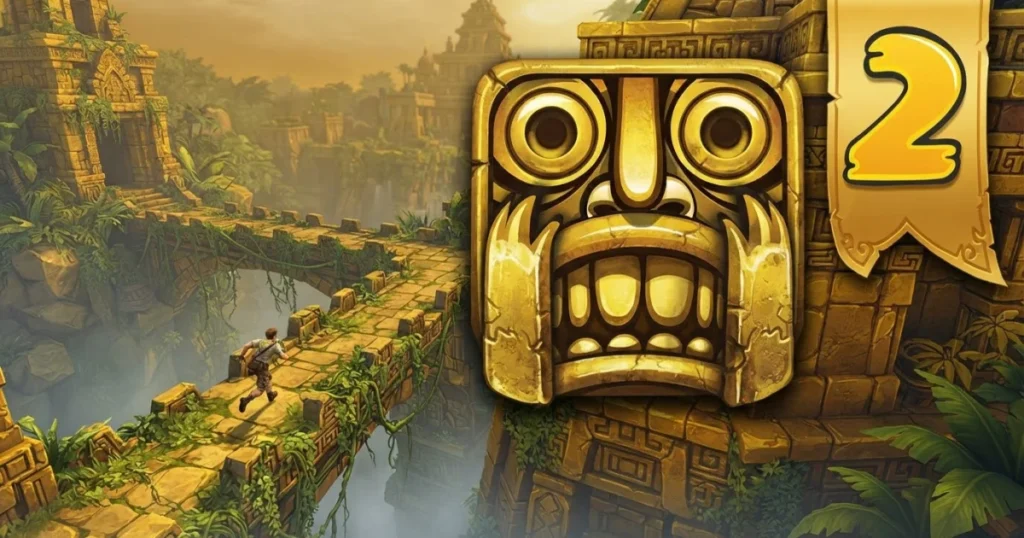







Temple Run 2 drops you into an endless chase where a stolen golden idol has cursed you to run forever. Swipe left and right to turn sharp corners, swipe up to jump over broken bridges, and swipe down to slide under fire traps. Collect coins scattered across cliffs, zip lines, and mine cart sections while the demonic monkey closes in behind you. Every mistake costs you the run, so timing your swipes and reading the terrain ahead becomes critical as speed ramps up with distance.
Table of Contents+
- Movement Controls & Input Mechanics for Temple Run 2
- Stage Progression & Level Acts Architecture
- Hazards, Traps & Physics Mechanics
- About Temple Run 2
- How Temple Run 2 works
- Temple Run 2 maps
- Temple Run 2 power-ups
- Who created Temple Run 2?
- Temple Run 2: Frozen Shadows
- Keyboard
- Who created Temple Run 2: Frozen Shadows?
- How do you complete Temple Run 2: Frozen Shadows?
- How can I play Temple Run 2: Frozen Shadows on PC?
- Essential Tips to Beat Difficult Stages
- Where to Play Temple Run 2
- More Endless Runners You’ll Enjoy
- For Parents
- FAQs About Temple Run 2
- Start Your Endless Run Now
Movement Controls & Input Mechanics for Temple Run 2
Temple Run 2 relies entirely on directional swipes and tilting for navigation. On desktop, arrow keys replace swipes, while mobile players use finger gestures. The game reads your input the instant you commit, so hesitation or double-swiping will send you into a wall or off a cliff.
Tilting your device or using left/right arrows shifts your runner within the lane to grab coins along the edges. Mastering this micro-adjustment separates high-score runs from early deaths, especially when the path narrows and coins line the outer rails.
Keyboard & Desktop WASD Controls
Desktop players use arrow keys for all directional moves. Up arrow makes you jump, down arrow triggers a slide, and left or right arrows execute sharp turns at intersections. Shift activates temporary speed boosts when you collect the right power-up. Mouse aiming is not used in Temple Run 2, keeping the entire control scheme on the keyboard for fast reaction times.
The game runs smoothly in Chrome, Edge, and Firefox without plugins. Spacebar serves as a secondary jump input, useful if you prefer keeping one hand on the space bar and the other on arrow keys during high-speed sections.
Touch Screen & Mobile Navigation
Mobile controls center on swipe gestures. Swipe up anywhere on the screen to jump, swipe down to slide, and swipe left or right to turn at corners. Tilt your device left or right to shift lanes and collect coins along the edges. The gyroscope steering is sensitive, so small tilts are enough to adjust your position without overcorrecting into obstacles.
Drag and release mechanics do not apply here. Every action is a quick swipe or tilt, and the game registers the direction the moment your finger leaves the screen. Practicing the timing of swipes just before obstacles appear will prevent late inputs that end your run.
Stage Progression & Level Acts Architecture
Temple Run 2 uses an endless runner structure with no traditional levels or acts. Instead, the environment cycles through distinct map themes as you cover distance. Each map introduces unique hazards like zip lines, mine carts, and collapsing bridges. The longer you survive, the faster the game becomes, and new obstacle patterns emerge that require split-second reactions.
Distance milestones unlock new characters and upgrades in the shop. Reaching 500 meters, 1,000 meters, and beyond opens cosmetic rewards and permanent power-up boosts. The game tracks your personal best and global leaderboards, pushing you to beat your previous distance each session.
Reaching Checkpoints & Hard Mode Unlocks
Temple Run 2 does not feature mid-run checkpoints. Every attempt starts from zero, and death resets your progress entirely. This design forces you to learn the early sections perfectly so you can reach the high-speed late game where scoring accelerates.
Hard mode is not a separate unlock. Difficulty increases organically as your speed climbs. The game introduces tighter turn windows, faster obstacle sequences, and less reaction time the farther you run. Players who survive past 2,500 meters face near-instant decisions with minimal visual telegraphing.
Hazards, Traps & Physics Mechanics
Obstacles in Temple Run 2 include fire traps that require slides, broken bridge gaps that demand jumps, and sharp turns where missing the swipe sends you off the cliff. Zip lines appear suddenly, forcing you to jump and grab the line mid-air. Mine cart sections switch the perspective and require timed tilts to avoid wooden barriers and collect coins on curved tracks.
Physics play a role in momentum. Jumping too early leaves you short of the landing, while jumping too late sends you into the next obstacle. Sliding has a fixed duration, so you cannot cancel it mid-animation. Committing to a slide under a fire trap means you are locked in until the animation completes, making it essential to read the next obstacle before you act.
The cursed monkey chasing you does not directly kill you. Instead, it applies pressure by closing distance when you stumble or slow down. Hitting an obstacle stuns you for a fraction of a second, giving the monkey time to catch up. Three stumbles in quick succession usually end the run as the monkey grabs you from behind.
About Temple Run 2
Temple Run 2 is an endless runner where you escape with a stolen golden idol through dangerous cliffs, forests, and mines. You swipe to turn, jump, and slide while collecting coins and power-ups. The goal is to run as far as possible before the cursed idol catches you. Each session tests your reflexes and pattern recognition as the game accelerates with every meter covered.
The game launched in 2013 and has received continuous updates, with the most recent in 2025. New maps, characters, and seasonal events keep the core loop fresh. The Temple Run Wiki documents every map variant, character ability, and power-up detail for players chasing leaderboard ranks.
How Temple Run 2 works
Temple Run 2 generates a procedurally shuffled path from a pool of pre-designed obstacle segments. The game does not create random layouts on the fly. Instead, it chains together tested sequences in varying orders, ensuring every run feels different while maintaining fair difficulty curves. Early segments feature wide turns and simple jumps, while later segments compress timing windows and stack multiple hazards in rapid succession.
Your score multiplies based on distance, coins collected, and objectives completed. Daily and weekly challenges offer bonus coin rewards for hitting specific milestones, like collecting 100 coins in a single run or sliding under 10 fire traps without missing. Completing these challenges accelerates your progression toward permanent upgrades in the shop.
Temple Run 2 maps
The base map features ancient temple ruins with stone pathways and jungle surroundings. Blazing Sands shifts the environment to desert cliffs with sandstorms and crumbling ledges. Frozen Shadows introduces icy caves, slippery surfaces, and snow-covered bridges that reduce visual contrast, making obstacles harder to spot. Spooky Summit adds a Halloween theme with fog, gravestones, and eerie lighting that obscures upcoming turns.
Each map rotates through the same core mechanics but changes the visual telegraphing of hazards. Frozen Shadows, for example, uses white snow against white obstacles, forcing you to rely on silhouette recognition rather than color cues. Blazing Sands uses heat haze effects that blur distant obstacles, shortening your reaction window. Map selection is cosmetic, but experienced players choose maps based on which visual style they read fastest.
Temple Run 2 power-ups
Power-ups spawn randomly during runs and grant temporary advantages. The shield absorbs one hit, letting you survive a collision without losing speed. The coin magnet pulls nearby coins toward you automatically, eliminating the need for precise lane adjustments. The boost multiplies your speed for a short burst, covering distance faster but also reducing reaction time. The score multiplier doubles all points earned while active, making it the most valuable power-up for leaderboard climbers.
Permanent upgrades purchased in the shop extend power-up durations and increase their spawn rates. Maxing out the coin magnet upgrade, for instance, lets you collect coins from two lanes away, drastically improving your earnings per run. Prioritizing these upgrades early accelerates your ability to unlock characters and cosmetic items.
Who created Temple Run 2?
Imangi Studios developed Temple Run 2. The studio built the original Temple Run in 2011 and expanded the formula with improved graphics, new mechanics, and additional maps in the sequel. Imangi continues to update the game with seasonal events and new content years after its initial release.
Temple Run 2: Frozen Shadows
Frozen Shadows is a map variant within Temple Run 2 that replaces jungle ruins with icy caves and snow-covered cliffs. The visual theme reduces contrast between obstacles and the background, making it harder to spot upcoming hazards. Icy surfaces do not change the physics, but the white-on-white color scheme forces you to rely on shape recognition rather than color cues.
This map is popular among experienced players who want a visual challenge without altering core mechanics. The Temple Run 2 subreddit discusses optimal strategies for Frozen Shadows, including brightness adjustments and focus techniques to improve obstacle visibility in low-contrast environments.
Keyboard
Keyboard controls for Temple Run 2 use arrow keys exclusively. Up arrow jumps, down arrow slides, left and right arrows turn at intersections, and Shift activates speed boosts when available. Spacebar serves as an alternate jump key. No mouse input is required, keeping your hands stationary on the keyboard for faster reactions during high-speed sections.
Who created Temple Run 2: Frozen Shadows?
Imangi Studios created Frozen Shadows as an expansion map for Temple Run 2. The studio designs all official maps and updates, ensuring consistent mechanics across every environment. Frozen Shadows launched as part of a seasonal update and became a permanent map option due to player demand.
How do you complete Temple Run 2: Frozen Shadows?
Frozen Shadows has no completion endpoint. The map is an endless runner, so the goal is to survive as long as possible and maximize your distance score. The icy theme does not introduce unique obstacles, but the reduced visual contrast makes it harder to spot fire traps and broken bridges in advance. Adjusting your screen brightness and focusing on silhouette shapes rather than color details improves your reaction time in this map.
How can I play Temple Run 2: Frozen Shadows on PC?
Frozen Shadows is accessible directly in the browser version of Temple Run 2 on PC. Select the map from the main menu before starting a run. No additional downloads or installations are required. The game runs in Chrome, Edge, and Firefox with full keyboard support using arrow keys for movement and Shift for boosts.
Essential Tips to Beat Difficult Stages
Focus on the path three obstacles ahead rather than the one directly in front of you. This gives your brain time to queue the correct swipe or tilt before the hazard reaches you. Reacting to obstacles as they appear leaves no margin for error at high speeds.
Prioritize coin magnet upgrades in the shop before other power-ups. The magnet eliminates the need for risky lane shifts, letting you focus entirely on dodging obstacles. Maxing this upgrade early doubles your coin income per run, accelerating your progression toward other permanent boosts.
Practice the mine cart sections separately by intentionally steering into them during runs. The perspective shift and tilt-based controls require different muscle memory than the standard running sections. Players who struggle with mine carts often lose high-score runs in these segments, so isolating them for practice pays off.
Use the shield power-up as a learning tool. When you grab a shield, intentionally test risky maneuvers like late jumps or tight turns. The shield absorbs the mistake, letting you learn the exact timing without ending the run. This builds confidence for executing those moves without a safety net later.
Where to Play Temple Run 2
Temple Run 2 is free to play right now on Arcazi.com in your browser with no download required. Also available on the App Store for iOS. Also available on Google Play for Android.
More Endless Runners You’ll Enjoy
- Jetpack Joyride – Fly through a lab dodging lasers and missiles while collecting coins in this side-scrolling endless runner.
- Temple Run – The original endless chase that started it all, with simpler graphics but the same core swipe mechanics.
- Slope 2 – Roll a ball down a neon slope at breakneck speed, dodging obstacles and staying on the narrow path.
- Run 3 – Navigate gravity-defying tunnels in space, rotating the level to avoid gaps and reach the next checkpoint.
These titles deliver the same reflex-testing action found in the Runner category.
For Parents
Temple Run 2 features cartoon-style chase sequences with no graphic violence or mature content. The cursed monkey that pursues the player is presented in a lighthearted, non-threatening manner. Gameplay focuses on reflexes and pattern recognition, with no social features or chat functions. The game includes optional in-app purchases for cosmetic items and power-up upgrades, which can be disabled in device settings if needed.
FAQs About Temple Run 2
How to temple run 2 install?
Temple Run 2 runs directly in your browser on Arcazi.com with no installation required. For mobile devices, download the official app from the App Store or Google Play.
How to play temple run 2?
Swipe up to jump, swipe down to slide, and swipe left or right to turn at corners. Tilt your device or use arrow keys to shift lanes and collect coins while avoiding obstacles.
How to download temple run 2?
Visit the App Store for iOS or Google Play for Android and search for Temple Run 2. The browser version on Arcazi.com requires no download.
How old is temple run 2?
Temple Run 2 was released in 2013 and has received continuous updates, with the most recent update in 2025.
How to change temple run 2 map?
Select a different map from the main menu before starting a run. Options include Blazing Sands, Frozen Shadows, and Spooky Summit.
How to download temple run 2 old version?
Old versions are not officially supported. The current version includes all maps and features from previous updates.
How to change temple run 2 coins?
Coins are earned by collecting them during runs and completing daily challenges. Spend coins in the shop to unlock characters and permanent upgrades.
How to update temple run 2?
The browser version updates automatically. For mobile apps, check the App Store or Google Play for available updates and install them manually.
Can I save my progress in Temple Run 2?
Progress saves automatically in the browser version using local storage. Mobile apps support cloud saves through your App Store or Google Play account.
What is the highest score possible in Temple Run 2?
There is no score cap. The game continues indefinitely until you hit an obstacle, so the highest scores belong to players who survive the longest at maximum speed.
Do power-ups stack in Temple Run 2?
Power-ups do not stack. Collecting a second power-up while one is active replaces the current effect with the new one.
How do I unlock new characters in Temple Run 2?
Purchase characters in the shop using coins earned from runs. Some characters require completing specific objectives or reaching distance milestones before they become available.
Start Your Endless Run Now
Temple Run 2 is free to play instantly in your browser on Arcazi.com with no download or account required. Jump in and see how far you can run before the cursed idol catches up.