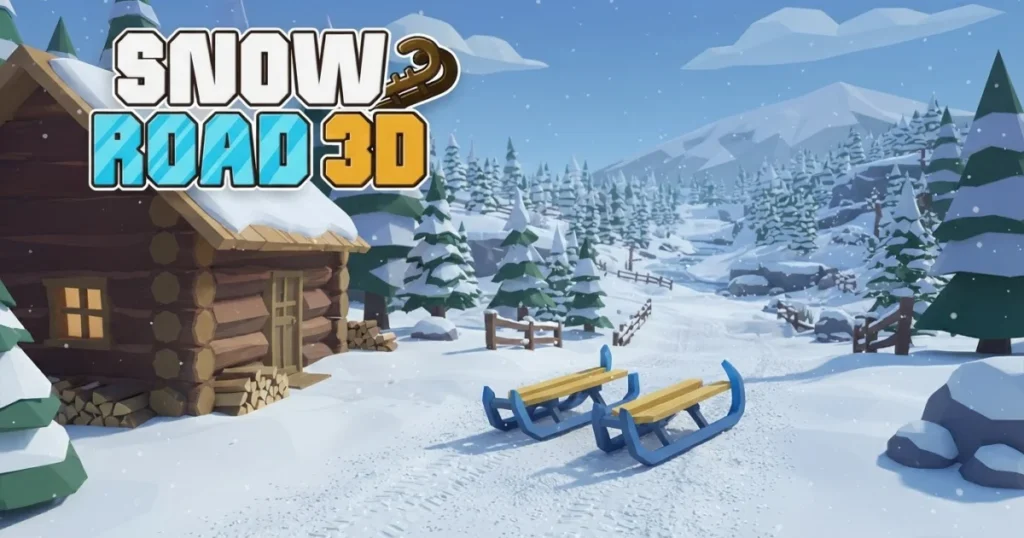





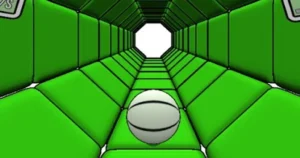



Arcazi.com brings you Snow Road 3D, a high-speed endless runner where you pilot a sled down treacherous winter slopes packed with obstacles. Speed builds relentlessly as you carve through snow, forcing split-second decisions and razor-sharp reflexes. Collect gift boxes to unlock new sleds, including the durable Santa Sleigh, while dodging trees, rocks, and cliff gaps that can end your run in an instant.
Table of Contents+
What Is Snow Road 3D?
Snow Road 3D is a WebGL-based endless downhill runner that drops you onto a sled racing through procedurally generated icy terrain. Your sled accelerates automatically, and your only job is to steer left or right to avoid static barriers like trees and snowdrifts, plus kinetic hazards that move across your path. The single-player loop is simple: survive as long as possible, rack up distance, and grab gift boxes scattered along the route to fund sled unlocks.
Runs end when you collide with an obstacle or miss a jump over a cliff gap. Each session starts at a manageable pace, but within seconds the speed ramps to terminal velocity, shrinking your reaction window. The game tracks your best distance on a leaderboard, turning every run into a personal-best chase.
How to Play Snow Road 3D?
Steering is the core mechanic. You guide your sled left or right across a three-lane slope, dodging obstacles that appear faster as speed increases. Gift boxes float above the snow, and collecting them adds to your unlock currency. Jumps happen automatically when you hit ramps or cliff edges, but you can tap spacebar mid-air to adjust your trajectory slightly.
The game runs smoothly in Chrome, Edge, and Firefox without plugins or downloads. Controls adapt to your device, so desktop players use keyboard inputs while mobile players rely on touch gestures.
Desktop Keyboard and Mouse Schemes
WASD keys or Arrow keys steer your sled left and right. Press A or Left Arrow to shift one lane left, D or Right Arrow to shift right. Spacebar triggers a small jump when you’re airborne, useful for clearing low obstacles or adjusting your landing angle after a ramp. Mouse input is available for aiming your view, but most players stick to keyboard steering for precision.
Holding a direction key keeps you moving in that lane until you release or tap the opposite key. Quick taps work better than long holds when weaving through dense obstacle clusters at high speed.
Touchscreen Gestures and Mobile Navigation
Swipe left or right on the screen to steer. Tap anywhere to jump when you’re in the air, mimicking the spacebar function on desktop. Touch controls are responsive, but the smaller screen means you need to scan the horizon more aggressively to spot obstacles early.
Some mobile players prefer tilting their device slightly to steer, though this mode is less common. Stick with swipe gestures for the most reliable input, especially during high-speed sections where a missed swipe can mean an instant crash.
Sled Unlocks and Gift Collection System
Gift boxes are the game’s currency. Each box you collect during a run adds to your total, displayed in the main menu. Once you accumulate enough, you can unlock new sleds from the vehicle roster. Different sleds offer cosmetic variety and, in some cases, slightly better handling or durability stats.
The unlock system is linear: you spend your gift box total to purchase the next sled in the roster, then start saving for the one after that. There’s no premium currency or microtransaction shortcut, just raw collection during runs.
Collecting Gift Boxes on the Slopes
Gift boxes appear in predictable patterns along the center and outer lanes. They’re often placed near obstacles, forcing you to choose between a safe path and a risky grab. Early in a run, boxes are easy to snag without danger. Later, when speed peaks, you’ll need to commit to a lane shift several seconds in advance to line up a box without hitting a tree.
Boxes persist across crashes, so even a short run where you die early still contributes to your unlock progress. Prioritize survival over collection once the speed becomes unmanageable, since a longer run naturally yields more boxes than a short greedy attempt.
Vehicle Roster and Unlocking Santa Sleigh
The vehicle roster includes several sleds, each with a unique look. The flagship unlock is the Santa Sleigh, a high-durability sled that costs the most gift boxes but offers the best stats for surviving long runs. Its wider base makes it slightly more forgiving when you clip the edge of an obstacle, giving you a fraction of a second more reaction time.
Other sleds in the roster include standard wooden sleds, modern racing sleds, and themed variants. Unlocking them all requires consistent play, since the Santa Sleigh alone demands hundreds of gift boxes. Focus on steady distance runs rather than short box-hunting sprints to maximize your unlock rate.
Downhill Hazards and Environmental Obstacles
Obstacles fall into two categories: static barriers that never move, and kinetic hazards that shift position or timing. Both types appear more frequently as your speed increases, and the game mixes them together to create dense obstacle fields that require constant lane switching.
Collision with any obstacle ends your run instantly. There’s no health bar or damage system, just a binary pass-or-fail for every steering decision you make.
Static Barriers, Trees, and Snowdrifts
Trees are the most common static obstacle. They appear in all three lanes, sometimes solo, sometimes in pairs that block two lanes at once. Snowdrifts are shorter and easier to spot, but they’re often placed right after a ramp, catching you mid-air if you don’t adjust your landing lane.
Rocks are less frequent but harder to see against the white snow. They blend into the background at high speed, so you need to rely on silhouette recognition rather than color contrast. Static barriers never move, so once you spot one, you can commit to a lane shift without worrying about it changing position.
Kinetic Hazards and Gap Jump Physics
Kinetic hazards include rolling snowballs and sliding ice blocks that move horizontally across lanes. They follow predictable paths, but at terminal velocity you’ll need to predict their position a second or two in advance. Wait too long to react, and you’ll steer directly into their path.
Cliff gaps are the most dangerous hazard. The slope occasionally drops away entirely, leaving a chasm you must jump. Ramps appear before most gaps, launching you into the air automatically. If you’re in the wrong lane when you hit the ramp, you’ll land in a barrier on the far side. Spacebar lets you extend your jump slightly, but it won’t save you from a poorly timed ramp approach.
Advanced Strategies for High Distance Scores
Survival at high speed requires a shift in mindset. Early in a run, you can react to obstacles as they appear. Later, you need to read the slope three or four seconds ahead, planning lane shifts before the obstacles even enter your immediate view. This proactive scanning is the difference between a 500-meter run and a 2,000-meter run.
Gift box collection becomes secondary once speed peaks. A single missed box costs you nothing, but a single collision costs the entire run. Prioritize clean pathing over greedy grabs.
Center-Lane Holding and Horizon Vision
The center lane offers the best visibility and the most escape options. When you’re in the middle, you can shift left or right with equal ease. Outer lanes trap you against the edge, limiting your movement to one direction. Stay center whenever possible, only moving to the sides when an obstacle forces you out.
Horizon vision means training your eyes to focus on the farthest visible point of the slope, not the ground directly in front of your sled. Obstacles appear as small shapes on the horizon first, giving you extra reaction time. Players who stare at their sled’s immediate surroundings react too late and crash more often.
Precision Air Timing and Recovery Tactics
Jumps are automatic, but your lane position when you leave the ramp determines your landing lane. If you’re shifting mid-air, the game continues your lateral movement, so a shift started just before a ramp will complete during the jump. Use this to thread between obstacles that straddle your landing zone.
Recovery tactics matter after near-misses. If you clip the edge of a tree but don’t crash, your sled wobbles slightly. Don’t panic and overcorrect by mashing the opposite direction key. Instead, tap gently to stabilize, then resume scanning the horizon. Overcorrection causes more crashes than the original mistake.
Where to Play Snow Road 3D
Snow Road 3D is free to play right now on Arcazi.com in your browser, with no download or install required.
More High-Speed Runners on Arcazi
- Slope Rider 3D – Another downhill racer with steep drops and tight turns that demand constant focus.
- Run 3 – A gravity-defying endless runner set in space tunnels with rotating platforms.
- Run 2 – The predecessor to Run 3, featuring similar tunnel-running mechanics with simpler level design.
- Temple Run 2 – A classic endless runner where you dodge obstacles and collect coins while escaping a temple.
- Slope 2 – A neon-lit ball-rolling game with extreme speed and narrow platforms.
- Jetpack Joyride – A side-scrolling endless runner with jetpack flight and obstacle-dodging action.
These titles share the same reflex-testing DNA as Snow Road 3D, and you can find the full collection in the Runner category.
For Parents
Snow Road 3D is a reflex-based endless runner with no violent, scary, or mature content. Players steer a sled down snowy slopes, avoiding obstacles like trees and rocks. Crashes result in the sled stopping and the run ending, with no graphic imagery or consequences beyond restarting. The game focuses entirely on timing and spatial awareness, making it suitable for players of all ages who enjoy fast-paced arcade challenges.
FAQs About Snow Road 3D
How do I control my sled in Snow Road 3D?
Use WASD keys or Arrow keys to steer left and right on desktop. On mobile, swipe left or right to change lanes. Spacebar or a tap while airborne triggers a small jump adjustment.
What is the Santa Sleigh and how do I unlock it?
The Santa Sleigh is the highest-tier sled in the vehicle roster, offering better durability and handling. Unlock it by collecting enough gift boxes during runs, then purchasing it from the main menu.
Do gift boxes carry over after I crash?
Yes, every gift box you collect during a run is added to your total, even if you crash seconds later. Your progress toward sled unlocks is never lost.
Can I play Snow Road 3D on mobile devices?
Yes, the game supports full touchscreen controls with swipe gestures for steering and tap-to-jump mechanics. It runs smoothly on both phones and tablets.
Is there a multiplayer mode in Snow Road 3D?
No, Snow Road 3D is a single-player endless runner. Your only competition is your own best distance score on the leaderboard.
How do I avoid obstacles at high speed?
Focus your eyes on the horizon rather than the ground directly in front of your sled. This gives you extra reaction time to spot obstacles early and plan lane shifts in advance.
What happens when I hit a cliff gap?
Cliff gaps require you to jump using a ramp placed before the gap. If you’re in the correct lane when you hit the ramp, you’ll clear the gap and land safely. Missing the ramp or landing in an obstacle ends your run.
Can I pause the game during a run?
No, Snow Road 3D runs in real time without a pause function. Once you start a run, you must complete it or crash before you can return to the main menu.
Do different sleds change gameplay?
Most sleds are cosmetic, but some, like the Santa Sleigh, offer slightly better stats such as improved durability. These differences are subtle and won’t drastically change your survival time.
How do kinetic hazards work?
Kinetic hazards like rolling snowballs and sliding ice blocks move horizontally across lanes. They follow predictable paths, so you can anticipate their position and steer around them if you react early.
Why do I keep crashing after jumps?
Your lane position when you leave a ramp determines where you land. If you’re shifting lanes mid-air, the movement continues during the jump. Plan your lane shifts before you hit the ramp to avoid landing in obstacles.
Does the snow road 3d game save my progress automatically?
Yes, your gift box total and unlocked sleds are saved automatically in your browser. You can close the game and return later without losing progress.
Start Your Downhill Run Now
Snow Road 3D is free to play instantly in your browser on Arcazi.com, with no download or account required. Jump in and see how far you can ride before the slopes take you down.