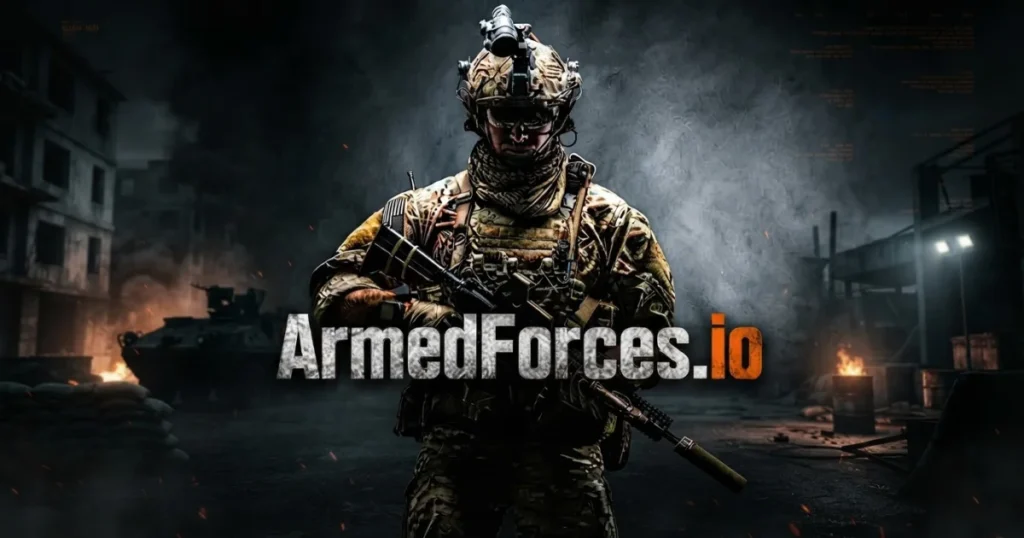













Armed Forces Io drops you into fast-paced multiplayer combat where tactical positioning and weapon mastery determine survival. This browser-based first-person shooter combines realistic weapon physics with accessible gameplay, letting you jump into team battles, free-for-all skirmishes, and objective-based modes without any downloads. Customize your loadout, master the maps, and climb the leaderboards in intense 10-minute matches against players worldwide. 🩷
Table of Contents+
What Is Armed Forces Io?
Armed Forces Io is a multiplayer first-person shooter that runs directly in your browser, offering tactical combat without the barrier of large downloads or expensive hardware. Players select weapons, customize loadouts, and engage in various game modes across detailed maps featuring urban streets, trenches, and strategic firing positions. The game emphasizes skill-based shooting with realistic weapon mechanics including recoil patterns, bullet drop, and accuracy systems that reward precision over spray-and-pray tactics.
Game Modes
Five distinct modes keep matches varied: Team Deathmatch pits two squads against each other in kill-focused combat, Free for All creates chaotic every-soldier-for-themselves battles, Capture the Flag demands coordination and defensive strategy, Bomb Defuse requires one team to plant explosives while the other prevents detonation, and Gun Game progressively cycles through weapons as you score kills. Each mode lasts 10 minutes with different victory conditions.
Weapon Customization
The equipment system lets you build loadouts around your playstyle. Primary weapons include the MP5 assault rifle, Micro Mac-10 SMG, R840 shotgun, AKM assault rifle, SG554 SMG, Minimi LMG, SKS marksman rifle, and M40A3 sniper. Each weapon can be modified with red dot optics, silencers, lasers, ammunition types, and color schemes. Secondary pistols, combat knives, grenades, armor, and medkits round out your tactical options.
Perk System
Four perk slots grant special abilities that enhance your soldier’s capabilities. Quick Draw Ammo speeds up reloads, Bolt Runner increases movement speed, Silence Walker muffles footsteps for stealth approaches, Explosion Master boosts grenade damage, Ninja improves melee attacks, Samurai enhances knife combat, UAV Ghost hides you from enemy radar, Scavenger lets you collect ammo from fallen enemies, Sitrep reveals enemy equipment, and Fast Drawer accelerates weapon switching.
Progression and Rewards
Kills and match victories earn coins that unlock better weapons and upgraded armor. Supply drops provide random crates containing rare gear. The game maintains an online ranking system that updates after every match, tracking your kills, deaths, scores, and kill-death ratio in the profile section. Weapon parameters display damage, fire rate, accuracy, range, ammunition capacity, and weight to help you make informed loadout decisions.
How to Play Armed Forces Io
Success in Armed Forces Io requires map knowledge, cover usage, and weapon control. Spawn points change constantly, so maintain situational awareness and use the mini-map in the top-left corner to track nearby enemy positions. Hold angles from cover rather than running into open spaces, and switch weapons instead of reloading during close-quarters firefights. Body armor absorbs damage while medkits restore health mid-battle, so manage these resources carefully during extended engagements.
Armed Forces Io Controls
Movement uses WASD or arrow keys, while the mouse aims and left-click fires your weapon. Right-click activates sniper scopes for long-range precision. Hold Shift to sprint between positions and press C to crouch behind cover. Number keys 1, 2, and 3 switch between primary weapon, secondary weapon, and knife. Press E or F to interact with objectives, G to throw grenades, and H to use your medkit. The N key displays the score table during matches.
Browser Compatibility
Armed Forces Io runs smoothly in Chrome, Edge, and Firefox on desktop computers. The game uses WebGL technology to deliver responsive FPS gameplay without plugins or installations, making it accessible on most modern systems regardless of hardware specifications.
Tips and Tricks for Armed Forces Io
Master peek mechanics: Quick peek from cover, fire two shots, then return to safety—this pattern reduces deaths more effectively than any armor upgrade and keeps you in the fight longer.
Learn map layouts in Team Deathmatch: Enemy movement patterns remain consistent across maps, so spend 2-3 matches memorizing common routes, choke points, and spawn locations before jumping into objective modes.
Switch weapons instead of reloading: In close combat, pulling out your pistol with the 2 key is faster than waiting for a rifle reload animation, often securing kills you’d otherwise lose.
Use the mini-map constantly: The top-left radar shows nearby enemy positions when teammates spot them, giving you critical information for flanking maneuvers and avoiding ambushes.
Prioritize weapon upgrades over cosmetics: Spend your first coins on better primary weapons and armor rather than color schemes—the performance boost from an AKM or SKS dramatically improves your kill potential.
Where to Play Armed Forces Io
Armed Forces Io is free to play right now on Arcazi.com. Launch it directly in your browser with no downloads, no installations, and no account required. Jump into multiplayer matches instantly and start climbing the leaderboards.
Common Questions About Armed Forces Io
What is Armed Forces Io?
Armed Forces Io is a free-to-play multiplayer first-person shooter that runs in web browsers. It features tactical combat with customizable loadouts, realistic weapon physics, and multiple game modes including Team Deathmatch, Capture the Flag, and Bomb Defuse across various military-themed maps.
How many military forces are there in India?
This question relates to real-world military structure rather than the Armed Forces Io game. The game itself is a fictional multiplayer shooter focused on competitive combat gameplay, not a simulation of any specific country’s armed forces.
For Parents
Armed Forces Io is a combat-focused first-person shooter featuring realistic military weapons, gunfire, and player-versus-player violence. Players eliminate opponents using rifles, grenades, and knives across battlefield environments. While the game uses stylized graphics rather than graphic realism, it centers entirely on armed combat and competitive shooting. Parents should consider whether this type of military-themed action gameplay aligns with their family’s preferences for online gaming content.
Similar Games to Armed Forces Io
If you enjoy Action games, here are more worth playing:
- Blumgi Paintball
- Raft Wars
- Time Shooter
- Stickman Boost
- Time Shooter 3
- Completing the Mission
- Stickman Parkour 3
Explore more titles in the Action category for more free browser games.
FAQs About Armed Forces Io
Is Armed Forces Io free to play?
Yes, Armed Forces Io is completely free to play in your browser with no payment required. You can access all game modes, weapons, and maps without spending money, earning coins through gameplay to unlock upgrades.
Do I need to download Armed Forces Io?
No download is necessary. Armed Forces Io runs directly in your web browser using WebGL technology, letting you start playing immediately without installations or plugins.
Can I play Armed Forces Io unblocked at school?
Armed Forces Io is accessible through standard web browsers, though school networks may restrict gaming sites. The game requires no special software or workarounds to run on compatible networks.
What are the best weapons in Armed Forces Io?
The M40A3 sniper excels at long range, the AKM assault rifle offers balanced performance for mid-range combat, and the R840 shotgun dominates close quarters. Weapon effectiveness depends on your playstyle and the map you’re fighting on.
How do Armed Forces Io controls work?
Use WASD to move, mouse to aim and shoot, Shift to sprint, C to crouch, and number keys to switch weapons. Press G for grenades, H for medkits, and E or F to interact with objectives like flags or bomb sites.
Is Armed Forces Io multiplayer only?
Yes, Armed Forces Io is designed as a multiplayer experience where you compete against real players from around the world in various game modes. There is no single-player campaign or bot practice mode.
How long do Armed Forces Io matches last?
Each match runs for 10 minutes regardless of game mode. The player or team with the highest score when time expires wins, though some objective modes like Capture the Flag can end early if victory conditions are met.
Can I customize my loadout in Armed Forces Io?
Yes, the equipment section lets you customize loadouts with primary weapons, secondary pistols, knives, armor, grenades, and medkits. You can also modify weapons with optics, silencers, lasers, and different ammunition types using coins earned from matches.
What game modes does Armed Forces Io offer?
The game features Team Deathmatch, Free for All, Capture the Flag, Bomb Defuse, and Gun Game. Each mode has different objectives and strategies, from pure elimination combat to tactical objective-based gameplay.
How do I earn coins in Armed Forces Io?
You earn coins by getting kills and winning matches. These coins can be spent in the equipment store to purchase new weapons, upgrade existing gear, and unlock supply drops containing rare items.
Does Armed Forces Io work on mobile devices?
Armed Forces Io is optimized for desktop browsers with keyboard and mouse controls. While some mobile browsers may load the game, the control scheme is designed for PC gameplay rather than touchscreen input.
Can I play Armed Forces Io in full screen?
Most browsers allow you to play Armed Forces Io in full screen mode by pressing F11 or using the browser’s full screen option. This removes distractions and provides a more immersive combat experience.
Start Your Mission in Armed Forces Io
Armed Forces Io delivers tactical multiplayer combat without downloads or barriers. Play free right now on Arcazi.com—customize your loadout, master the weapons, and dominate the battlefield in your browser.