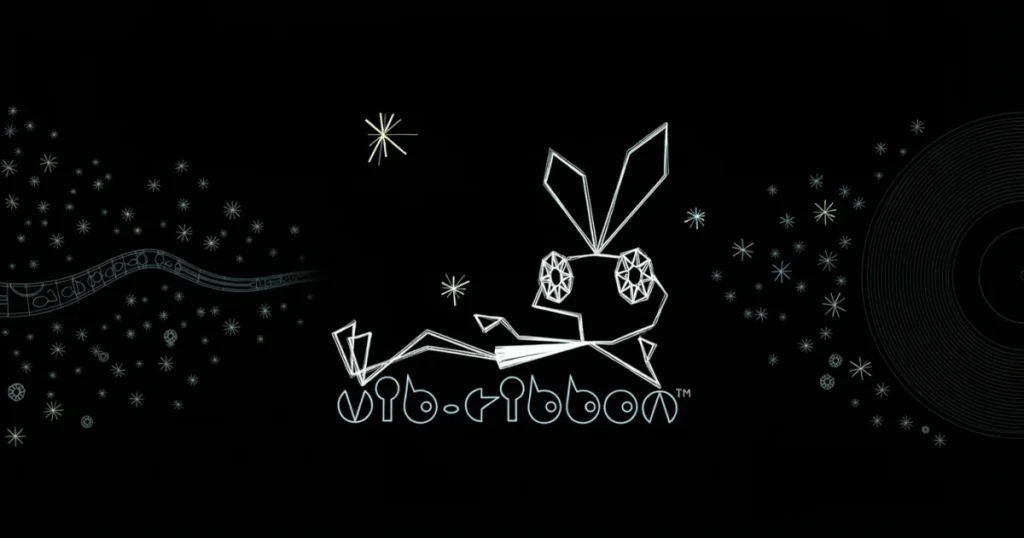

Vib Ribbon delivers a unique rhythm-survival experience where a simple vector rabbit named Vibri navigates obstacles generated directly from music tracks. The game’s stark black-and-white wireframe aesthetic and procedurally generated levels make every playthrough feel fresh and reactive. Originally a PlayStation classic, this minimalist gem challenges your timing and reflexes as you press buttons in sync with approaching hazards. 🩷
Table of Contents+
What Is Vib Ribbon?
Vib Ribbon strips rhythm gaming down to its purest form. You guide Vibri, a two-dimensional rabbit, along a single line as obstacles spawn in time with the music. The game analyzes audio tracks to create levels on the fly, meaning the soundtrack directly shapes the challenge. Miss too many cues and Vibri devolves into simpler forms—nail your timing and she evolves into more complex shapes. The minimalist vector graphics and procedural generation set it apart from traditional rhythm titles.
Gameplay Mechanics
Four button inputs correspond to four obstacle types: loops, waves, blocks, and pits. As obstacles approach, you press the correct button at the exact moment Vibri reaches them. Combos reward precise timing, while mistakes degrade Vibri’s form. The game tracks your performance across each track, scoring based on accuracy and successful sequences.
Procedural Level Generation
Vib Ribbon gameplay hinges on its audio analysis engine. The game reads the frequency, tempo, and intensity of any music track and translates those elements into obstacle patterns. Louder sections spawn more hazards, tempo shifts alter spacing, and dynamic changes keep you adapting. This means no two songs produce identical levels, and custom tracks offer endless variety.
Evolution and Devolution System
Vibri exists in multiple forms based on your performance. Start as a basic rabbit, and successful runs evolve her into a princess, then a queen, and finally a super-queen with a crown and cape. Mistakes reverse the process, stripping away complexity until you’re left as a simple frog or worm. Reaching game over means Vibri loses all form entirely.
Custom Music Support
The original PlayStation version allowed players to swap the game disc for any audio CD, and the game would generate levels from those tracks. This feature made Vib Ribbon endlessly replayable, as your entire music collection became potential level content. Emulation setups can replicate this functionality with the right configuration, though it requires specific emulator settings and disc-swapping workarounds.
How to Play Vib Ribbon
The browser version brings the classic rhythm-survival experience to your desktop without downloads or installation. You’ll use keyboard inputs to match obstacles as they scroll toward Vibri, timing each press to the beat. The game runs smoothly in modern browsers, making it accessible for quick sessions or extended playthroughs.
Vib Ribbon Controls
Standard keyboard controls map to the four obstacle types. Typically, arrow keys or designated letter keys handle loops, waves, blocks, and pits—each button corresponds to a specific hazard shape. The game displays button prompts as obstacles approach, so you’ll learn the mapping quickly through play. Precision matters more than speed; hitting the correct input at the exact moment Vibri contacts an obstacle is the key to high scores and evolution.
Browser Compatibility
The game runs smoothly in Chrome, Edge, and Firefox on desktop systems. No plugins or additional software are required—just load the page and start playing. Performance remains consistent across these browsers, with responsive input handling and stable frame rates throughout.
Tips and Tricks for Vib Ribbon
Watch the obstacle shape, not the music: While the game syncs to audio, visual cues are more reliable for timing—focus on when the hazard reaches Vibri’s position rather than trying to predict beats.
Memorize button-to-obstacle pairings early: The four inputs never change, so drilling the association between each shape and its button in the first few tracks will make later, faster sections manageable.
Accept devolution as a learning tool: Dropping down to simpler forms gives you breathing room to recover and study patterns—don’t restart immediately after mistakes.
Use combo chains to boost scores: Stringing together perfect inputs multiplies your points, so prioritize accuracy over frantic button mashing during dense sections.
Experiment with different music tempos: Slower tracks offer easier learning curves, while high-BPM songs generate intense obstacle density—match your practice to your current skill level.
Where to Play Vib Ribbon
You can play Vib Ribbon free right now on Arcazi.com, directly in your browser with no download or installation required. The game loads instantly and runs on any desktop system with a modern web browser, giving you immediate access to the full rhythm-survival experience.
Emulation and Custom Music Questions
Many players seek ways to experience Vib Ribbon on modern hardware, especially with custom music tracks. The original PlayStation feature that allowed CD swapping has inspired a dedicated emulation community. Below are answers to the most common technical questions about running the game on PC and configuring custom soundtracks.
How to emulate Vib Ribbon?
You’ll need a PlayStation emulator like DuckStation, ePSXe, or RetroArch, plus a Vib Ribbon ISO or ROM file. Configure the emulator with a PlayStation BIOS (required for proper disc emulation), then load the game file. PAL and NTSC versions both work, though PAL is more common in circulation. Emulation settings should prioritize accurate disc reading for the custom music feature to function.
How to play Vib Ribbon on PC?
The browser version on Arcazi.com is the simplest method—no setup required. For the original PlayStation experience with custom music support, you’ll need emulation software and the game ISO. DuckStation offers the most straightforward setup for disc-swapping functionality, allowing you to load audio files as virtual CDs after the game boots.
How to play music on Vib Ribbon on PS1 emulator?
After the game loads and reaches the main menu, most emulators let you swap the virtual disc. In DuckStation, use the disc change menu to load an audio CD image (CUE/BIN format) or mount a folder of music files as a virtual disc. The game will analyze the new audio and generate levels. ePSXe requires manual disc-swapping through its file menu, and some users report crashes—save states before attempting the swap.
How to play Vib Ribbon on emulator with CDs?
If you have physical audio CDs, rip them to CUE/BIN or ISO format using disc imaging software. Load the Vib Ribbon game in your emulator, wait for the prompt to swap discs, then use the emulator’s disc change function to load your audio CD image. The game treats the new disc as a music source and generates obstacles accordingly. This method replicates the original PlayStation experience most accurately.
How to play Vib Ribbon on ePSXe?
Load the Vib Ribbon ISO in ePSXe with a configured PlayStation BIOS. Use the File menu to change the disc once the game prompts you. Some users report crashes during disc swaps—using save states before the swap and adjusting GPU plugin settings (try Pete’s OpenGL or software rendering) can improve stability. The ePSXe Android version has similar issues, with DuckStation generally offering better compatibility.
How to use CD on Vib Ribbon on PC?
Convert your audio CDs to disc image files (CUE/BIN format), then load them through your emulator’s disc swap feature after the game boots. Alternatively, some emulators support mounting folders of MP3 or WAV files as virtual audio discs. DuckStation and RetroArch handle this more reliably than older emulators, with fewer crashes and better audio analysis.
Does Vib Ribbon on PS3 let you use your music?
The PS3 PSN version supports custom music through the console’s music library. After loading the game, you can access your stored audio files and the game will generate levels from them, similar to the original CD-swapping feature. This makes the PS3 version one of the most convenient ways to play with custom tracks on official hardware.
Why can’t I use CDs when emulating Vib Ribbon?
Disc-swapping requires specific emulator settings and proper BIOS configuration. If the feature isn’t working, check that your emulator supports virtual disc changes, that you’re using disc images in the correct format (CUE/BIN for audio), and that the game has fully loaded before attempting the swap. Some emulators like ePSXe crash during this process—switching to DuckStation or RetroArch often resolves the issue.
Can Vib Ribbon use any soundtrack?
Yes, the game’s procedural generation works with any audio source. The original PlayStation version accepted any audio CD, and emulated or PSN versions can process digital music files. The algorithm analyzes frequency, tempo, and dynamics to create obstacles, so everything from classical to metal produces playable levels—though results vary in difficulty and pattern density.
Does completing additional moves on Vib Ribbon increase your score?
Executing the correct button input at the precise moment of contact with an obstacle is what builds your score. Chaining successful inputs without mistakes creates combos that multiply points. There are no “additional moves” beyond the four core button presses—accuracy and timing are the only factors that affect scoring and evolution.
How does Vib Ribbon create levels?
The game analyzes audio tracks in real time, reading frequency data, tempo, and volume dynamics. High-frequency sounds and loud sections spawn more obstacles, while tempo changes adjust spacing and speed. The algorithm maps these audio characteristics to the four obstacle types, creating a synchronized challenge that reflects the music’s structure. This procedural system means every song produces a unique level layout.
For Parents
Vib Ribbon contains no violence, mature themes, or inappropriate content. The abstract vector graphics and music-driven gameplay make it suitable for all ages. The game rewards pattern recognition and timing skills, offering a low-stress environment where mistakes result in visual devolution rather than punishing consequences. The minimalist presentation and lack of narrative content mean there’s nothing to monitor beyond screen time.
More Rhythm and Survival Challenges
These titles showcase how music can drive gameplay in unexpected ways, from procedural generation to synchronized combat.
FAQs About Vib Ribbon
How does Vib Ribbon work?
The game analyzes audio tracks and generates obstacle patterns based on frequency, tempo, and volume. You press buttons corresponding to four hazard types as they reach Vibri, the vector rabbit. Successful timing evolves Vibri into more complex forms, while mistakes cause devolution.
How does Vib Ribbon generate levels?
An audio analysis algorithm reads music in real time, mapping frequency data and dynamic changes to obstacle types and spacing. Louder sections create denser hazard clusters, tempo shifts adjust scrolling speed, and the procedural system ensures every track produces a unique challenge.
How many Vib Ribbon games are there?
The original Vib Ribbon has two sequels: Mojib-Ribbon, which uses text and writing mechanics, and Vib-Ripple, which incorporates photography and image analysis. All three share the minimalist vector aesthetic and procedural generation philosophy.
How to play Vib Ribbon?
Use four buttons to match incoming obstacles—each hazard shape corresponds to one input. Press the correct button exactly when Vibri contacts the obstacle. Chain successful inputs to build combos and evolve Vibri’s form, while mistakes cause devolution and lower your score.
How to play Vib Ribbon on PC?
Play the browser version on Arcazi.com for instant access with no downloads. Alternatively, use a PlayStation emulator like DuckStation with a Vib Ribbon ISO file. Emulation allows custom music through virtual disc swapping, replicating the original CD-swap feature.
Is Vib Ribbon free to play?
Yes, the browser version on Arcazi.com is completely free with no downloads, registration, or payment required. You can start playing immediately in any modern web browser.
What are the Vib Ribbon controls?
Four buttons handle the four obstacle types: loops, waves, blocks, and pits. The browser version typically uses arrow keys or designated letter keys. Each input must be pressed precisely when Vibri reaches the corresponding hazard for successful navigation.
Do I need to download Vib Ribbon to play?
No download is necessary for the browser version on Arcazi.com. The game runs directly in your web browser on desktop systems, with no installation, plugins, or additional software required.